Get your next client on autopilot
Inside AI Autopilot Academy you get my 27-day Claude Code mastery program with a 1-click install setup file, so you’re up and running on day one. Plus my GoHighLevel CLI, the Skool Automation MCP and Jarvis +. And you get a proven Claude Code content system to get your next client on autopilot.
You can’t research 1,000 companies in a day. But you can send 1,000 emails that look like you did. That’s what this AI lead generation workflow does, and it’s the model we use at CC Strategic for our own clients: no paid ads, low-cost leads, and every first email carries a custom icebreaker.
I’m Charles J Dove, I run Charlie Automates, and I recorded this walkthrough in December 2025. The tools have changed since (I now pull leads with Claude Code, covered in my Apollo-style lead gen with Claude and Apify post), but the logic of this n8n build is still a clean way to understand how automated outbound works.
How Does the AI Lead Generation Workflow Work?
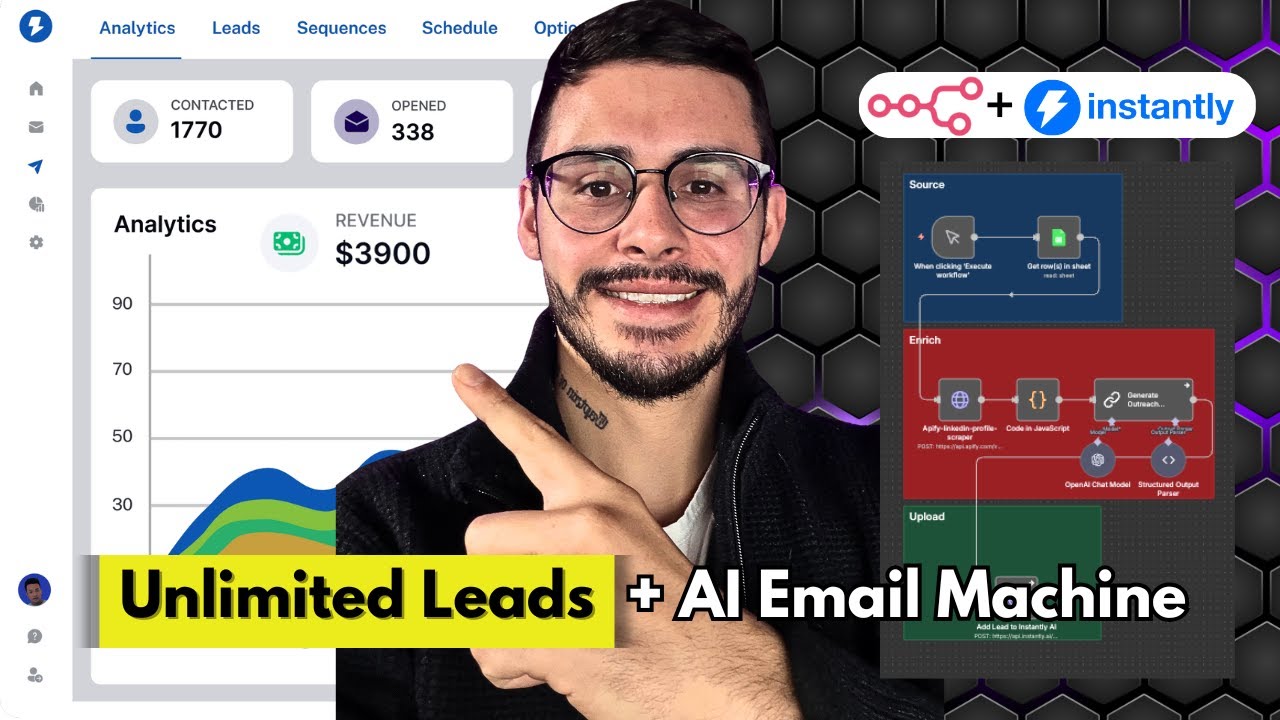
The workflow reads a lead list, researches each person, writes a custom icebreaker and pushes the lead into an email campaign. In order:
- Pull rows from a Google Sheet of leads.
- Scrape each lead’s LinkedIn with Apify. Apify scrapes it without affecting your own LinkedIn profile, so you’re safe.
- Run a code step that keeps only the fields you want, so you don’t feed the AI bloated data.
- Pass the data to an AI model (I used a mini GPT-4.1 model) with a prompt on what to look for in the profile, how to write the icebreaker, and examples of what does and doesn’t work.
- Send the lead to Instantly with first name, last name, company, email and the custom icebreaker, and add them to the campaign of your choice.
Perplexity is optional. Use it when you want deeper research on a prospect. Add it, merge its output with the Apify data, and feed both through the code step.
How Do You Build the Lead List?
I built mine with a lead database export, then uploaded it to Google Sheets. The filters that matter:
- Industry and keywords. Pick the main industry and the sub-niche, such as commercial real estate, or builders instead of agents.
- Number of employees. I like 51 to 200.
- Job titles. Target operational roles like managing partners and operating officers rather than the CEO, who may be caught up in other things. Someone in charge of hiring works too.
- Location. Target three or four states instead of a list of 20,000.
Select all, apply, export, and choose verified emails only. Then download the export, upload it into a Google Sheet, and set headers like first name, last name, title, company name, email and seniority.
(I made another video using a different lead scraper that’s probably better, but it’s way more expensive.)
How Do You Connect It to Instantly?
Instantly is the cold email tool. In your campaign’s sequences, add an icebreaker field to the first email. To connect the workflow, copy the campaign ID, which is the number between the slashes in the campaign URL, and paste it into the API request in n8n. When you run it, each lead is added with its personalized icebreaker.
You can also change the first email text in the sequence any time. Send thousands of emails, review the data and split test to learn what your audience wants.
One forewarning: Instantly is paid, and you have to warm up your domains before you send. It’s a process.
Paid Ads or AI Lead Generation?
I think both are valid. Paid ads cost more. If you don’t have a big budget, spend a few hundred getting an AI lead system running instead of a couple thousand on ads. When a prospect replies, they book a call and I put them into my main CRM, which handles everything from there.
If you build this for clients, see my unlimited leads resource and my n8n MCP server guide.
Key Takeaways
- Custom icebreakers at scale make cold email look researched when you can’t research 1,000 companies by hand.
- Stack: Google Sheets, Apify, n8n, an AI model and Instantly.
- Filters that work: 51 to 200 employees, operational job titles, 3 to 4 states.
- Apify doesn’t touch your LinkedIn profile.
- Warm up your sending domains before you launch a campaign.
- Perplexity is optional for deeper prospect research.
Where to Go From Here
Get your next client on autopilot.
Join AI Autopilot Academy for my 27-day Claude Code mastery program with a 1-click install setup file, plus a proven Claude Code content system to get your next client on autopilot.
The tools from this walkthrough on charlieautomates.com:
At my agency CC Strategic we build systems like this for business owners, and new builds drop every week on my YouTube channel @charlieautomates.
FAQ
What is an AI lead generation workflow? It’s an automation that pulls a lead list, researches each prospect, writes a personalized message and sends it through an email tool. This one uses n8n, Apify, an AI model and Instantly.
Does scraping LinkedIn with Apify affect my account? No. In this workflow Apify scrapes LinkedIn without affecting your own profile.
What employee range and job titles should I target? I like companies with 51 to 200 employees and operational titles such as managing partners and operating officers, because they’re more active in the business than the CEO.
Do I need to warm up my email domains? Yes. Instantly is paid and you have to warm up your domains before sending campaign emails.
Is this the setup you use today? This is from December 2025. I now pull and enrich leads with Claude Code, but the workflow logic is the same.