Skills, hooks, repos, and MCP servers we use daily. Each one comes with a walkthrough so you can plug it into your own setup immediately. Updated regularly.
Download My VS Code Extensions
Stop clicking through 27 VS Code extensions one by one. Drop this markdown file into Claude Code and it installs the whole stack.
Ask Claude Code to install all these extensions from this markdown file for your VS Code.
Drop the file at the root of your project, open Claude Code, and say:
Install every extension listed in vscode-extensions.md.
Claude reads the list, runs the code --install-extension commands, and confirms each one. Zero manual clicking through the marketplace.
Obsidian Web Clipper: Save Any Webpage as Clean Markdown for Claude Code
Stop copy-pasting webpages into Claude. This free Chrome extension saves any page as clean markdown, drops it straight into your Obsidian vault, and now Claude can just read the file.
This Chrome extension helps you save any webpage as clean markdown for Claude Code to read. And the coolest part? You can add it directly into your Obsidian vault.
Here's why that matters. Claude works best when it can read a file sitting on your machine. A webpage is the opposite of that: it's locked in a browser, wrapped in ads, menus, and popups. The old way was to copy-paste the text into your chat or hand Claude a link and hope it grabs the right stuff. Now you don't have to do either. Clip the page once, it lands in your vault as a clean markdown file, and Claude can read it any time. Just reference the file and have a conversation about it.
What it does
One click, clean markdown. It strips out the ads, nav bars, and junk, and keeps the actual content.
Saves straight into Obsidian. Your vault is just a folder of markdown files on your computer, which is exactly the format Claude Code loves.
Clip the whole page or just a piece. Grab the full article, a selection, or highlights.
Free. The extension is free, and Obsidian is free for personal use.
Setup in 2 minutes
Download Obsidian (free) at obsidian.md/download and create a vault. A vault is just a folder where your notes live. Name it something like research.
Point it at your vault. Open the extension's settings and set your vault name and the folder where clips should land (I use a clippings folder).
Clip something. Go to any article, hit the extension icon, and save. Open Obsidian and the page is sitting there as a markdown file.
The playbook: feed your clips to Claude Code
This is where it gets good. Open Claude Code in (or pointed at) your vault folder and the clips become context Claude can actually use.
Research a topic. Clip 5 articles on a subject, then ask Claude: "Read everything in my clippings folder and give me the 5 big takeaways with sources."
Steal what works. Clip a competitor's landing page, then: "Read this clip and break down the offer, the hooks, and what I should test on my own page."
Save docs that keep moving. Clip the docs page of a tool you use, then reference the file whenever you ask Claude to build with that tool. No more hoping Claude's memory of the docs is current.
Turn reading into content. Clip an article that fired you up, then: "Read this file and draft my take on it as a LinkedIn post in my voice."
Build a swipe file. Every good email, ad, or hook you see, clip it. Ask Claude to pull patterns from the whole folder when you write something new.
The pattern is always the same: clip it once, then just reference the file and talk about it. No copy-paste, no link-grabbing.
Go further: turn the vault into a brain
Once your vault has real research in it, level it up. Graphify turns the whole vault into a knowledge graph Claude can query instead of re-reading every file, and it's the same brain-building move I use in my own agentic OS. Pair it with NotebookLM for deep research and Understand Anything when the thing you're mapping is a codebase instead of articles.
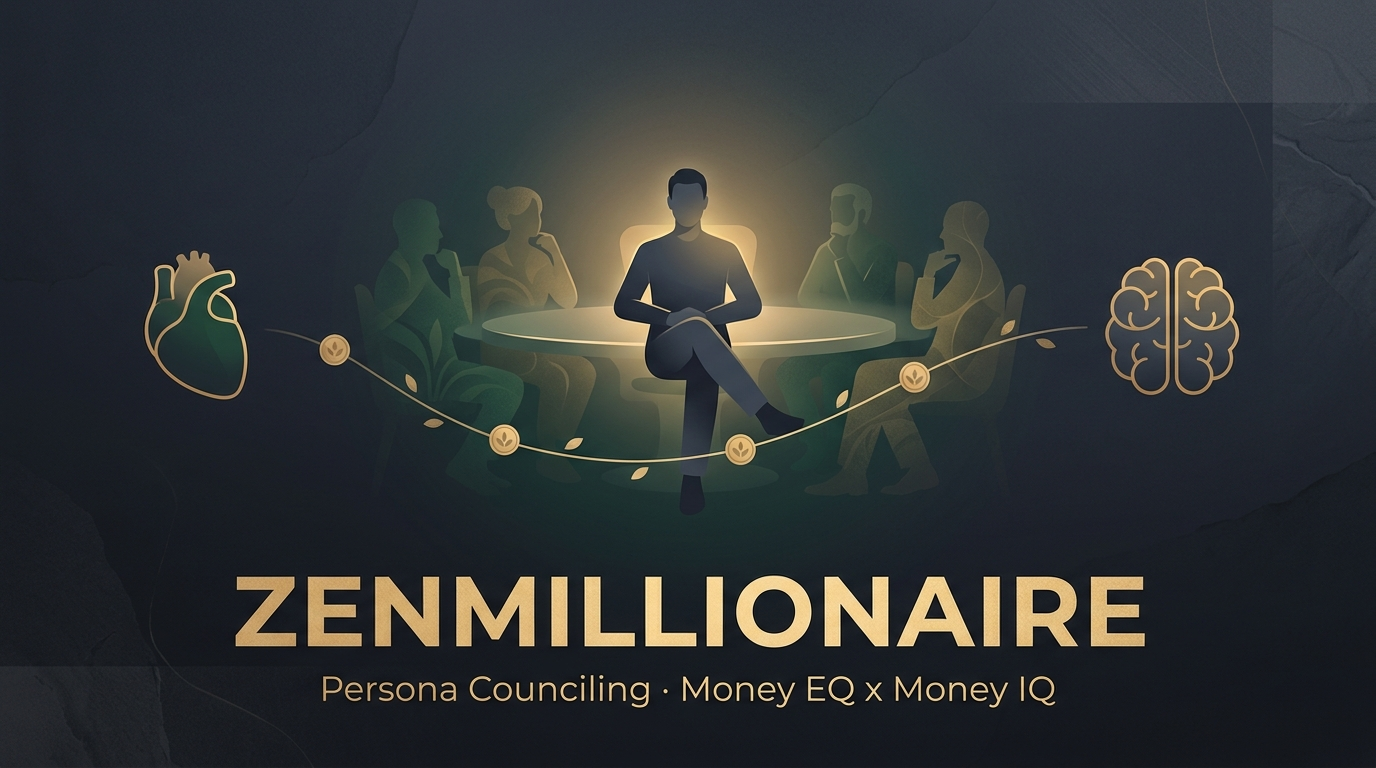
ZenMillionaire: A Council of Money Advisors Inside Claude Code
Ten advisors built from twelve real wealth books. Ask a money question and they debate it in front of you, and every answer names the book it came from.
What it is
ZenMillionaire is a free Claude Code skill that counsels you on money like you have a board of billionaire advisors sitting at your table.
It runs on something called persona counseling. Instead of one AI voice giving you one flat answer, the skill splits into separate advisors. Each advisor is built from one real book, and each one is only allowed to argue using ideas from that book. Then they talk to each other about your actual situation.
Two rules make it different from asking a chatbot about money:
Every claim gets a citation. If an advisor tells you something, it names the source, like (Rich Dad Poor Dad, p.42). If an idea is not in the library, the advisor has to say "that's not in the library, here's my own read." No made-up financial doctrine dressed up as fact.
It is built for augmentation, not automation. It does not move your money or run your budget. It helps you make a better decision, then hands the decision back to you.
The 10 advisors and the 12 books behind them
Each advisor pulls from its own source, so they naturally disagree. That disagreement is the whole point.
The Zen Master — Ken Honda, Happy Money
The Definite Thinker — Napoleon Hill, Think and Grow Rich
The Realist — Morgan Housel, The Psychology of Money
The Life-Energy Guide — Robin & Dominguez, Your Money or Your Life
The Ancient Sage — George Clason, The Richest Man in Babylon
Rich Dad — Robert Kiyosaki, Rich Dad Poor Dad
The Quiet Millionaire — Stanley & Danko, The Millionaire Next Door
The Operator — Alex Hormozi, $100M Offers and $100M Leads
The Angel Philosopher — Naval Ravikant, The Almanack of Naval Ravikant
The Persuader — Robert Cialdini, Influence
MJ DeMarco's The Millionaire Fastlane is in the library too, so the blended advisor can pull from it.
The advisors sit on three poles: mindset-zen (peace, meaning, "how much is enough"), mechanics-iq (assets, saving, investing), and modern-leverage (offers, selling, earning more). The skill picks advisors from different poles on purpose so you hear the other side.
The six modes
You type /zenmillionaire, it shows the menu, asks you a few quick questions, then suggests the right mode. It always confirms before it locks anything in.
1. Talk to one advisor — pick a single voice and have a normal back-and-forth in that style.
2. Council / roundtable — the best one. Claude spins up subagents, one per advisor, and they debate your question. You get each opinion plus a synthesis at the end.
3. Blended advisor — one voice that pulls from all twelve sources at once.
4. Diagnose me — a money-blueprint survey that saves a profile, so later advice is personalized to how you actually think about money.
5. Create a persona — build your own advisor.
6. Add a source — add a book PDF or a YouTube video to the library.
Install it in 60 seconds
Open a terminal and run one command:
npx zenmillionaire install --with-commands
That drops the skill into ~/.claude/skills/zenmillionaire/ and writes the /zenmillionaire slash command. Restart Claude Code, type /zenmillionaire, and you're in.
Other commands if you need them:
npx zenmillionaire install --project installs into the current project's ./.claude/ instead of globally.
npx zenmillionaire update overwrites an existing install with the newest version.
npx zenmillionaire uninstall --with-commands removes it and the slash command.
Three ways I actually use it
1. Pressure-test a decision. Type /zenmillionaire, pick council, and ask something real:
"I'm thinking about dropping a $4,000/mo retainer client to free up time for my own product. Challenge me on this."
Rich Dad argues about building an asset instead of trading hours. The Realist argues about how long your runway really is. The Operator argues about whether the product offer is even good enough yet. You end up seeing the parts of the decision you were skipping.
2. Have the council review a document. Paste in notes from a coaching call, a business plan, or a budget, and say:
"Have the council review this consulting conversation and tell me where the advice is weak."
The subagents each read the document through their own lens, then come back with feedback from ten angles instead of one.
3. Work on a money belief, not a money number. Run mode 4, "Diagnose me," and let it survey your money blueprint. It stores a profile, so the next time you ask whether to spend or save, the advice already knows how you're wired.
Make it your own
Nothing is locked in code. Every advisor, framework, and citation is plain Markdown you can open and edit.
Want a new advisor? Run mode 5, hand it a book you already own, and ask it to build a persona from that book. Want to grow the library? Run mode 6 and feed it a PDF or a YouTube link. It distills the ideas, tags them with page numbers or timestamps, and adds them to the citation index so every advisor can quote it.
One honest note on copyright: the public repo ships the distilled, cited frameworks only. The actual book PDFs are not included, because owning a book does not give anyone the right to redistribute it. You bring your own copies.
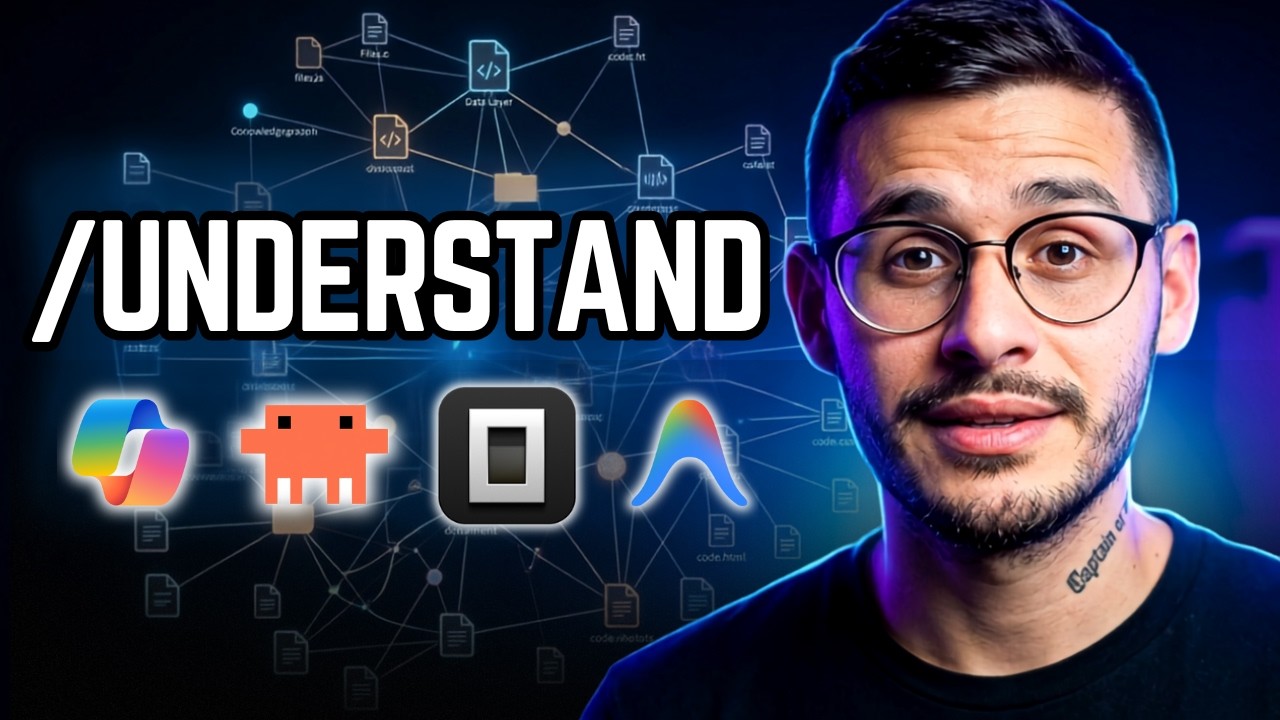
Understand Anything: Turn Any Codebase Into a Brain You Can Explore
Most of us build apps with Claude Code and have no real idea how they're wired. This plugin maps every file, function, and dependency into an interactive knowledge graph, then hands you a guided tour of your own project.
What it does
Understand Anything (Egonex-AI/Understand-Anything, the #1 repo of the day with 200,000+ users) is a Claude Code plugin that turns a codebase into an interactive knowledge base anyone can actually understand. One command runs a multi-agent pipeline over your project:
/understand scans the whole project, extracts every file, function, class, and dependency, and builds a knowledge graph saved to .understand-anything/knowledge-graph.json.
/understand-dashboard opens a local web dashboard where the codebase is drawn as a clickable graph, color-coded by architectural layer (API, service, data, UI, utility). Click any node to see its code, its relationships, and a plain-English explanation of what it's for.
It auto-generates guided tours ordered by dependency, so you learn the codebase in the right order instead of grepping blind.
It runs incrementally after the first pass, only re-analyzing files that changed, so day-two runs are cheap.
Why it's needed
Here's the uncomfortable truth for the Claude Code era: most of us are shipping apps we didn't hand-write and can't fully explain. The AI built it, it works, and the mental model lives nowhere. The day something breaks, or a client asks how it works, or you want to hand it off, you're reading your own project like a stranger.
Understand Anything fixes the exact gap. It's the difference between "the AI made this" and "I understand what the AI made." It splits the work the smart way: Tree-sitter deterministically parses the real structure (imports, call sites, inheritance) so the edges are reproducible, and an LLM layer reads that structure to write the summaries, layer assignments, and tours a parser never could. Same code always yields the same graph, but you still get intent, not just syntax.
Legit use cases
Where this actually earns its keep, especially if you run an agency or ship AI-built software:
Understand your own vibe-coded app. You built it with Claude Code across ten sessions. Now graph it and finally see how the pieces fit before you scale it, sell it, or debug it under pressure.
Inherit a client's or legacy codebase. Walk into 200,000 lines you've never seen, run /understand, and get an onboarding tour instead of a week of blind exploration. Use /understand-onboard to generate a new-hire guide.
Scope a client project before you quote it. Graph the existing system first so your proposal is based on the real architecture, not a guess. Fewer surprise hours, tighter estimates.
Review changes before you commit./understand-diff shows which parts of the system your current changes ripple into, so you catch blast radius before it ships.
Answer "how does X work?" instantly./understand-chat How does the payment flow work? queries the graph in plain English. /understand-explain src/auth/login.ts deep-dives a single file.
Onboard a team or VA without a meeting. The graph is just JSON. Commit it once and teammates skip the whole pipeline, they open the dashboard and explore. Docs-as-code that never goes stale (wire up /understand --auto-update for a post-commit refresh).
Map a business's logic, not just its files./understand-domain extracts domains, flows, and process steps, so a non-engineer stakeholder can see how the software maps to the actual business.
How to install
Two commands, straight into Claude Code. First add the marketplace, then install the plugin:
Restart Claude Code, then point it at a project and run /understand. When it finishes, run /understand-dashboard to open the visual graph. Scope a huge monorepo with /understand src/frontend, or generate non-English output with /understand --language zh (supports en, zh, zh-TW, ja, ko, ru).
Honest framing: the first run costs tokens
The initial /understand reads your entire codebase, so on a large project it can burn a meaningful number of tokens. Run it on a subscription / token plan, or point it at a local model (Ollama) for the first pass if you're cost-sensitive. Every run after that is incremental by default, only changed files get re-analyzed, so ongoing use is cheap. Worth knowing before you aim it at a 200k-line repo.
How it works under the hood
The /understand command orchestrates five specialized agents: a project-scanner (detects files, languages, frameworks), a file-analyzer (extracts functions, classes, imports into graph nodes and edges, running up to 5 in parallel), an architecture-analyzer (assigns each file to a layer), a tour-builder (writes the guided walkthroughs), and a graph-reviewer (validates completeness). /understand-domain adds a sixth for business-logic mapping. It's MIT-licensed and open source, an Egonex project originally created by Lum1104.
RE Walkthrough Pro: Zillow Listings → Cinematic Video Walkthroughs
Stop paying a videographer $1,500 a listing. This skill scrapes a Zillow listing, animates every room into a cinematic camera move, and stitches one finished walkthrough you can sell to the agent.
What it does
RE Walkthrough Pro is a Claude Code skill that turns a Zillow listing into a cinematic, room-by-room walkthrough video. One command runs the whole pipeline:
/re-walkthrough-pro takes a Zillow listing link (or finds you listings: "find 5 single-family homes in Montclair NJ").
It pulls every photo plus the address, price, beds/baths, and agent through an Apify Zillow actor (Zillow blocks naive scraping, so the actor is the reliable source).
It curates the hero rooms, then animates each one with the Higgsfield MCP, a camera move matched to the room: drone approach on the exterior, steadicam down the hall, orbit in the great room, a rising reveal on the backyard.
It stitches the clips with ffmpeg into a 16:9 master for the agent, plus an optional 9:16 cut for social.
Why it's needed
Agents pay for media, and the bottleneck is production time. A walkthrough that looks like a $1,000 to $3,000 shoot can be built from the listing photos in minutes, for sub-cents of scraping plus a handful of Higgsfield credits. Drop it into a real estate marketing service as a video line item, or batch tours across a farm area and pitch the listing agents.
The architecture is the actual unlock. AI video models work clip-by-clip (around 5 seconds of image-to-video), so a whole-house walkthrough has to be per-room clips stitched together on your side. This skill does exactly that, with a camera move per room type so the stitched result reads like walking through the home.
Honest framing: it's cinematic, not 3D
This produces a cinematic walkthrough, per-room camera-move clips stitched into a tour, not a true 3D or Matterport reconstruction. It looks premium and it is impossible without an AI video engine, but do not promise a walkable dollhouse. The skill is honest about this on purpose, so you sell it right.
How to install
One command with npm:
npx re-walkthrough-pro install
That drops the skill into ~/.claude/skills/re-walkthrough-pro/. Restart Claude Code, run /re-walkthrough-pro, and paste a Zillow link. Use --project to install into the current repo only.
What you need
Two MCP servers connected in Claude Code, plus ffmpeg:
Higgsfield MCP for the per-room animation and the social reframe (Seedance 2.0 / Kling 3.0 image-to-video).
Apify for the listing scrape (the Zillow detail scraper pulls photos plus specs in one call).
SkillSmith: The Plugin That Builds Your Claude Skills (and Agents)
An agent is just a skill: a named worker with its own tools and routing, packaged in plain Markdown. SkillSmith is the one plugin that builds them in minutes instead of wrestling with n8n or custom code.
Skills are the new agents
If you're still struggling to build an AI agent in 2026, here's the unlock: an agent is just a skill. Anthropic has publicly told builders to focus on skills over agents, and a Claude skill is nothing more than a named worker with access to its own tools and routing. It knows what it can touch and when to load what. It's packaged in plain Markdown, which is just a text file you can read yourself, not custom code.
The old way of building agents meant n8n workflows or custom scripts, both far harder to assemble than a skill. I've built 40+ skills now, and this is 10x easier than the old way.
What a skill actually is (the folder anatomy)
A skill is a folder with files inside. Open one of mine and you'll find the same five parts every time:
The entry point (skill.md). The beginning of everything: the triggers, the persona, and the commands. It lives outside the subfolders.
Context. Everything the skill needs to know to operate, like the details about your business it should load.
Frameworks. The playbooks and methods the skill follows.
Tasks. The workflows that tell Claude how to put the frameworks, context, and entry point together into one cohesive run.
Templates. How the output should look when the skill is done running.
SkillSmith formalizes this into seven file types, each with a syntax spec: entry points, tasks, templates, frameworks, context, checklists, and rules. Consistent structure is what makes a skill portable, so someone else can install it and not get lost.
One command, four workflows
There's a single command, /skillsmith, with four routes:
/skillsmith discover: a guided interview that turns an idea into a skill spec.
/skillsmith scaffold: builds the compliant skill directory from that spec.
/skillsmith distill: takes a long-form YouTube video or an SOP and distills it into framework chunks you can turn into a skill.
/skillsmith audit: reviews skills and frameworks you already have and improves them over time.
I built a skill live with it
I used SkillSmith to build a "Creative Director" skill, a simpler version of my Viral Audit. The prompt: make a slash command that pulls my YouTube and Instagram data from the last 30 days, acts as a creative director, ranks my videos best to worst in a Markdown file, then interviews me on what to do with the top performers and closes with a coaching brief.
SkillSmith generated the whole folder: a channels.md context for which handles to log into, frameworks for the performance signals to rank on, a task for the ranking workflow, and a template for how the report should look. Then it ran: scraped both platforms, ranked my reels, carousels, top 10 shorts, and top 10 long-form pieces, and wrote a full coaching brief telling me what to do better. Building it felt easy once the structure was right.
The data layer: Apify (optional)
To pull the social data, that skill used Apify, a marketplace of "actors" that take actions on your behalf (in this case an Instagram Post Scraper and a YouTube scraper). Apify recently shipped its own MCP, a bridge that lets Claude Code walk into the marketplace and pick the right actor for the workflow you described.
Important: you do not need API connectors or an MCP to start. Your skills can be simple at the core and you can layer bridges to other software on as you grow. Apify was just the data layer for this particular example.
How to install
One command in a fresh terminal:
npx @chrisai/skillsmith
That installs the skill to ~/.claude/commands/skillsmith/, available in every workspace. Restart Claude Code, type /skillsmith, and pick a workflow. Use --local to install to the current project only.
Coming next: making skills run without you
Right now these skills run on a manual slash command, which is totally fine to start. Part two covers making them autonomous, on a schedule or triggered from Telegram or Slack. Three paths I like: Hermes (self-hosted on a VPS, my pick over OpenClaude), Claude managed agents (the easiest), and wiring an n8n MCP to run the workflow on its own.
SEED: Turn a Raw Idea Into a PAUL-Ready Build Plan
You have the idea. You skip the planning because it is tedious, then build the wrong thing. SEED interviews you by project type, writes the plan, and hands it straight to PAUL to build.
What it does
SEED (ChristopherKahler/seed, 270+ stars, by Chris AI Systems) is an AI project incubator for Claude Code. It takes a raw idea through a type-aware guided conversation and produces a structured PLANNING.md, ready for a PAUL-managed build. The point: stop answering the same setup questions every time you start something.
/seed begins the guided ideation, shaped by what kind of thing you are building.
/seed graduate moves a finished plan into apps/ with its own git repo.
/seed launch graduates AND initializes PAUL in one command, so you go straight to building.
/seed status shows your ideation pipeline; /seed add-type creates a custom project type.
Typed, so it asks the right questions
SEED does not run one generic interview. It adapts the rigor and the sections to the project type, so a throwaway script does not get grilled like a full app:
Application (deep rigor, 10 sections): software with UI, data model, and API.
Workflow (standard, 8 sections): Claude Code commands and skills.
Client (standard, 7 sections): client websites.
Utility (tight, 6 sections): small tools, built to resist scope creep.
Campaign (creative, 7 sections): content and marketing initiatives.
Rigor levels change the behavior: tight moves fast and resists expansion, standard stays balanced, deep goes thorough, creative goes generative. You can also write your own type with /seed add-type.
Why it's needed
Most builds go sideways at the start, not the middle. You skip planning because it feels slow, then you are three hours into the wrong architecture. SEED makes planning the fast part. The interview is collaborative, it checkpoints so you can resume a half-finished idea, and it gates on quality so the plan is actually PAUL-ready before it graduates.
It is the front of the same build system the rest of my stack uses: SEED shapes the idea, PAUL runs the Plan to Apply to Unify loop on it, and SkillSmith builds any skills the plan calls for. SEED works standalone too, no PAUL required.
How to install
One global install with npm:
npm i -g @chrisai/seed
Zero runtime dependencies, pure Markdown skill install to ~/.claude/commands/seed/. Needs Claude Code and Node 16+. Restart Claude Code, type /seed, and start talking through the idea.
Resources
SEED on GitHub (the incubator, by Chris AI Systems, MIT)
Stop paying creators per video. This skill interviews you, casts a consistent AI creator, and ships a finished UGC video ad: keyframes, Seedance 2.0 clips, and an ffmpeg-stitched final cut.
What it does
UGC Factory is a Claude Code skill that turns a product, offer, and topic into a finished UGC video ad. One command runs the whole pipeline:
/ugc-factory interviews you on product, offer, topic, the on-screen creator, length, and aspect ratio.
It casts the creator as a multi-angle Higgsfield Element so the same person turns and moves believably across every clip.
It routes to one of 15 built-in Seedance genre skills (ecommerce, food, fashion, SaaS, real estate, and more) so each clip gets genre-correct prompt craft.
It writes a full script for every Seedance 2.0 clip (never blank, which is what makes AI video come out as gibberish), then stitches the clips into one ad with ffmpeg.
Why it's needed
Two things break almost every AI UGC ad: the creator's face changes every cut, and the video model hallucinates because the prompt was left thin. UGC Factory fixes both. The creator and product are built once as reusable Elements and referenced in every clip, so there is zero drift between cuts. And the skill always writes a full scene script: who is on screen, what they say, the camera, the motion. Nothing is ever left blank.
It is stateless on purpose. Every run starts blank and casts a brand-new creator. There is no saved avatar locking you into the same face forever.
How to use it
One command. Install with npm:
npx ugc-factory install
That drops the skill into ~/.claude/skills/ugc-factory/. Restart Claude Code, run /ugc-factory, and answer the interview. It returns the finished ad plus every source asset in one dated folder.
You need the Higgsfield MCP for the image, Elements, and Seedance 2.0 generation, plus ffmpeg for stitching. Grab the MCP here: install the Higgsfield MCP.
What's inside
The package is self-contained. It bundles all 15 Seedance 2.0 genre style skills so the genre router works out of the box, with no separate installs: cinematic, 3D CGI, cartoon, comic-to-video, fight scenes, motion-design ad, ecommerce ad, anime, product 360, music video, social hook, brand story, fashion lookbook, food and beverage, and real estate.
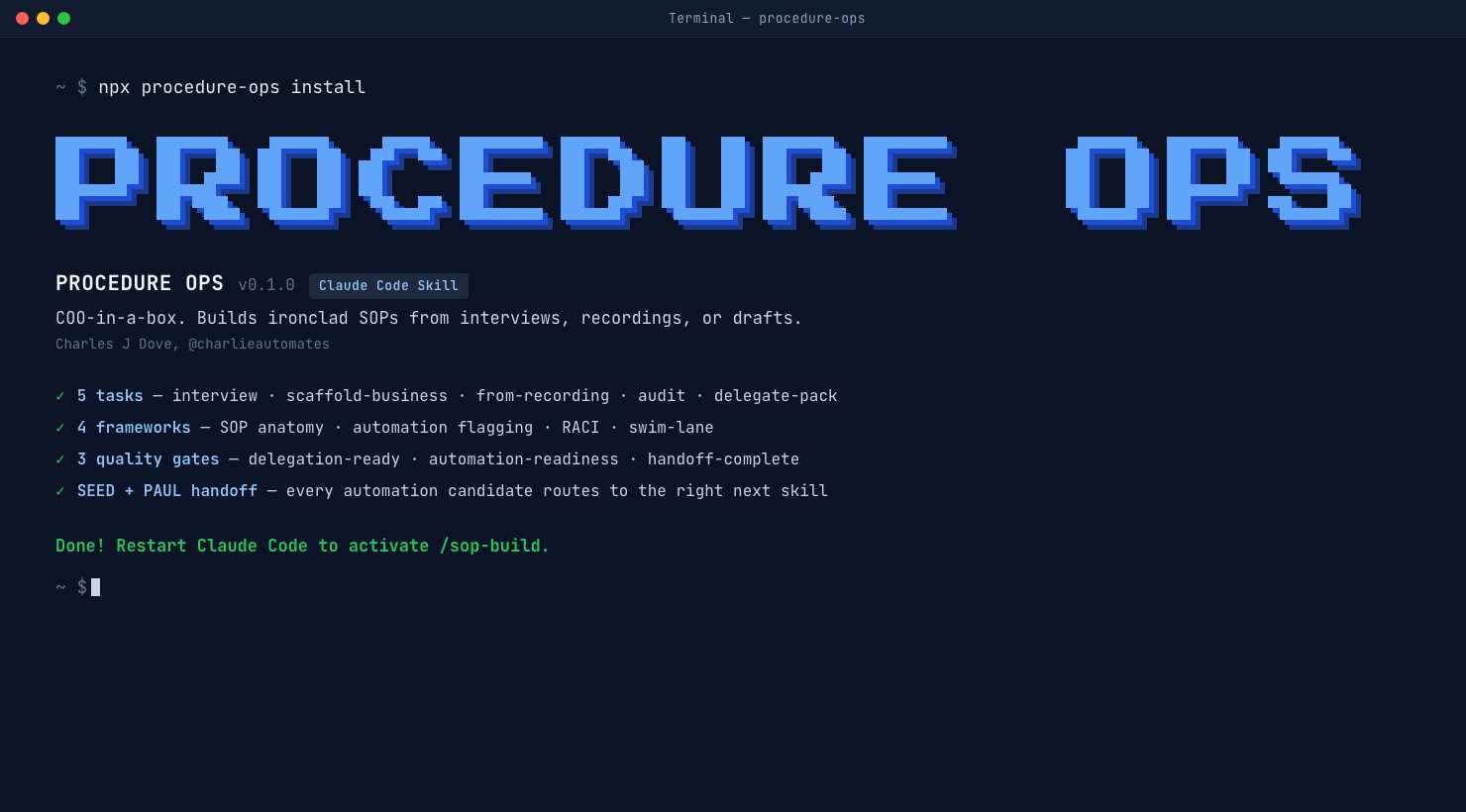
Stop writing SOPs by hand. This skill interviews you like a COO, pushes back on weak steps, flags what to automate, and writes the full SOP in minutes.
What it does
Procedure Ops is a Claude Code skill that interviews you, then writes the full SOP. Five tasks ship in the box:
/sop-build interview walks you through a guided Q&A and writes a clean SOP at the end.
/sop-build scaffold-business sets up a new business folder with every department.
/sop-build from-recording turns a Loom or voice note into a structured SOP.
/sop-build audit reviews an SOP you already have and flags gaps plus automation candidates.
/sop-build delegate-pack bundles a finished SOP for a VA or new hire (access list, training videos, first-week check-ins, escalation contact).
Why it's needed
I've written hundreds of SOPs for my clients and my own business. Thinking through every single step is a pain. Writing it up and packaging it pretty for your team eats hours. Procedure Ops fixes both.
It acts like a COO sitting next to you. It pushes back when a step is too vague ("review the form" gets challenged to "open the form, check fields X, Y, Z, confirm they match the contract"). It flags steps that could be automated and picks the right tool: Zapier, Make, n8n, or a Claude managed agent. It only recommends installing SEED and PAUL if you don't already have them.
How to use it
One command. Install with npm:
npx procedure-ops install
That drops the skill into ~/.claude/skills/sop-build/. Restart Claude Code and you're set. Now any time you need an SOP, type /sop-build interview and start talking.
My order of operations: scaffold the business folders first with /sop-build scaffold-business, then run /sop-build interview per process. The skill writes every SOP to a clean SOPs/<business>/<department>/<slug>.md path. Your team reads it in Markdown, or you pick Google Drive or Notion as the host when you scaffold the business.
What you can feed it
Voice notes. Loom videos. Old SOP drafts. The skill transcribes the recording, pulls out the steps, flags the gotchas, and writes the SOP for you. Same quality gate as a live interview, faster intake.
Compliance Ops: Build HIPAA-Safe AI in Claude Code
If you build with Claude Code in medical, legal, or finance, one leaked record gets you sued or fined. This skill makes Claude aware of the rules BEFORE it builds, so protected data never routes through an uncovered vendor.
What it does
Compliance Ops is an interview-driven compliance guardrail for Claude Code. It loads the matching framework (HIPAA, SOC 2, GDPR, PCI-DSS) into your conversation before Claude builds or automates anything, so every website, workflow, and agent is designed correct by default. Three commands ship in the box:
/compliance-ops finds out what you're building and what you're worried about, loads the right framework, and flags you the moment a build heads in a non-compliant direction.
/compliance-ops-audit reviews an existing build or data flow for gaps, anywhere protected data touches an uncovered vendor or the AI.
/compliance-ops-document generates a data-flow map plus a vendor BAA checklist you can hand straight to a compliance officer.
Why it's needed
Businesses in medical, legal, and financial spaces handle PHI, protected health information, the kind of data that gets you sued or fined if it leaks. And right now most owners don't know how to bring AI agents into the room safely. So they freeze. Stuck in digital limbo while their competitors automate and pull ahead.
The fix isn't bolted on after you build. It's baked in from line one. Compliance Ops gives the AI awareness of the rules up front, so protected data never gets routed through a non-compliant flow in the first place.
This is not legal advice
Important, and the skill says this itself: Compliance Ops is a seatbelt and a paper trail, not a compliance certificate. It does not make a Claude consumer subscription able to process protected data, and it does not replace your lawyer or a signed BAA. What it does is keep your builds inside the lines and document the entire process so you have a record of the decisions you made.
How to install
One command in a fresh terminal:
npx compliance-ops install --with-commands
That drops the skill into ~/.claude/skills/compliance-ops/ and writes the three slash-command stubs. Restart Claude Code, type /compliance-ops, and feed it what you're building and what you're worried about. Use --project to install into the current project's ./.claude/ instead of globally.
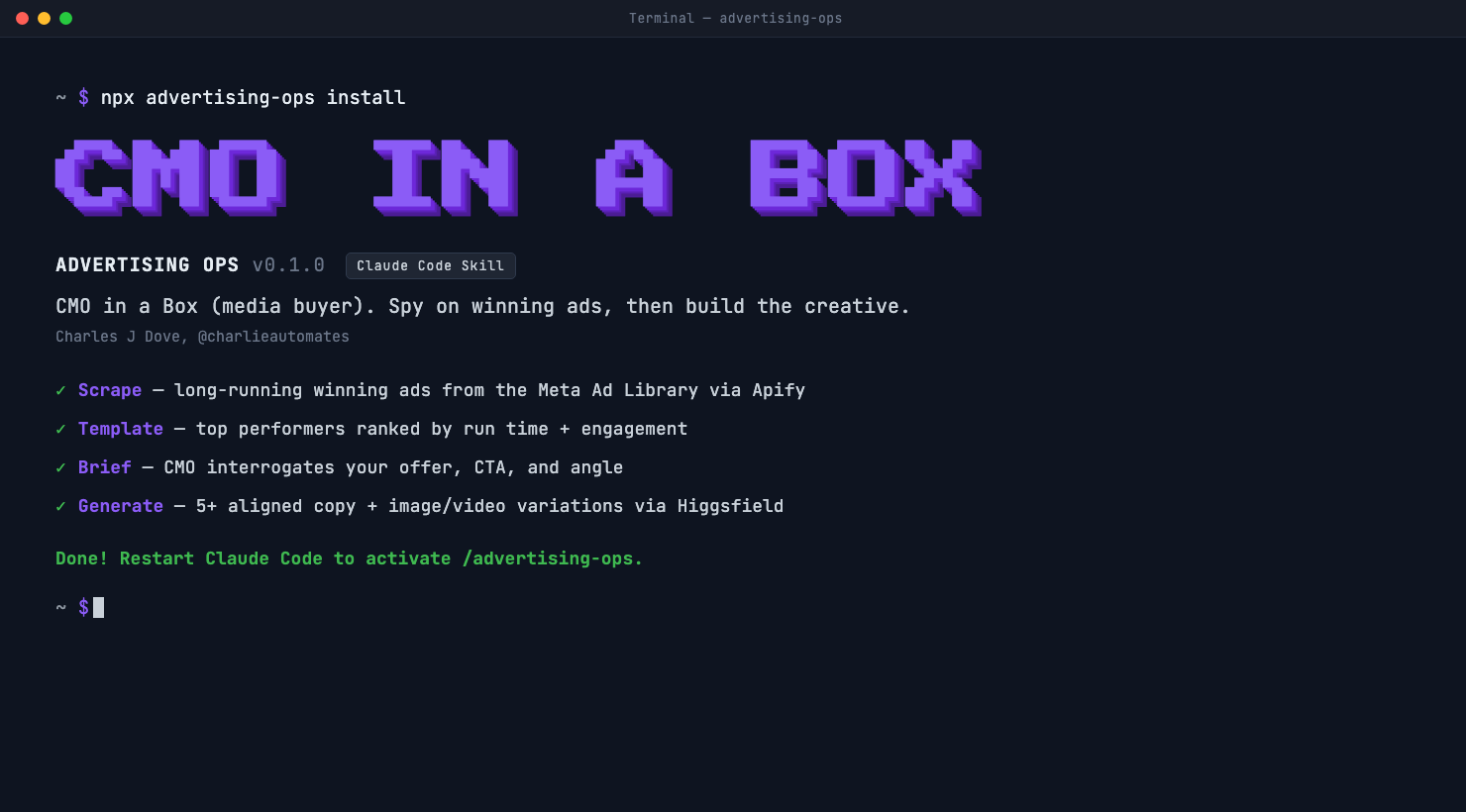
Advertising Ops: CMO-in-a-Box (Media Buyer) for Claude Code
Stop guessing at a blank ad account. This skill scrapes the ads that have been running long enough to be proven winners, tears down the video frame by frame, then acts like your CMO and generates new copy plus creative ready to launch.
What it does
/advertising-ops runs the whole loop a media buyer runs by hand, one command, five phases:
Scope. Reads your brand kit if you have one, otherwise interviews you for your business, keywords, and ICP.
Scrape. Pulls long-running winning ads from the Meta Ad Library through Apify, filtered to a minimum run time you set (2 months floor) AND still active. Started long ago plus still live equals the market already validated it.
Teardown. For video ads it downloads the MP4, extracts frames with ffmpeg, transcribes the voiceover, and breaks down the hook, structure, and CTA. An LLM cannot watch a video, so it samples it instead.
Brief. Acts as your CMO and pins down one CTA and the exact outcome you sell before generating anything.
Generate. Produces 5+ aligned copy plus image/video variations through Higgsfield, each dropped into its own creative folder.
Why it's needed
Most ad creative fails because it was made in a vacuum. No swipe file, no proof, no teardown of why the competitor's ad has been running for six months straight. You launch, you burn budget, you learn nothing.
Advertising Ops templates what already works. The core trick is the filter: it combines an old start date with an active status, so you only ever look at ads the advertiser is still paying to run. A winner, not a coin flip. Then it tags every ad back to the page that ran it, so your swipe file is fully sourced.
How it watches a video ad
The Apify run returns URLs and metadata, never the actual files. So the skill downloads what it needs to see it: image ads get pulled with curl and read directly, video ads get downloaded then sliced by ffmpeg into scene-change frames plus a dense first-2-seconds hook burst, and the audio is transcribed for the spoken script. Then Claude reads the frames and the transcript and writes the teardown.
How to install
One command with npm:
npx advertising-ops install
That drops the skill into ~/.claude/skills/advertising-ops/. Restart Claude Code, then run /advertising-ops. Tell it where to put the report and the creatives once and it saves those paths, so every future run reuses them without asking.
What you need
Two MCP servers connected in Claude Code, plus ffmpeg only if you audit video ads:
Apify MCP for the ad scrape (the brilliant_gum Facebook Ads Library actor, the only one that reports each ad's run time).
Higgsfield MCP for the image and video generation.
ffmpeg for video teardowns (brew install ffmpeg). Image-only runs never touch it.
Cold Outbound Skills: 100s of Leads from Claude Code
Stop buying a lead list and praying. This 29-skill plugin scrapes your own leads from Google Maps and Prospeo, writes the cold email, fires it through Smartlead, then scores the replies and tells you what to fix.
What it does
Cold Outbound Skills (growthenginenowoslawski/coldoutboundskills, 400+ stars) is 29 interconnected Claude Code skills that run the entire cold email engine, from zero to a campaign hitting 100s of leads. You start with one command and it chains the whole thing:
/cold-email-kickoff is the guided orchestrator: ICP, lead magnet, strategy, and plan in one flow.
/cold-email-starter-kit is the 14-step tutorial version if you want to learn the moves as you build.
From there the skills cover five tracks: strategy, infrastructure, list building, copy and send, and iteration.
List building. This is the 100s-of-leads engine: Prospeo exports, Google Maps scraping, domain-to-contact discovery via Blitz, competitor research, list-quality scoring.
Most cold outreach dies at the list. You buy a stale CSV, blast it, torch your domain, learn nothing. This flips it. The skills BUILD the list from live sources (Google Maps and Prospeo), score it for quality before you send, then run deliverability and spam checks so your inbox survives. It is the part of lead gen nobody packages, done in plain Markdown skills you can read and edit yourself.
It pairs with the rest of the leads stack: this finds and emails the leads, Advertising Ops builds your paid-ad creative from proven winners, and UGC Factory ships the AI-creator video. Three layers, zero overlap.
What it costs to run
The skills are free and open source. The tools they drive are not: budget roughly $360 for your first 2,000-lead campaign and about $130/month recurring across domains, Zapmail, Prospeo, Smartlead, and verification. You are paying the sending stack, not the brain.
How to install
Clone the repo, drop the skills into your ~/.claude/ commands directory per the README, and add your API keys (Prospeo, Smartlead, your domain provider). Restart Claude Code, then run /cold-email-kickoff and answer the interview. It scaffolds the strategy, sources the list, writes the copy, and queues the send.
Carousel Builder: Instagram Carousels End-to-End in Claude Code
Stop bouncing between an image tool, a doc, and Canva for every carousel. One command generates the images, locks the copy to your template, builds the deck, and writes the caption.
What it does
/carousel runs an interview-first, approval-gated pipeline that turns one topic into a finished, on-brand Instagram carousel:
Loads your framework. Reads a reference deck (shipped in the repo) so it mirrors your exact layout: two-tone headlines, one orange highlight word, glow images, CAPS-word body lines.
Interviews the idea. Breaks your topic into 4 to 6 pillars, each doing one job, plus a CTA keyword and deliverable.
Generates a cover (Higgsfield, 4:5). 3 to 4 options, no baked-in text. The one you pick becomes the theme anchor for every other image.
Drafts the copy with live character counts. Every line is budget-checked against the real Canva text boxes BEFORE a single image credit is spent. You approve the draft first.
Generates theme-locked pillar images (Higgsfield, 16:9). Each middle image is passed the cover as a reference so the whole deck shares one palette, lighting, and mood. No drift.
Assembles the deck in Canva. Duplicates your template, replaces text span-by-span (preserving the orange highlight), and swaps images with update_fill so the frame glow survives. Nothing commits until you approve the preview.
Writes the caption. Automatically runs the bundled /short-form-caption so the post copy and the on-slide CTA keyword match.
Why it's needed
A carousel is three tools in a trench coat: an image generator, a copy doc, and Canva. Most people tab between them for an hour per post and the deck still drifts off-brand. This command runs the whole thing from your terminal and keeps it on-template by design.
The trick is the character budgets. Canva text boxes are sized for specific lengths. Go over and the text reflows, the slide stops matching the deck, and the carousel loses its visual unity. The command enforces the budgets on the draft, so over-length copy never reaches Canva and never burns image credits on a deck that won't line up.
The bundled caption skill
/short-form-caption ships in the same package and runs as the final step of every carousel. It also works standalone on any video transcript or topic blurb. Output is a tight, copy-paste-ready IG / TikTok / Reels caption: CTA on line one, fragment rhythm, exactly 5 hashtags, 500-character hard cap, no em dashes, written in your voice from a fingerprint file you fill in once.
What you need
Two MCP servers connected in Claude Code, plus an 8-page Canva template you own (the repo ships a reference deck to recreate):
Higgsfield MCP for the cover and pillar images (uses the Nano Banana Pro model).
Canva MCP to duplicate your template and edit text plus image fills in place.
Or clone the repo and copy the two command files into ~/.claude/commands/. Then swap the placeholders (your Canva template ID, your handle, your brand voice file) per the README and you're live. The exact 8-slide reference deck ships inside the repo, so you can recreate the Canva template 1:1.
No template, brand voice, or fingerprint yet?
This whole workflow was built inside Charlie OS, my one-click Claude Code setup. The Canva template, the brand context file, the voice fingerprint, and Higgsfield plus Canva already wired up all ship pre-installed and pre-configured in the OS, alongside dozens of other skills. If you're starting from zero, that's the fastest path to running this carousel command on day one.
Inheriting a codebase and grepping blind? Graphify maps every file, concept, and connection so you see the structure before you touch the code.
What it does
Reads your files (code, PDFs, markdown, images, audio, video) and builds an interactive knowledge graph of concepts and relationships. Exports as HTML, JSON, and an audit report. Every relationship is tagged extracted, inferred, or ambiguous, so you always know what was found versus guessed.
Why it's needed
Inheriting a codebase or a research corpus is painful. Grep only finds what you already know to look for. Graphify gives you the structure behind the files: which nodes are load-bearing, which connections are surprising, which questions to ask first.
When to use it
Walking into a new codebase. Processing a research folder full of PDFs and notes. Mapping a project's architecture before touching it. Understanding why past architectural decisions were made.
Anthropic locked Claude Design behind their cloud. This is the open-source clone that runs locally and uses the Claude Code CLI you already have. Mac, Windows, Apache 2.0.
What it does
Open Design (nexu-io/open-design) is the open-source answer to Claude Design. Same idea, none of the lock-in. Local-first, Apache 2.0, runs on whatever coding-agent CLI is already on your machine. Claude Code, Codex, Cursor Agent, Gemini CLI, GitHub Copilot CLI plus 11 more.
Pick a skill (saas-landing, dashboard, mobile-onboarding, magazine-poster) and a design system (Linear, Stripe, Notion, Apple, plus 68 others). Fill the 30-second discovery form. Your CLI streams an artifact (HTML, PDF, PPTX, MP4) into a sandboxed iframe. Save it to disk. The file is yours.
Why it's needed
Claude Design is closed-source, Anthropic-locked, and cloud-only. Two weeks after it shipped, Open Design dropped: same workflow, your laptop, your keys, your filesystem. Artifacts land as real files under .od/projects/<id>/. Git them. Ship them. Deploy them to Cloudflare Pages from the app.
If you already pay for Claude Code, this is free leverage on top of your existing subscription.
What's in the playbook
Install on Mac and Windows with the gotchas (Apple Silicon-only binary, Windows SmartScreen bypass) on the same page as the steps.
Build from source path for Intel Macs, Linux, and WSL2. Plus the Docker variant if you do not want to touch your local Node.
Agent setup: wire up Claude Code (or any of 16 supported CLIs), or fall back to BYOK with Anthropic, OpenAI, Azure, or Gemini keys.
Five day-one workflows: SaaS landing, investor deck, mobile onboarding, email plus social burst, dev handoff.
Five gotchas that will trip you up if you read the README at 1am.
Who should read it
Agency owners, freelancers, and operators who charge for design deliverables. Anyone who already runs Claude Code and wants to ship landing pages, decks, mobile flows, and email campaigns from the same machine. Skip it if you only push pixels in Figma.
CC Switch: One-Click Provider Swap for Claude Code
Anthropic almost killed Claude Code on the Pro plan last month. CC Switch lets you swap your provider in 50ms from a menu bar icon. Bedrock, OpenRouter, NIM, custom. Never restart.
What it does
CC Switch (farion1231/cc-switch) is a Tauri plus Rust desktop app that lives in your menu bar. Click the icon, pick a provider, your Claude Code keeps running on the new endpoint. No terminal restart. No environment variable surgery. 50ms swap.
Supports Claude Code, Codex, OpenCode, Gemini CLI, OpenClaw, and Hermes Agent. 50 plus preset providers including Anthropic, Bedrock, OpenRouter, NIM, plus full custom config for your own proxy.
Why it matters
On April 21 2026, Anthropic briefly delisted Claude Code from the $20/mo Pro plan. The Reddit thread hit 2,600 upvotes in a day. The Register and XDA covered it. Half the community started routing Claude Code through Bedrock, OpenRouter, and self-hosted proxies overnight.
CC Switch became the cleanest way to do that without losing your mind. It also doubles as MCP server management and Claude Skills sync, bi-directional, so both your Claude Code config and your CC Switch config stay aligned.
If you ever burn through your Pro plan limit and want to keep coding without paying API rates, this is the tool.
Best for
Pro plan users who hit the rate limit weekly and want a clean fallback to Bedrock or OpenRouter
Teams managing multiple CLIs (Claude Code plus Codex plus Gemini) from one machine
Anyone running a custom proxy (Cloudflare AI Gateway, LiteLLM, internal routing) who wants a one-click switcher
MCP server tinkerers who want a GUI instead of editing JSON
Install
macOS: download the latest .dmg from the GitHub Releases page. Windows: .exe installer. Linux: .AppImage.
First launch will ask for permission to read your ~/.claude/ config. Grant it. The app reads your existing Claude Code setup, lists detected providers, and lets you add new ones with a few clicks.
Shipping releases multiple times a day right now. Keep auto-update on.
The first physical Claude Code product. $30 ESP32 desk gadget with a 2.16-inch AMOLED screen, pairs over BLE, animates a pixel cat that gets busier as you approach your rate limit.
What it does
Clawdmeter (HermannBjorgvin/Clawdmeter) is a DIY ESP32-S3 desk gadget with a 2.16-inch AMOLED screen. It pairs to your Mac over Bluetooth, reads your Claude Code usage live, and displays Current and Weekly progress bars on its tiny screen. A pixel-art mascot called Clawd animates faster as you near your rate limit.
Five days old. 1,000 plus stars. TechCrunch covered it. CNX Software covered it. The first physical product built specifically for Claude Code.
Why it exists
If you live in Claude Code all day, you check your usage dashboard 15 times a day. That is 15 context switches that wreck your flow.
Clawdmeter puts your usage on a small object sitting next to your keyboard. Glance, see the bars, get back to coding. No browser tab. No dashboard refresh. No mental tax.
The hardware is $30 in parts from AliExpress. The firmware and Mac pairing app are open source. The whole thing was built by one developer in Iceland using Claude Code.
Hardware you need
ESP32-S3 dev board with built-in 2.16-inch AMOLED display (around $25 on AliExpress)
USB-C cable for flashing and power
Optional: 3D-printed case (STL files in the repo)
Total: $30 to $40 including shipping. Same parts the creator used.
Setup
Flash the firmware from the repo using esptool or the Arduino IDE. Download the Mac companion app from GitHub Releases. Pair over BLE, grant the app permission to read your Claude Code usage logs, mount the device on your desk.
Linux and Windows companion apps are on the roadmap.
Your Claude Code bill is not about what Claude writes back. It is about what you send in. ccGlass is a free local proxy that shows you every token leaving your machine, and the hidden leak that is draining your wallet.
What it does
ccGlass (jianshuo/ccglass) is a free, open-source local proxy that sits between Claude Code and the model. Every request your agent makes passes through it, and a live web dashboard shows you exactly what was sent: input tokens, output tokens, cache hits, cost, latency, and the full payload of every single call.
It works with Claude Code, Codex, and Kimi. One command to start, and a browser tab streams every turn as it happens.
Why it matters
Most people think their AI bill comes from what Claude writes. It does not. I ran 10 requests and watched it live: 1,707,749 tokens going in, 4,341 tokens coming out, $11.57 spent. That is roughly 393 tokens sent for every 1 token Claude wrote back. You pay for the send, not the answer.
The hidden leak ccGlass exposed on my own setup: over 500 tool definitions loaded on every single call. Every MCP server you connect and forget about re-sends its entire tool menu into context on every request, whether you use it or not. You cannot fix what you cannot see. ccGlass makes it visible.
What you'll learn about your token spend
You pay for input, not output. The cost is dominated by what you send the model, not what it returns.
Connected MCP servers are your biggest leak. Each one injects 100s of tool definitions into every call. ccGlass shows the exact count per request.
Your cache hit rate is money. A 65 to 70 percent hit means a third of your context is re-processed at full price every turn. Watch it climb as you trim.
Failed calls still cost you. ccGlass flags errors (like a 404 on a model variant) so you stop paying for round-trips that never landed.
The fix it points you to
Once you can see the leak, the fix is simple: disconnect the MCP servers you are not actively using. Your tool count drops, your input tokens collapse, your cache hit rate climbs, and the same work costs a fraction. ccGlass lets you re-run and watch the numbers move in real time, so you can prove the savings instead of guessing.
Best for
Anyone burning through their Pro plan limit weekly who wants to know where the tokens actually go
Heavy MCP users (GoHighLevel, Slack, Canva, Apify, and the rest) whose context is quietly bloated by unused tool menus
Agency operators running Claude Code on client work who need to control and explain their AI spend
Anyone whose agent "feels dumb" and wants to see what context it actually received
Install
Grab it from the repo and start the proxy, then point Claude Code at the local endpoint. Open the dashboard in your browser and run a normal session. Every request streams in live with its full token breakdown.
Free and open source. It reads your traffic locally, nothing leaves your machine beyond the calls you were already making.
I charged a client ten grand for this exact build. Stack NotebookLM with Claude Code and you get a citation-backed AI assistant for free.
I charged a client ten thousand dollars to build them a personal AI assistant.
It reads every document in their business. SOPs, contracts, sales call transcripts, onboarding docs. Ask it anything and it answers with exact citations. Not hallucinations. Actual references.
Today I published a full tutorial showing how to build the exact same thing for free. Two tools. No coding. No monthly fees.
What I cover
Sales recon notebooks. Feed call transcripts in and generate presentations for your next close.
SOP notebooks. Give your team something they can chat with instead of constantly bugging you.
Client onboarding notebooks. Keep project knowledge updated as things evolve.
Why this combo works
The secret sauce is stacking NotebookLM, which is free from Google, with Claude Code. NotebookLM stores and processes the data. Claude Code automates the whole thing.
Together, they act like a sixty thousand dollar employee that never forgets anything.
The kicker: NotebookLM does not cost you extra tokens. You are basically getting a second AI brain for free on top of your Claude subscription.
Stop bouncing between Midjourney, Google AI Studio, and Canva. One MCP server turns Claude Code into a thumbnail and ad image machine.
Is it possible to use Claude Code to generate high-quality ad images, YouTube thumbnails, and social media content? Yes.
It's called the Nano Banana MCP server, and paired with Canva's Magic Layers, it might be the best image creation stack available right now.
The full workflow
Generating images from scratch
Editing existing ones
Iterative refinement
Style transfers
Combining it all with Canva for scalpel-level editing on every asset you create
No more context switching between Midjourney, Google AI Studio, and your code editor. One terminal. One conversation. Production-ready images at any aspect ratio.
I also show the old way I used to do this with HiggsField and custom GPTs, so you can see exactly why this stack is a game changer.
Google is not the only search anymore. Audit your site for ChatGPT, Perplexity, and Gemini visibility with 13 subskills and a client-ready PDF.
What it does
Audits websites for AI search visibility (ChatGPT, Claude, Perplexity, Gemini, Google AI Overviews) with 13 specialized subskills covering citability, crawler access, llms.txt, brand mentions, schema, technical SEO, and content quality. Generates client-ready reports including PDFs with charts.
Why it's needed
Traditional SEO still matters, but AI search is where traffic is going. If your site isn't getting cited by AI, you're invisible to a growing slice of users. This skill audits the gap and tells you exactly what to fix.
When to use it
Onboarding a client website. Pre-launch checks. Auditing your own sites. Building reports you can hand off without editing.
Done guessing what to post? This plugin researches competitors, writes hooks, scripts videos, and learns from your winners inside Claude Code.
This video is going to show you how to turn Claude Code into a real content engine, not just a script writer.
Most creators are stuck in reaction mode. Every day they wake up wondering what to post, what angle to take, what hook might work, and whether the content will land. That is not a system. That is survival mode.
Go Viral Bro fixes that.
Inside the video, I walk through the exact Claude Code workflow I built to research what is already working in your niche, break down your competitors, generate stronger content angles, write better hooks, script full videos, analyze your winners, and feed that data back into the system so it gets smarter over time.
This is the same kind of loop that used to require a team of researchers, writers, strategists, and VAs. Now you can run it through Claude Code.
What you'll learn
Install the Go Viral Bro plugin step by step
Set up onboarding and training so Claude understands your brand, audience, competitors, and posting style
Use /viral discover to scrape competitor content and trending ideas across YouTube, Instagram, Reddit, and GitHub
Transcribe videos, study verbal hooks, and break down visual hooks so you understand why content wins
Use /viral angle to generate stronger content ideas based on contrast, not guesswork
Use /viral script for long-form scripts, short-form scripts, LinkedIn posts, hooks, talking points, filming cards, and CTAs
Use /viral analyze to study your own top-performing content and see what's actually working
Use /viral update-brain to feed winning data back into the system so your agent improves with every post
You are not just installing a plugin here. You are building a repeatable content pipeline.
This is for you if
You create content for your business and want a system
You are tired of guessing what to post
You want Claude Code to help with growth, not just coding
You want better hooks, angles, and scripts
You want your content process to improve over time instead of starting from zero every day
The goal is simple: stop posting based on vibes. Start posting based on a system that learns.
Claude Skill Social Post: Voice-Cloned Auto-Poster
Trains on your Facebook voice, then ships a 14-day calendar to FB, IG, Threads, and X. Author's first post hit 72K reach, 358 likes, 443 comments, gained 700 community members.
Built by Hao (駱君昊). Feed it your existing posts, it learns the rhythm of how you write, then it drafts a two-week posting calendar and pushes the posts out across Facebook, Instagram, Threads, and X.
What makes this one worth pulling in is the proof. The author posted his own first auto-generated post and it broke through hard: 72K reach, 358 likes, 443 comments, and 700 new community members. Day two flopped. He wrote a postmortem about why and shipped it inside the same repo. Most "AI content" repos hide their losses. This one teaches from them.
What it does
Voice fingerprint from your existing Facebook content
14-day content calendar generation
Cross-post to Facebook, Instagram, Threads, and X
Day-2 flop postmortem doc included as a teaching artifact
Pair it with
Run this after Go Viral Bro generates your script. Go Viral Bro handles the research and the script. This one handles the voice, the calendar, and the multi-platform push.
X Article Publisher: Markdown to X (Twitter) in One Command
Write in Markdown, publish a fully formatted X Article in 2-3 minutes instead of 20-30. Handles headings, bold, links, images, tables, dividers, and Mermaid diagrams automatically.
By wshuyi. If you've ever tried to publish a long-form article on X, you know the pain: copy from Markdown, paste into X, watch every bold, link, and heading disappear, then spend 20 minutes re-formatting by hand. Each image is a five-click upload. Each Mermaid diagram is impossible.
This skill kills that workflow. You point Claude Code at a Markdown file. It opens X Articles, types the content, applies the formatting, uploads the images in the right positions, renders Mermaid as images, drops the cover. Done in 2-3 minutes.
What it does
Markdown to X Articles, end to end
Cover image auto-upload
Inline image upload at exact positions in the article
Tables rendered as images for visual fidelity
Mermaid diagrams rendered to images
Divider support and cross-platform clipboard
10x time reduction per article (20-30 min down to 2-3 min)
Pair it with
Use Go Viral Bro to research your angle and generate the long-form script. Use this skill to ship it to X Articles in minutes. Claude Skill Social Post handles the short-form cross-post across FB, IG, Threads, and X feed. Together: research engine, long-form distribution, short-form distribution.
Generate leads on LinkedIn without paying for Sales Nav tools. Five skills handle DMs, replies, posts, and connection requests through your Claude plan.
I've been using an unpackaged version of this in my Claude workspace to generate leads. After getting some requests to share it, I turned it into a plugin with skills.
It uses Chrome via the browser extension to run. No hidden costs, no fees, you just need a Claude Code plan.
What it does
DM Connections. Send personalized openers to your existing connections.
Answer DMs. Reply to unread messages with contextual, on-brand responses.
Create Posts. Generate LinkedIn content from proven templates.
Grow Network. Send strategic connection requests to ICP matches.
Higgsfield Seedance 2.0 Skills: Video Prompts on Autopilot
Stop wrestling with video prompt syntax. Fifteen skills feed your concept to Claude, Playwright hits Higgsfield, and your Seedance render kicks off untouched.
What it does
A pack of 15 dedicated skills that turn Claude Code into a production-ready video prompt engine for Seedance 2.0. You describe the concept. Claude handles camera control, lighting, consistency, and the full production pipeline. One prompt in, fully engineered video prompt out.
What you can generate
Brand ads
Product shots
Cinematic scenes
Anime
E-commerce videos
Basically any style you can describe. The ninja scene demo was generated 20 minutes before filming. That is the speed.
Why it matters
You are combining the smartest LLM on the market with the best video generator and offloading the prompt engineering entirely to Claude. No more wrestling with prompt syntax. No more hunting for camera direction. The skills already know what Seedance 2.0 needs and Claude writes to spec automatically.
The automation layer
Wired into Playwright CLI for browser automation. Once Claude builds your prompt, Playwright logs into Higgsfield, selects Seedance, pastes the prompt, uploads reference images, and starts generation. You keep building inside Claude Code while videos render in the background.
Paste the repo link into Claude and ask it to install the skills
Give Claude your video concept and style (cinematic, product, e-commerce, anime, whatever)
Tell Claude: "Do your magic using Playwright"
That is it. You get a production-ready video without touching Higgsfield directly.
Bonus: the Higgsfield deal
Sign up today and Higgsfield is running 70 percent off with unlimited Seedance 2.0 access. One of the best video generation stacks on the market, cheaper and faster than almost anything else.
Higgsfield AI MCP: Every AI Image + Video Model Inside Claude Code
Stop juggling Kie API and a stack of standalone API keys. One MCP server connects every AI image and video model to Claude Code, terminal-first.
What it does
Higgsfield just dropped an MCP server that plugs every AI image and video model on their platform directly into Claude Code. Nano Banana Pro, Seedream 4.5, Soul, Seedance, Kling. All running from your terminal, all through one credit pool.
You write 3 words. Claude picks the right model, writes the prompt, fires the gen.
What you can generate
YouTube thumbnails
Skool community covers
Custom characters and logos
AI avatars for client ads
Product ad creative
Cinematic 16:9 hero cuts and 9:16 shorts (rendered in parallel from one prompt)
Image AND video, side by side, no tab-switching, no re-prompting from scratch every time.
Why it crushes Kie API and standalone APIs
Most people stack 4 to 5 separate API subscriptions to access these models. Different billing accounts. Different keys. Different docs. Different rate limits.
Higgsfield consolidates the entire stack. One platform. One credit pool. One MCP. The cost math alone is a no-brainer once you compare your current API spend to a single Higgsfield plan.
Why MCP is the unlock
Think of MCP as a toolbox. Every model becomes a tool inside it. Claude is the brain that figures out which tool fits the job. You stop being the prompt engineer and start being the orchestrator.
Feed Claude your brand context once. Every image and video Claude generates after that lands on-brand without you re-explaining the rules.
Paste it into Claude Code and ask Claude to install the MCP for you
Run /mcp, click the Higgsfield entry, hit Allow to authenticate
Start generating: ask Claude for a thumbnail, an avatar, a 16:9 hero, a 9:16 short, anything
That is it. Claude is now connected to every model on Higgsfield, no API keys to manage on your side.
Stack with the Seedance skills
Pair this MCP with the Higgsfield Seedance 2.0 Skills already in this toolkit. The skills hand Claude pre-engineered prompt templates for cinematic, brand story, motion design, e-commerce, fight scenes, and more. Combined with the MCP, Claude picks the skill, writes the prompt, fires the gen end-to-end.
Get access to the MCP
Want the Higgsfield MCP wired straight into Claude with image and video models on tap? Get Higgsfield MCP access here (my affiliate link). One subscription, one credit pool, every model in this resource.
Build Video Games With Claude Code: One Prompt to a Deployed Game
You do not need Unity, a game engine, or a single line of your own code. Describe a game to Claude Code, hand it screenshots of games you love, and get a playable, shareable URL the same day.
What it does
Claude Code plus the Higgsfield MCP now builds full browser games end to end. You describe the game in plain English, Claude plans it, generates every sprite, tileset, texture, and sound with Higgsfield's models (including Fable 5), writes the game code, and deploys it to a live URL you can share or drop on your site. No Unity, no game engine, no boilerplate you have to touch.
The whole thing runs from your terminal through one credit pool. You are not the programmer or the pixel artist here. You are the director.
The reference trick: feed it games you love
This is the part nobody shows you, and it is the single biggest quality unlock. The game pipeline accepts reference images, mood boards, character art, screenshots of existing games, and locks their look into a single STYLE FORMULA that gets stamped byte-identical into every asset it generates. That is why a game built from references reads like one coherent world instead of a pile of mismatched AI art.
So do not describe the art style in words. Show it. Where to pull references:
Pinterest. Search "pixel art platformer", "isometric game art", "GBA RPG tileset", or the name of a game plus "art style". Pinterest boards are the fastest way to assemble a 6-image mood board in one look.
Google Images. Search "[game name] screenshot" or "[game name] gameplay" and grab 4 to 6 frames that capture the palette, lighting, and mood you want. Steam store pages and press kits are clean, high-res sources.
Your own favorite games. Screen-grab a game you already own while you play (a Celeste run, a Hollow Knight cave, a Vampire Survivors wave). Your own screenshots are the most honest reference for "make it feel like this."
One character, many angles. If you have a hero you want, give it front, side, and back so Higgsfield can register it as a consistent element across every scene.
Then say: "Build me a game that plays like Vampire Survivors but looks like these," and attach the images. The reference speeds up every decision without replacing a single step of the build.
How the pipeline actually runs (plan → build → deliver)
Under the hood the game skill runs a fixed three-phase pipeline, and knowing it helps you steer:
Plan. Claude fixes the game profile (genre, players, controls, platforms), writes an asset manifest (one row per sprite, tile, texture, sound), and derives the STYLE FORMULA from your references. If your brief does not pin a style, it stops and asks you to approve the formula first. Approve it, because that one line governs the entire look.
Build. It fires every asset generation in parallel while it writes the game code from proven skeletons, wiring each asset in as it lands. Desktop and mobile browsers with gamepad support are the default target, so your game works on a laptop, a phone, and a Steam Deck out of the box.
Deliver. It deploys the finished game and hands back a real, shareable play URL (and lists it in the Higgsfield games catalog). That link is the deliverable, live the same day.
Honest framing: these are browser games built from generated 2D/3D assets and hand-written game logic, not AAA engine titles. That is exactly why one person with a good reference board can ship one in an afternoon.
Paste the command into Claude Code and ask Claude to install the MCP for you
Run /mcp, click the Higgsfield entry, hit Allow to authenticate
Assemble your reference images, then say: "Build me a game like [favorite game] but [your twist], matched to these screenshots"
Within that same day you can have a deployed game with a link you can send anyone.
Playbook: from a game you love to a deployed one in your style
Pick the feeling, not the clone. Choose one game whose vibe you want (Vampire Survivors' escalation, Flappy Bird's one-tap tension, Stardew's cozy loop). Name it to Claude as the reference; it pre-fills the mechanics questions.
Build the mood board. Pull 4 to 6 reference images from Pinterest, Google, or your own screenshots. Aim for one consistent palette and art style across all of them, mixed styles produce mixed output.
Give the twist. One sentence on what makes it yours: the theme, the character, the setting. "Vampire Survivors, but you are a barista and the enemies are Monday-morning customers."
Approve the STYLE FORMULA. When Claude posts the derived style, read it and confirm. This is your one lever on the whole look, so use it.
Let it run, then playtest. Assets generate while the code is written. Open the delivered URL, play it, and send back specific fixes ("enemies too fast", "make the jump floatier"). Iterate in plain English.
Ship the link. Post the play URL to your community, embed it, or use it as a lead magnet. A game people can actually play beats another PDF.
What you need
Claude Code as the builder (it plans, codes, and orchestrates the whole run).
Higgsfield MCP for the game pipeline and every image, video, 3D, and audio asset (one credit pool, models including Fable 5).
A reference board of 4 to 6 images. This is optional but it is the difference between "fine" and "how did you make that."
Tired of one-shot PRDs blowing up your context? PAUL runs client builds in plan, apply, and unify loops with human checkpoints between phases.
What it does
PAUL is a free, open-source Claude Code plugin built for iterative development with human checkpoints. Plan the work, apply the changes, unify the plan against reality, then loop. Keeps every project on rails without burning context on sprawling one-shot PRDs.
Why it exists
GSD has been the go-to Claude Code plugin since it dropped. After using it on real client builds, I found 7 structural problems that kept showing up. PAUL solves every single one of them.
In the video I break down the 7 problems from a non-technical angle, walk through installing and using PAUL at a high level, and share my honest take on when to use GSD vs PAUL. Not about pushing you to one or the other, about giving you the perspective to pick the right tool for your project.
When to use PAUL vs GSD
PAUL: iterative client builds, longer projects, anything that needs human checkpoints between phases
GSD: tight well-defined features that fit inside one PRD and one automated Ralph loop
Your CLAUDE.md is bloated and loading every rule on every prompt. CARL splits rules into domains and only fires what the task needs.
What it is
CARL (Context Augmentation & Reinforcement Layer) is a plugin for Claude Code that replaces a static CLAUDE.md with dynamic, keyword-triggered rule sets. Instead of loading every rule on every prompt, CARL organizes rules into domains and only loads what matches the task you are working on.
Result: fewer tokens, less noise, better outputs. Claude only sees rules that actually matter.
How it works
Your rules split into domain files:
Global - always loads. Coding standards, safety, formatting
Development - loads when you mention fix, bug, build, test
Content - loads when you mention script, video, YouTube, post
Clients - loads when you mention client, deliverable, proposal
Any custom domain you create
Each domain has trigger keywords defined in a manifest file. When your prompt matches, that domain injects into context. Everything else stays out.
Example
Prompt: Help me write a YouTube script about CARL
CARL detects YouTube and script, loads Content (19 rules) + Global (9 rules). Total loaded: 28 rules. Dev rules, client rules, outreach rules do not load because they are irrelevant.
Install
Run in your terminal:
npx carl-core
Choose Global (applies to all Claude Code projects, recommended) or Local (current project only). Restart Claude Code. Done.
What gets created
.carl/
├── manifest      Controls domains and trigger keywords
├── global        Rules that always load
├── commands      Star command definitions
├── context       Context aware rules
└── development   Example domain
Key concepts
Domains: a file of related rules. You name it, define keywords, write the rules. CARL decides when it loads.
Manifest: controls activation. RECALL keywords trigger loading, EXCLUDE keywords block, ALWAYS_ON loads every session, STATE is active or inactive.
Rule format: simple key-value pairs like CONTENT_RULE_0=Write in Charles's voice direct practical no BS.
Star commands: manual overrides like *carl (open interactive help) or *brief (force short output). Create your own for any workflow.
Why this matters
Small CLAUDE.md files are fine at first. They break once you add project rules, client preferences, content guidelines, and workflows. Static files do not scale. Everything loads every time. Tokens wasted, attention diluted.
CARL scales with you. Add unlimited domains. Claude only loads what it needs.
Context rotting halfway through a big build? GSD turns your project into spec files and fresh subagents so each phase starts with 200k clean tokens.
The problem
Claude has a context window. The longer your conversation, the more it forgets. By the time you are deep into a multi-phase project, Claude is working with degraded context and making dumb mistakes.
Most people "solve" this by starting fresh conversations (losing context), copy-pasting requirements repeatedly (tedious), or hoping it works (it will not). GSD solves it properly.
What GSD actually does
A spec-driven development system. Instead of one long conversation that degrades, GSD:
Extracts requirements upfront into PROJECT.md
Breaks work into phases via ROADMAP.md + STATE.md for tracking
Plans each phase atomically with detailed PLAN.md and verification steps
Executes with fresh subagents, each phase gets 200k clean tokens
The key insight: curated documents beat raw conversation history.
The core workflow
/gsd:new-project - guided questioning to extract what you are building. Creates PROJECT.md.
/gsd:create-roadmap - breaks the project into logical phases. Creates ROADMAP.md and STATE.md.
/gsd:plan-phase 1 - generates atomic task plans for phase 1. Each task has clear instructions and verification criteria.
/gsd:execute-plan - fresh subagent picks up the plan and executes. No context degradation. Clean commits per task.
Repeat plan-phase + execute-plan per phase.
Commands you will actually use
/gsd:help - shows all commands
/gsd:progress - where am I, what is next
/gsd:plan-phase N - plan a specific phase
/gsd:execute-plan - run the current plan
/gsd:add-phase - add work to the end
/gsd:insert-phase N - slip urgent work between phases
/gsd:pause-work - save state, pick up later
/gsd:resume-work - continue where you left off
/gsd:map-codebase - for existing projects, documents what is there
When to use GSD
Use it for: new apps from scratch, multi-phase features, anything over one session, projects where you cannot afford confusion.
Skip it for: quick fixes, single-file changes, simple scripts.
Rule of thumb: if you would normally lose track of what you are building halfway through, use GSD.
Why it works
Context engineering: PROJECT, ROADMAP, STATE, PLAN files give Claude exactly what it needs, nothing it does not
Fresh subagents: each phase starts with full context capacity
Atomic commits: one task = one commit = clean git history you can roll back
Built-in verification: each task has success criteria, not just instructions
Installation
npx get-shit-done-cc --global
That is it. Commands are now available in Claude Code.
The bottom line
GSD treats complex builds like they deserve to be treated: with structure, documentation, and fresh context for each phase. Stop hoping Claude remembers what you are building. Make the system remember for you.
You define the work, GSD 2 ships it overnight. Autonomous agent with budget ceilings, crash recovery, and 20-plus model providers baked in.
An autonomous coding agent that breaks your project into milestones, slices, and tasks, then executes them one by one with fresh context windows, automatic git commits, and real-time cost tracking.
You define the work. It runs the work.
It is not locked to Claude Code either. It supports 20+ providers, including Anthropic, OpenAI, Google, OpenRouter, and GitHub Copilot. You can even assign different models to different phases, so research uses one model and execution uses another.
Built for developers who want to ship full projects overnight instead of prompting one task at a time.
YC president Garry Tan built 12 Claude Code modes for CEO-level review, paranoid code checks, QA, and release engineering. Better constraints, better output.
A skill system for Claude Code created by YC President Garry Tan. Instead of one generic assistant, you get 12 specialized modes like:
CEO-level product review
Paranoid code review
Automated QA against a live URL
Release engineering
Each mode constrains Claude to think like a specific role with specific objectives.
Want Claude to drive GIMP, Blender, or any desktop app that ships zero API? This framework scans the code and auto-generates a real CLI wrapper.
A framework that auto-generates command-line interfaces for any desktop application so AI agents can control software that does not have an API.
Point it at GIMP, Blender, LibreOffice, or dozens of other apps, and it analyzes the codebase, builds a full CLI with testing, and publishes an installable package.
The generated CLIs make real calls to real software, not toy wrappers.
Stop wiring n8n nodes one at a time. Claude reads the node catalog, picks the right nodes, and hands back an importable workflow JSON.
Watch the video to see how I use the n8n MCP server to build workflows for me. Claude reads the n8n node catalog over MCP, picks the right nodes, wires them together, and hands you back a working workflow JSON you can import.
Install 34 marketing skills in one command, then lock Claude to your brand in CLAUDE.md so every page it builds ships on-brand. No AI slop.
Short video from day 3 of the 90 Days Making AI Easy series. 34 marketing skills. One command to install. The real move is what you do after you install it.
What the playbook covers
Install the plugin in one command. Literally copy and paste.
Stack it with the built-in /frontend-design skill so your pages look good and convert.
Get Claude to generate a brand kit PDF with your colors, fonts, tone, and audience.
Lock it into CLAUDE.md so Claude stays on brand every single session.
The result
You tell Claude to build a landing page and it already knows your brand. No repeating yourself. No off-brand output. No AI slop. This is the exact setup I use for client work at C&C Strategic.
Build real voice agents for law firms, trades, or accountants without touching the ElevenLabs dashboard. Plain English prompts, Twilio numbers, done.
In this module you will learn how to build fully configured voice agents using Claude Code and the ElevenLabs MCP server without ever touching the ElevenLabs dashboard.
What you'll learn
How to install and connect the ElevenLabs MCP server to Claude Code
How to create voice agents using plain English prompts
How to add custom knowledge bases to your agents
How to connect a Twilio phone number so your agent can take real calls
3 ways to monetize voice agents for your business or clients
What we build
Intake receptionist for a law firm
Customer support agent for a construction company
After-hours agent for an accounting firm
What you need
Claude Code (Pro or Max plan)
ElevenLabs account (free tier works to start, Creator plan for production)
Twilio account (optional, only if you want a live phone number)
Ralph was built to spawn fresh agents per task. The plugin broke that. Use my custom script to run Ralph properly without context rot.
In this episode I go deep on the Ralph plugin and compare it head-to-head with my favorite Claude Code plugin, GSD (Get Shit Done). Ralph was originally designed to spawn fresh AI instances for every task to keep quality consistent. The current Ralph plugin leads to context degradation instead. I show how to use Ralph properly with my custom script, then walk through GSD's fresh-subagents-per-phase approach.
Live demo at the end: building a Kanban Pro app using Ralph the right way, with proper context management. If you enjoyed the video, thumbs up and subscribe for more Claude Code content.
Skip the API-key juggling for every SaaS tool you use. Claude in Chrome clicks, types, and navigates your already-logged-in browser sessions.
Claude in Chrome is a browser extension that lets Claude see, click, type, and navigate websites directly. Turn Claude into a hands-on operator that uses your active browser sessions to perform tasks without API keys or complex re-authentication.
What you'll learn
Automating visual testing for frontend development
Interacting with authenticated business tools through your already-logged-in browser
Debugging live applications with real-time console and network monitoring
The 17 specialized MCP tools for managing tabs, recording interactions, and running JavaScript for advanced automation
The playbook
The PDF below is the full playbook: install steps, every tool, real workflows you can copy, and how to wire it into Claude Code.
Anthropic just shipped a research preview that gives Claude full operator access to your Mac. Native apps, iOS Simulator, design tools, anything with a UI.
Computer use is a built-in MCP server inside Claude Code that lets Claude take screenshots, click, type, and scroll on your real desktop. Once enabled, Claude can drive any native macOS app, the iOS Simulator, system settings, design tools, anything a CLI or browser cannot reach. The whole loop runs from the same terminal session that wrote your code.
What you'll learn
Enable the computer-use MCP server in three steps from /mcp
Grant the two macOS permissions (Accessibility + Screen Recording) once and forget about it
Per-app approval, sentinel warnings, and the three control tiers (read, click, full)
Safety model: machine-wide lock, terminal excluded from screenshots, global Esc kill switch
Troubleshooting checklist when computer-use does not appear in /mcp
Requirements
macOS only. Claude Code v2.1.85 or later. Pro or Max plan (no Team or Enterprise yet). claude.ai authentication, no third-party providers. Interactive session, the -p flag is not supported.
The playbook
Nine-page PDF playbook: enable flow, permission tiers, runtime behavior, five real workflows, safety guardrails, and a troubleshooting checklist. Built from the official Anthropic docs.
Lock your design system before you write a line of code. 67 styles, 96 palettes, and 161 reasoning rules ready for Claude.
What it does
A comprehensive design system engine with 67 UI styles, 96 color palettes, 57 font pairings, 13 stack presets (React, Next, SwiftUI, Flutter, etc.), and 161 reasoning rules. Generates a tailored design system for your project before you write a line of code.
Why it's needed
Going from "build me a landing page" to "build me a landing page that matches the vibe of a beauty spa" takes a lot of upfront taste decisions. UI UX Pro Max encodes those decisions and produces a full system in seconds.
When to use it
Starting a new frontend project and you want the design language locked before code. Great for client work where you need to justify choices. Also solid for avoiding the same default aesthetic on every project.
3 Claude Code Repos You Should Have Downloaded Last Week
Three repos that just dropped for Claude Code users. One clones any site's design, one runs Claude Design locally for free, one summons a 12-agent parallel team.
If you are using Claude Code and you have not downloaded these three repos yet, you are behind by about a week.
All three dropped in the last few days. All three are free and open source. And each one solves a different problem you are probably hitting right now.
1. Awesome Claude Design (68 templates, any site)
This one is number one on the list because it ships with 68 templates that scaffold directly into Claude Design. You pick a platform on the list, ElevenLabs for example, and you can mimic that exact design inside your own Claude Code project. Color palette, fonts, button styles, the whole system from A to Z.
Stop guessing what "good" looks like. Pick a reference site from the list and clone its design language in one shot.
2. Open Codesign (Claude Design, but local and free)
This is the open-source version of Claude Design. And the coolest part is that you are not locked into the Claude subscription to use it. It runs locally on your computer with your favorite model.
You are not stuck in the Claude ecosystem. You can run it with a local AI model if you want. And for the skeptics out there, your data stays on your machine.
3. Design Council (12-agent parallel team with a CEO)
I saved this one for last because it is completely different from the first two and a lot more dynamic.
Here is how it works. Your main agent sits as CEO. It can run a team of up to 12 agents, each with a different role and a different vantage point on your project. Every agent holds its own context window, so there is no bias bleeding between them. The agents message each other, dissect what you are building, and give you a full report. Your CEO agent makes the final call.
Use this when a technical decision has trade-offs and you want a panel of perspectives before you commit.
If you are designing a site right now, grab Awesome Claude Design first. Fastest path to a finished look.
If you do not want to pay for Claude Design, go with Open Codesign.
If you are making a gnarly technical call (stack choice, architecture, data model) and you want a team of agents to pressure-test it, spin up Design Council.
All three live side by side in my Claude Code setup. They do not overlap.
Running Claude Code in a bare terminal gets messy fast. Vibeyard gives you a real workspace, parallel sessions, kanban, cost tracking, swarm mode.
What it does
Vibeyard is a desktop IDE built specifically for AI coding agents. It wraps Claude Code, Codex CLI, and Gemini CLI in a proper workspace with multi-session management, a per-project kanban board, swarm mode for parallel agents, real-time cost and context tracking, and session resume.
You stop juggling 8 terminal windows. You start running 8 agents from one dashboard.
Why it matters
If you are running Claude Code seriously, you are already running multiple sessions. One for the bug. One for the new feature. One for refactoring. One for the doc cleanup.
The terminal does not scale to that. Vibeyard does. Color-coded session status, desktop notifications when a session needs input, an embedded browser tab that lets you click any DOM element and ship the selector straight to your agent, and a kanban that spawns or resumes a session per card.
Highlights
Multi-session management with split panes and swarm grid view
Kanban board where each card spawns or resumes a CLI session in one click
Real-time cost, token usage, and context window monitoring per session
P2P session sharing over encrypted WebRTC, read-only or read-write, PIN-protected
AI Readiness Score with one-click fixes for project setup gaps
Embedded browser tab with element inspection, sends selector + URL to your agent
Light and dark themes, full keyboard shortcut support
Install
Requires at least one supported CLI installed and authenticated (Claude Code, Codex CLI, or Gemini CLI).
Easiest path on any OS:
npm i -g vibeyard
vibeyard
macOS, Linux, and Windows installers are also on the GitHub Releases page. Signed and notarized on Mac.
Your Claude sessions forget everything between restarts. MemPalace stores conversations verbatim and brings the right context back, no API calls, no cloud.
What it does
MemPalace is a local-first AI memory system. It stores your conversation history as verbatim text, indexes it in a structured palace (people and projects become wings, topics become rooms, content lives in drawers), and returns the right context back to your next session via semantic search.
Nothing leaves your machine unless you opt in.
Why it matters
Every Claude Code session resets. You spend the first 10 prompts re-explaining the project, the constraints, the past decisions. MemPalace fixes that.
It hits 96.6% recall at 5 results on LongMemEval with no LLM and no API key, just semantic search and a clean index. The hybrid pipeline pushes that to 98.4% on a held-out set. Numbers are reproducible from the repo.
What's inside
Verbatim conversation storage, no summarization or paraphrasing
Stop paying $10 to $50 a month for Suno or Udio. ACE-Step 1.5 plus this UI runs full song generation on your own GPU, no fees, no queue limits.
What it does
ACE-Step UI is a Spotify-style frontend for ACE-Step 1.5, the open-source AI music generation model. You install ACE-Step locally, point this UI at it, and you have a free, unlimited, license-clean alternative to Suno or Udio running on your own GPU.
Full songs with vocals up to 4+ minutes. No internet required after setup. You own everything you generate.
Why this stack matters
Suno is $10 to $50 a month with restricted queues, cloud-only generation, and licensing tiers that get expensive the second you want commercial use. ACE-Step 1.5 is open-source and runs on a 4 GB GPU. The UI is what was missing, until now.
You get a clean library, prompt templates, lyrics editor, batch generation, stem extraction, video export, and album art generation. Everything you actually need to ship music.
Features
Full-song generation with vocals + lyrics, up to 4+ minutes
Custom mode: BPM, key, time signature, duration, style tags
AI Enhance: LLM enriches your tags into a detailed caption
Reference audio, audio cover, and section repainting
Built-in audio editor (AudioMass), stem extraction (Demucs), music video generator
Local SQLite library with playlists, likes, and search
LAN access so you can use it from any device on your network
Install
Requires Node 18+, Python 3.10+, an NVIDIA GPU with at least 4 GB VRAM, and FFmpeg.
Easiest path on Windows: grab the ACE-Step 1.5 portable package, then clone this UI:
git clone https://github.com/fspecii/ace-step-ui
cd ace-step-ui
./setup.sh   # or setup.bat on Windows
./start-all.sh   # starts Gradio + backend + frontend
Once these three are installed, you're prompt-only the rest of the way.
Step 1 — Install Anime.js
Visit animejs.com and grab the install command. Open your terminal in your project and paste it:
npm install animejs
Done. Anime.js is now available in your project.
Step 2 — Install the Anime.js Claude skill
This is the skill that teaches Claude how to use anime.js v4 correctly. Without it, Claude writes outdated v3 code from training data. Repo here: github.com/charlesdove977/animejs-claude-skill
The installer asks if you want it global or per-project. Pick whichever fits your setup.
Step 3 — Install Higgsfield MCP
This is what generates the two images you'll need for your sliding animation. Visit higgsfield.ai/mcp and grab the install command for the Claude CLI. Paste it into Claude and hit Enter.
Claude now has Higgsfield connected and can generate images on demand.
Step 4 — Create your two images
Ask Claude to make a starting image and a finishing image for your slide. Paste this prompt:
Create a starting image of a brain and a finished image of a brain.
The purpose is to create a sliding animation on my website.
Use my Charlieautomates brand kit.
Swap "brain" for whatever you want to animate, and swap the brand kit reference for your own. Higgsfield generates both images. The starting one is where the animation begins, the finishing one is where it ends.
Step 5 — Build the sliding animation
Now tell Claude to wire those images into a real sliding animation on your site. Paste this prompt:
Use the starting image and finishing image to create a sliding animation
on my Charlieautomates website. Use the anime.js package as well as
the skills to implement it.
Claude uses the skill from Step 2 to write correct anime.js v4 code, drops in the images from Step 4, and ships you a working scroll-driven sliding animation. Done.
Why Your Claude Code Websites Look Like Slop (And The 4 Tools That Fix It)
Claude can write the code. It cannot guess what good looks like. These four free tools hand it a real design system, real animations, and a final quality check, so what you ship stops looking like every other AI site.
Why the sites come out looking like slop
You tell Claude Code to build you a site. It builds one. And it looks like every other AI site on the internet. Same purple gradient. Same rounded cards. Same lifeless buttons.
That's not Claude being bad at its job. It's Claude filling in a blank you left. You gave it a goal, not a design. So it reached for the average of everything it has ever seen, and the average is slop.
The fix is not a better prompt. It's giving Claude three things it cannot invent on its own: a design system to copy, animations to copy, and a judge that tells it when the work is still ugly. Four free tools cover all three.
Tool 1: getdesign.md, for the design system
The hardest part of building a site is knowing where to start with the look. getdesign.md removes that problem completely.
It's a library of real brand design systems, broken down into a file your AI can actually read. Apple. Stripe. Airbnb. Linear. Vercel. Nintendo. You can even grab Claude's own design system if you want.
Each one gives you the fonts, the colors, the spacing, the button styles, all of it. Pick the brand whose vibe you want, hit copy, and paste it into Claude before you ask for a single page.
Now Claude isn't guessing what good looks like. It's copying homework from a company that paid a design team six figures to get it right.
Tool 2: 21st.dev, for the animations
Describing an animation in words is miserable. "Make it fade up but kind of springy and staggered" gets you something you didn't want, three times in a row.
21st.dev fixes that. It's a community library of React components and marketing blocks, and here's the part that matters: every single one ships as a prompt. You browse until you see an animation you like, click copy, and paste it straight to Claude. It rebuilds that exact thing in your codebase.
Animated heroes, buttons, cards, navbars, shader backgrounds, gradients. Thousands of them. Everything is React plus Tailwind following shadcn/ui conventions, so the code lands in your repo and it's yours to edit.
Free accounts get 2 component copies a day, which is plenty when you're pulling one hero and one nav for a build.
Tools 3 and 4: Impeccable and Taste, for killing the slop
These last two do the same job from different angles. They're skills you hand to Claude, and they teach it to spot its own bad taste.
Impeccable runs 58+ checks built to catch the exact defaults AI reaches for, then gives you 23 commands to fix what it finds. /polish, /audit, and /typeset are the ones you'll live in. It respects a design system you already have instead of steamrolling it, and there's a Chrome extension that overlays the problems right on the page.
Taste is open source and calls itself the anti-slop framework for AI agents. Version 2 added brief inference, which means the agent reads the room before it generates anything: your industry, your audience, the mood, how much motion fits, what layout family makes sense.
Pick either one. Or stack both, which is what I do. Impeccable catches the pixel-level tells, Taste catches the "this whole direction is wrong" problems. They don't fight each other.
How to install all four in about 5 minutes
The two websites need no install. Just open them and copy.
getdesign.md and 21st.dev: browse, pick, click copy, paste into Claude.
Impeccable: run npx impeccable install in your terminal. It also installs through Claude Code's /plugin marketplace, which is the cleaner path if you're already using plugins.
Taste: run npx skills add Leonxlnx/taste-skill.
Both skills work outside Claude Code too, in Cursor, Codex, Gemini CLI, and anything else that reads SKILL.md files.
The order you run them in
Stacking matters more than any single tool here. Run it like this:
1. getdesign.md gives Claude the design system before it writes any code.
2. 21st.dev gives it the exact animations instead of your best guess at describing them.
3. Impeccable or Taste (or both) run last, as the quality gate that catches what still looks cheap.
Design in. Motion in. Slop out. That's the whole system.
Where people actually learn to run this
Tools are the easy part. Knowing which brand system fits the client in front of you, when to overrule the skill's opinion, and how to ship the thing without a week of fiddling, that's the part nobody puts in a README.
That's what we work through inside CC Strategic AI on Skool. Real builds, real critiques on real client work, and the prompts and setups I use daily. If you want to actually master Claude Code instead of collecting tools you never open again, that's the room.
If you want the whole thing built for you
Some people don't want to assemble the stack. They want it already running.
Charlie OS is my personal Claude Code setup, the skills, hooks, and command center I run my own business on, installed on your machine in one shot. It isn't a course and it isn't for everyone. There's a short fit check first, because I only take people who are actually going to run it.
Higgsfield Just Went Free: Every Top AI Model, Unlimited, For 24 Hours
For one day only, Higgsfield opened unlimited free access to every top image, video, and audio model, including Seedance 2.0. I used it to make five cinematic real estate tours that cost me $0 and sold for $1,700. Here's the offer, exactly how it works, and how to run it up before it's gone.
Available for new users. When it's gone, it's gone.
What just happened
Higgsfield opened up unlimited free access to its entire platform for 24 hours. Every top image, video, and audio model, free, run as much as you want. That includes Seedance 2.0, the state-of-the-art video model everyone in AI is talking about.
Every AI platform trains you to hold back. You count credits. You watch the balance. You skip the tenth version of a shot because each one costs. Or worse, you never learn AI at all because it feels too expensive to even try. For one day, that problem is gone. This is the first time Higgsfield has done this, it is one day only, and when it's gone, it's gone.
What I did with it (a real $1,700 day)
I wasted no time. I made five cinematic property tours for a real estate agent. All five cost me absolutely nothing to make, because Higgsfield was free. I sold each one for $350. That's a little over $1,700 in a day with zero overhead.
The whole thing ran on two free tools: the free Higgsfield access plus the free RE Walkthrough Pro skill for Claude Code, which turns a listing into a room-by-room cinematic tour. If you want the app version that one-shots the whole pipeline, that's Listing Cinema. Point is: unlimited free access is not a toy. It's a day where the tool cost drops to zero and only your hustle is left.
How the free offer works
Read this so nothing surprises you. It's simple and you're in control:
Day one is a full day of unlimited access, free. All the top models, no credits charged, before any subscription begins.
After 24 hours it continues into a Higgsfield Plus subscription that includes 7 more days of unlimited access. Same models, still no credit counting. Treat the extra week as the bonus for staying.
You can cancel in one click during the first day if you don't want to continue. No hoops.
So the move is: start free today, run everything you can, and decide inside the first day whether the extra unlimited week is worth keeping. This offer is for new users.
Every model you get free
All of these are unlimited during the offer. The headline is Seedance 2.0, but the whole shelf is open:
If you're new to AI: this is the day you finally learn it without burning credits on every mistake. Make the ugly first version, then the good tenth version, and pay nothing for the practice.
If you're a pro: run the volume real work actually takes. Countless versions of a shot, a whole campaign in a day, no watching a balance. This is when you clear the backlog you've been rationing credits on.
About Higgsfield
Higgsfield is an AI-native creative suite: one workspace that turns an idea into a finished product. Image, video, audio, sites, apps, and interactive experiences, all in one place, from the first prompt to the final result, without switching between five different apps. The free window is the cheapest possible way to find out what it can do for your work.
Start now, one day only
This isn't a standing offer. It's open for one day, and then it's gone. The people who wait miss it entirely. Start your free unlimited access, make the thing you've been putting off because it cost too much to try, and if the extra week is worth it, stay.
This one is optional, and only worth doing after you've started your free Higgsfield access above. Once you're signed up with the unlimited access, you can plug Higgsfield straight into Claude Code with the Higgsfield MCP. That lets you generate images and videos by talking to Claude instead of clicking around the dashboard.
It's a nice extra if you live in Claude Code like I do, and it is not required to use the free offer. Sign up for the free unlimited access first, then if you want this add-on: add the Higgsfield MCP for Claude Code.
Free live training: turn this into $500+ deals
Free access is the tool. Turning it into money is the skill. I run a free live training that walks through my proprietary Claude system for generating cinematic home tours and actually selling them, the same play behind that $1,700 day.
Here's what we cover:
The video generating system, the exact Claude + Higgsfield setup that makes the tours.
How to pick and source leads, real estate agents, golf course owners, and Airbnb hosts.
How to market to them so the videos actually sell.
Run Claude Code For Free With OmniRoute (The OpenRouter Method, Step By Step)
There's a tool going around that lets you keep using Claude Code after you hit your limit, for free, by routing through other companies' free models. Here's the honest, tested, beginner walkthrough: how to set it up, and the one thing nobody tells you about what's really answering your prompts.
What OmniRoute actually does (read this first)
Claude Code normally talks straight to Anthropic, and you pay for every message. OmniRoute is a small program that runs on your own computer and sits between Claude Code and the internet. Instead of sending your messages to Anthropic, it can send them to other AI companies that have free plans. When one free plan runs out of gas for the day, OmniRoute automatically hops to the next one. That is how people are running Claude Code "for free."
The honest truth nobody tells you: the free version is not Claude answering you. When I tested this myself, the model actually doing the work was Xiaomi's MiMo, a free Chinese model, even though Claude Code's screen still said "Claude." Free models are slower, weaker, and sometimes hand back an empty answer.
So here is the rule: this is great for practice, learning, and building throwaway stuff at 2am without watching a meter. Do not run client work or anything private through it. Your messages pass through other companies' free servers, and free servers usually get to keep and train on what you send. Use it on your own projects only. Okay, here is the whole thing, start to finish.
Before you start
Node.js installed (version 22 or 24). If you can run node --version and see a number, you are good.
A free OpenRouter account. We make one in Step 3. No credit card needed.
Claude Code already installed and working.
Step 1 and 2: Install it and turn it on
Open your terminal and paste this one line:
npm install -g omniroute
Give it a minute. That puts the omniroute command on your computer. Now start it:
omniroute
You will see a little logo and a line that says "OmniRoute is running!" with a web address:
Dashboard:  http://localhost:20128
API Base:   http://localhost:20128/v1
Leave this terminal window open. OmniRoute only works while it is running. Closing the window turns it off. Tip: you can also just tell Claude Code "open the OmniRoute dashboard" and it will pop it open for you.
Step 3 and 4: Get an OpenRouter key, add it to OmniRoute
OpenRouter is like a giant vending machine of AI models. One free key gives you access to hundreds of them, including free ones. It is the easiest single provider to start with.
Click your profile, go to Keys, and create a new key. It looks like sk-or-v1-xxxxxxxx. Copy it.
Now hand that key to OmniRoute:
In your browser, open http://localhost:20128 (the dashboard).
Open the side menu and click Providers.
Type OpenRouter in the search, scroll to the bottom, and click Add.
Paste your OpenRouter key into the box.
The important part: flip on the "free only" toggle. That tells OmniRoute to only use models that cost nothing.
Click Save.
Done. OmniRoute now has a menu of free models to pull from.
Step 5 and 6: Make your OmniRoute key, then dodge the trap
Claude Code needs a password to talk to OmniRoute. That is a separate key you make inside OmniRoute, not the OpenRouter one.
In the dashboard, go to Endpoints (or "API Keys").
Click Create key and copy it. It looks like sk-c27997f110d15f31. Keep it private; if it ever leaks, just delete it and make a new one.
Now the trap that gets almost everyone. If you are logged into your normal Claude.ai account, Claude Code ignores OmniRoute completely and quietly uses your paid account instead. You would swear it is free while it is actually billing you. Fix it. Inside Claude Code, type:
/logout
When it asks, choose to use the API key instead of claude.ai. When you are done and want your normal Claude back, just run /login again. Nothing is broken. You are only switching which door it uses.
Step 7: Point Claude Code at OmniRoute
Close Claude Code. Then open a fresh, throwaway folder and start it with these settings. Swap in your OmniRoute key from Step 5:
cd /tmp && mkdir -p omni-demo && cd omni-demo

ANTHROPIC_BASE_URL=http://localhost:20128/v1 \
ANTHROPIC_API_KEY=YOUR_OMNIROUTE_KEY \
ANTHROPIC_MODEL=auto/coding:free \
ANTHROPIC_SMALL_FAST_MODEL=auto/fast \
claude
What each line means in plain English:
ANTHROPIC_BASE_URL: "Send my messages to OmniRoute, not Anthropic." This is the actual switch.
ANTHROPIC_API_KEY: your OmniRoute password from Step 5.
ANTHROPIC_MODEL=auto/coding:free: "Use the free coding models." Without this, Claude Code asks for paid Opus by default and it breaks.
ANTHROPIC_SMALL_FAST_MODEL=auto/fast: Claude Code also fires little background helper calls. This keeps those free too.
When it boots, the top of the window will now say auto/coding:free instead of Opus. That means it worked. Type something small to test it, like build a snake game in one html file, and watch the OmniRoute dashboard light up. One more safety note: those settings only live inside that one terminal window. Close it and your normal Claude Code is exactly as it was. Nothing permanent changed.
Step 8: Prove it is really routing (optional but cool)
Want proof it is using OmniRoute and not Anthropic? Run this, with your OmniRoute key dropped in:
If you get a big list of models back, it is live. When I ran this I got 129 models. If the list is empty, no provider is connected yet, so go back to Step 4.
How to know what model is REALLY running
This part is sneaky, so pay attention. There are three places to look, and two of them lie:
Claude Code's screen shows auto/coding:free. That is just the nickname you asked for, not the real model.
Asking the AI "what model are you" usually just makes it repeat the nickname. It genuinely does not know.
The OmniRoute dashboard, Logs tab. This one is the truth. It shows the real model that answered each message. When I checked, it said mimo-auto, which is Xiaomi's MiMo.
So if you ever want to know who is actually reading your code, open the Logs tab. Nowhere else tells you straight.
The real limits (so you are not surprised)
"Unlimited" is a stretch. OpenRouter's free plan is about 50 messages a day, then it slows you down. Adding $10 of credit bumps it to around 1,000 a day.
To get closer to always-on, connect a few more free providers the same way, so OmniRoute has more places to hop when one runs dry. Easy free ones: Groq, Google AI Studio (Gemini free), and Cerebras.
Quality is the trade. Everything free is MiMo, DeepSeek, or Gemini-Flash level. Good enough to learn and mess around. Not Claude Opus. If a build comes out messy or an answer comes back empty, that is the free model, not your setup.
Free models get rate-limited a lot. A "429" error just means "too many requests, slow down." Totally normal, and it is exactly why the auto-hop feature exists.
Quick fixes
It still says "Opus" and bills me: you did not log out of claude.ai. Redo Step 6.
"model not found" error: try ANTHROPIC_MODEL=auto/best-free or auto/coding instead.
Empty answers: the free model choked. Ask again, or add another provider like Groq.
The models list is empty: no provider connected. Redo Step 4.
Dashboard will not open: OmniRoute is not running. Run omniroute again.
Bottom line, and where to go next
OmniRoute is a real, clever tool. It genuinely lets you keep coding after you hit your Claude limit, for free, by relay-racing across other companies' free models. Just go in with your eyes open: it is free models pretending to be Claude, not Claude itself, and it is for your own projects, never client or private work. Use it to practice, to learn, to build throwaway stuff. That is exactly what it is good for.
When you are ready to do the real work well, the smart move is spending less on the paid models, not dodging them. The Save Tokens in Claude Code guide on this page cuts your bill without swapping in weaker models, and the Fable 5 YES Playbook shows how to make the most powerful model pay for itself. Want the prompts, the routing setups, and a community shipping this stuff daily? Join CC Strategic AI on Skool.
The Fable 5 YES Playbook: How To Actually Use The Most Powerful Claude Model
Fable 5 is the strongest model you can touch, and it burns tokens fast. Most people torch a week of usage by Monday. This is the YES list: the five things to do so Fable pays for itself instead of draining you.
TLDR
Fable 5 is the most capable model Anthropic ships, and it costs a lot more than Opus or Sonnet to run. That is the whole tension. Point it at the wrong work and you will hit your limit by Monday with nothing to show. Point it at the right work and it does things no cheaper model can touch.
There is a video going around where I list the five things you should NOT do with Fable 5. This is the flip side. Same five ideas, but here is exactly what to do instead, in plain steps, with the prompts. Nail these and Fable stops being an expensive habit and starts being your unfair advantage.
One line to remember: the top results in AI don't come from the best model. They come from the best harness around it. Fable is the sharpest tool in the box. This playbook is how you hold it.
The one idea behind all five
Every model has a job it is best at. Fable 5 is your architect and your judge. It is brilliant at the hard thinking: planning a real system, one-shotting a build that is beyond a smaller model, and reviewing work with a sharp eye.
It is not your day laborer. The cheaper models, Opus 4.8 and Sonnet 5, are perfect for the grind: test loops, small edits, retries, brainstorming. So the whole playbook comes down to one habit. Match the model to the job, not to the hype. Use the most expensive model only where a cheaper one would give you a worse answer.
The test is one question: would Sonnet's output actually be worse here? If no, route the task down to Sonnet. If yes, that is a real Fable job.
YES #1: Make Fable the architect, not the grunt
Don't hand Fable your test loops, tiny CSS tweaks, and retry cycles. That is Sonnet work. Hand Fable the thing only it can do well: the whole build, in one shot.
Here is the clean order that saves the most money:
Ideate with Opus or Sonnet first. This is the messy part where you don't know what you want yet. Should it be a dashboard or a CLI? What is the data model? Waste all the cheap turns you want here. This is deciding WHAT to build.
Then turn on Fable to lock the plan and build. Once you know the what, Fable interviews you (see YES #5), writes the plan, and one-shots the build. This is the HOW, and it is where Fable earns its cost.
Hand the grind back to Sonnet. After the build exists, the maintenance, the small fixes, the test loops all go back to the cheaper model.
Think of it like a job site. You brainstorm with the cheap friend. You brief the expensive contractor. Using Fable 5 to run test loops is a Ferrari doing DoorDash. Let it build the whole thing, then step it back.
YES #2: Run it on medium, save max for the judge
Effort is the dial most people leave cranked to the top and never touch. That is why their week's usage dies on Monday. Higher effort means more thinking tokens per turn, and on Fable those tokens are expensive.
The move: start on medium. Fable on medium already beats Opus on xhigh for most work. Only climb the effort dial when the quality genuinely isn't there yet. And save max for one thing: the final judgment pass on a finished build.
Medium — your default for almost everything. Fast, cheap, still frontier-level.
High — climb here only when medium's answer isn't good enough.
Max — reserve it for the final review of an important build, not the daily work.
You change it on the fly with /model and the effort setting mid-session. For the deeper token math, the Save Tokens in Claude Code guide on this page breaks down the exact settings that cut your bill.
YES #3: Point it at assets, not toys
Building a snake game with Fable 5 costs the same tokens as building something that runs your business for the next six months. One is a toy you'll never open again. One is an asset. Spend the expensive model on the asset.
The best Fable jobs are the ones that keep paying you back long after the session ends. Point it at compounding work:
A CLAUDE.md audit. Have Fable review and tighten your CLAUDE.md files into a brief a cheaper model can follow without you in the room. Now every future session with Sonnet inherits Fable's judgment.
A skills audit. Have it look at your skills, kill the redundant ones, sharpen the keepers, and spot new ones worth building. See the 4 primitives guide if skills, MCPs, and subagents still blur together.
A PRD or roadmap. Fable excels at planning. Let it write the full implementation plan, then hand that plan to a cheaper model to execute task by task.
See the pattern? Each of these captures Fable's brainpower into something your cheap models reuse for months. That is how you get frontier-level results on a Sonnet budget.
YES #4: Bring in a second set of eyes
Don't let Fable grade its own homework. Every model, Fable included, is a soft grader on its own work. Ask it if the code is good and it will tell you it's beautiful. You need a reviewer that didn't write the thing.
This is called LLM as a judge, and almost nobody runs it. It is the biggest quality unlock most people are leaving on the table. Two easy ways to do it:
Run a code review with a different model. Something like Codex can review what Fable built. A neutral second model catches what the builder can't see, because it has no ego in the code.
Use a blind subagent. Spin up a fresh reviewer that never saw the build get made, hand it only the finished result, and ask it to find what's wrong. No memory of the work means no bias toward it.
Multiple perspectives is always the key. If you want to wire this checking into a loop that runs on its own, the Loop Engineering Playbook shows how the maker-and-checker split becomes a self-running system.
YES #5: Make it interview you before it writes a line
This one is the sequel to YES #1. A lazy prompt in means a confident, wrong build out, and on Fable's burn rate that mistake is expensive. The one-shot build only works because a good brief sits behind it.
So before Fable writes any code, make it interview you. After you've ideated the WHAT with Opus or Sonnet, turn Fable on and run a prompt like this:
Interview me before you write any code. Ask me one question at a time until you fully understand the build and can confidently build me the perfect system. Do not write anything until you're sure.
Now Fable asks the questions instead of guessing the answers. Auth provider? Where is it hosted? What happens on failure? You answer, and like magic it stops guessing and builds the exact thing you pictured, the one you've been trying to get right for months. The interview writes the brief. Fable one-shots the brief.
The Fable 5 cheat sheet
Tape this to the wall. Five yeses, one habit: match the model to the job.
Architect, not grunt — Fable plans and one-shots the build. Sonnet runs the grind.
Medium by default — climb only when quality demands it. Max is for the judge pass.
Assets, not toys — CLAUDE.md audits, skill audits, PRDs. Things cheaper models inherit for months.
Second set of eyes — Codex or a blind subagent reviews. Never let it grade itself.
Interview first — make it ask questions before it writes a line.
The through-line: brainstorm with the cheap friend, brief the expensive contractor, and always get the work reviewed by someone who didn't build it.
Go deeper
Once these five click, Fable stops being a scary bill and starts being the sharpest tool in your kit. The next moves are on this page: cut your spend with the Save Tokens in Claude Code guide, get the four primitives straight in Skills vs MCPs vs Subagents, and wire it all into a self-running system with the Loop Engineering Playbook.
Want the exact prompts, the routing table, the judge prompt, and a community shipping this exact stack? Join CC Strategic AI on Skool. We break down the model and effort routing, the SEED and PAUL workflow, and the review loops already inside.
Zillow Link to Cinematic Tour in Minutes: One-Shot an AI Video App With Fable 5 + Higgsfield MCP
Claude can now create full cinematic property tours from nothing but a Zillow link. I one-shotted the entire app with Fable 5 and the Higgsfield MCP, Higgsfield hosts it for me, and you can try it right now.
Claude can now create full cinematic tours, and I can't believe I'm saying this, but from Zillow link to video in minutes. And what's even crazier: the property in the demo video doesn't exist yet. It's a pre-construction listing, and the app generates the interiors anyway.
Using Fable 5 and the Higgsfield MCP server, I was able to one-shot an application build that does this whole process for me. And Higgsfield will host the app for you, so there's no deploy step, no server, no domain wrangling.
Try the app I built
The app is called Listing Cinema. Paste a Zillow link, get a cinematic room-by-room tour video back. It's live and hosted by Higgsfield right now:
Here's the part you shouldn't sleep on. If you build your own app through Higgsfield over the next 12 days and it absolutely slaps, you can enter their contest and win up to $100,000. You're going to build the app with one prompt anyway. Submitting it is free money if it hits.
Build your own app in 4 steps
Download the Higgsfield MCP server. Grab the install command from higgsfield.ai/mcp (my link, it also gets you the free MCP trial plan), copy the command, and just give it to Claude to install.
Type /model and make sure you're running Fable 5 before Anthropic decides to take it away. This is the model that one-shots the whole build.
Tell Claude to build the app using the Higgsfield MCP. Voice-drop ALL the details about your application into the first prompt: what it does, what the user pastes in, what comes out, the vibe of the UI. One dense prompt beats ten follow-ups.
Grab your link. Claude builds it, Higgsfield deploys it, and it drops the link to the fully deployed application for you. Your AI image/video application is completely done with a single prompt.
Don't forget to submit your application to enter the contest.
Save Up To 50% On Tokens: 3 Claude Code Hacks (/doctor, an Effort Table, /model)
Claude Code can burn through your whole subscription in one session. It does not have to. Three simple moves, already built into the tool, that cut your token bill without making Claude any dumber.
Claude Code can easily spend your entire subscription in one session if you let it. But that is only true if you do not know these three simple hacks. Done together, they can save you up to 50% on your tokens, and none of them make Claude worse at the actual work.
Quick plain-English primer first. A token is a chunk of text, roughly three quarters of a word. Every word Claude reads and every word it writes is counted in tokens, and tokens are what you are paying for. So "saving tokens" just means: stop making Claude read and think about stuff it does not need to. Less clutter in, less wasted thinking, lower bill. That is the whole game.
Hack 1: Run /doctor (the health check already baked in)
The easiest fix is a command that already ships inside Claude Code. You do not install anything. Just open Claude Code and type:
/doctor
It runs a full health check on your setup and shows you exactly what is eating tokens that you do not need to be paying for. Think of it like a mechanic putting your car on the lift: it finds where the clutter is (old skills, MCP servers you forgot you connected, hooks, bloated config) and tells you what you can safely remove.
Run it in a fresh session. Type /doctor before you start real work so you see a clean picture.
Read the warnings top to bottom. Anything flagged is a token cost you are paying every single message, whether you use it or not.
Trim what you do not use. A connected MCP server or skill you never touch still loads its instructions into context. Removing three dead ones can be a real chunk of your bill.
If you want to actually watch these numbers live while you work, pair /doctor with my Status Line Setup, which puts a running token breakdown at the bottom of every session.
Hack 2: Add an effort table to your claude.md
Your claude.md file is a plain text file that Claude reads at the start of every session. It is where you write your rules, your preferences, and how you want Claude to work. One of the highest-leverage things you can put in there is an effort table: a small table that tells Claude which model and which effort level to use depending on the task you give it.
Two dials to understand, at a 9th grade level:
Model is which brain. Sonnet is the fast, cheaper brain, great for daily and simpler work. Opus is the stronger, pricier brain, better for the big-ticket stuff like architecture and hard debugging.
Effort is how hard the brain thinks before it answers. More effort means more thinking tokens, which means a bigger bill. I recommend keeping everything on high, because anything above that (like max) burns a lot of tokens for a small gain on most tasks.
The effort table you can paste today
Drop this table into your claude.md. It is a starting point. Change the rows to match the work you actually do.
## Model & Effort Routing

| Task | Model | Effort |
| --- | --- | --- |
| Search, quick edits, writing, simple fixes | sonnet | high |
| Building an app, web design, new feature | opus | high |
| Architecture, hard debugging, security review | opus | max |
In plain English, that table says:
Small or routine job? Use Sonnet on high. Do not pay Opus prices to rename a variable or draft an email.
Real build? Use Opus on high. You want the stronger brain, but high effort is plenty.
The genuinely hard stuff? Only then reach for Opus on max, and only for the task that needs it.
The whole point: you stop accidentally running your biggest, most expensive brain on tiny tasks all day. That misallocation is where most people quietly bleed their subscription.
Let Claude build the table for you
You do not have to guess at the rows. Open Claude Code in your project and paste a prompt like this:
Look at the kinds of tasks I actually run in this project. Then write me a Model & Effort Routing table for my claude.md. Use Sonnet for simple and daily work, Opus for big builds and web design, and only Opus on max effort for architecture or hard debugging. Keep everything else on high effort. Explain each row in one sentence so I understand why.
Claude will read your setup, propose a table tuned to your work, and walk you through it. Tweak it, paste it into claude.md, done. You can customize this however you like, this is just my default.
Hack 3: Override on the fly with /model
The effort table is your default. But sometimes you want to change the model or effort right now, mid-session, without touching your file. That is what this command is for:
/model
Run it and you get full control over the model and effort level Claude is using at any given moment. Just in case you ever want to override what your claude.md table says, you totally can, for a single task, then switch back.
Bump down to save. Cruising through simple edits? Drop to Sonnet for the stretch and pocket the difference.
Bump up for one hard thing. Hit a nasty bug? Jump to Opus on max just for that, then /model back down so you are not paying max effort for the rest of the session.
It is live. No restart. The change applies to your next message.
Go further: a knowledge graph is the biggest token save of all
The three hacks above stop waste. If you want to go a level deeper and cut tokens on how Claude searches your project, build it a knowledge graph. Instead of Claude re-reading your whole codebase every session to find something, it queries a map it built once. The creator measured roughly 70x fewer tokens per search.
Graphify in the toolkit (the skill that builds the knowledge graph, right here on this page)
Run /doctor to find and remove the clutter you are paying for every message.
Add an effort table to claude.md so Sonnet handles daily work and Opus is saved for the heavy lifts, all on high effort.
Use /model to override that default live, up for one hard task, down for a stretch of easy ones.
Add Graphify when you want the biggest structural win: 70x cheaper searches through a knowledge graph.
Skills vs MCPs vs Subagents vs claude.md: The 4 Claude Code Primitives Explained
If you can't say what skills, MCPs, subagents, and claude.md each do in one sentence, you're paying for four tools and using none of them right. Here's the clean mental model, plus the one-question test that tells you which to reach for.
TLDR
Most people jam everything into one giant claude.md, bolt on ten MCP servers, and hoard hundreds of skills off GitHub they never run. That unintentional bloat is what burns your tokens and makes Claude feel dumb. Claude Code gives you four components with four very different jobs. Master which is which and you stop guessing.
The whole thing collapses into four words: knowledge is claude.md, repeatable action is a skill, another app is an MCP, and too big for one context window is a subagent.
The one-sentence test
Before you install anything, answer one question about what you're trying to do. The answer picks the primitive for you.
Is it something Claude should just know, every single chat? That's claude.md
Is it a task you'll run over and over? That's a skill
Does it need to reach into another app or live data? That's an MCP
Is it too big to finish in one clean conversation? That's a subagent
If you can answer that question, you never have to guess which tool to reach for again.
claude.md — your memory (knowledge)
Your claude.md file is memory. It's the stuff Claude should carry into every conversation you have with it. Think rules, facts, and context about you and how you work.
This is not the place for a task, a workflow, or a giant dump of everything you might ever need. It's the always-on baseline. Who you are, your standards, the conventions Claude should follow by default. The moment it turns into a novel, you've turned your memory into bloat that gets read on every single turn.
Use it for: your name and role, your writing voice, hard rules ("never do X"), the handful of facts Claude needs every time.
Skills — do this task (repeatable action)
A skill is a repeatable task you trigger on demand. Package it once, run it forever. Think "do this task."
The value is that you capture a process one time, with your steps and your standards baked in, and then fire it whenever you need it. You stop re-explaining the same job every session. The skill remembers how the task is done so you don't have to.
Use it for: anything you keep re-typing. Formatting a report, drafting a reply in your voice, building a carousel, running a checklist. If you've explained the same task twice, it should be a skill.
MCPs — plug into another app (live data)
An MCP plugs Claude into another app or live data. Your Gmail, your video editor, your CRM. With an MCP connected, Claude can actually do things inside those external tools instead of just talking about them.
This is the wire between Claude and the rest of your stack. No MCP, and Claude is boxed inside the chat. With one, it reads your live inbox, moves a deal in your CRM, or edits a video. The catch: every MCP you connect adds tool definitions Claude has to carry. Ten servers you never use is ten servers of dead weight on every turn.
Use it for: reaching real, live systems. Email, calendar, CRM, analytics, a video editor, the live web. Connect the ones you actually use and skip the rest.
Subagents — too big for one context window
Claude uses subagents naturally, for tasks that are too big for one conversation. It splits the work into parallel workers so your main context window stays clean.
You don't usually summon these by hand the way you trigger a skill. When a job is large or has independent parts, Claude farms pieces out to fresh workers, each with its own clean context, then pulls back only the results. Your main thread never gets clogged with the noise of the sub-work. That's why a big research or refactor task doesn't blow up your session.
Use it for: big multi-part jobs. Auditing a whole codebase, researching across dozens of sources, fanning a task out so several workers run at once while your main chat stays focused.
The cheat sheet
Tape this to the wall. Four primitives, four jobs, zero overlap.
Knowledge — claude.md. Stuff Claude should know every chat
Repeatable action — skill. A task you package once and run forever
Another app or live data — MCP. The wire into Gmail, your CRM, your editor
Too big for one context window — subagent. Parallel workers that keep your main thread clean
Why the bloat makes Claude feel dumb
Here's the part nobody tells you. Everything in your claude.md, every connected MCP, and every loaded skill gets carried in Claude's context on every turn. That context is finite. Stuff it with rules you don't need, servers you never call, and skills you'll never run, and you've spent your budget before Claude even reads your actual question.
That's why an over-loaded setup feels slower and dumber than a lean one. The fix isn't more tools, it's the right tool in the right slot. Put knowledge in memory, actions in skills, connections in MCPs, and let big jobs go to subagents. Lean setup, sharp Claude.
Go deeper
Once these four click, Claude stops feeling like a chatbot and starts acting like a real team. The next move is wiring them into loops that run on their own. Start with the Loop Engineering Playbook, then build your own agentic OS.
The Loop Engineering Playbook: Stop Prompting, Start Building Loops
Prompting is dead. The guy who built Claude Code stopped doing it. Here's the shift to loop engineering, what a loop actually is, and the exact 5 steps to build your first one.
TLDR
For three years the skill was wording. You typed a prompt, you got an answer, you typed again. That era is closing. Boris Cherny, the guy who built Claude Code, said it flat out: he doesn't prompt Claude anymore. He builds loops that prompt Claude for him. His words: "My job is to write loops."
This is the playbook for making that jump. The three eras of talking to AI, what a loop actually is, the six parts that turn a chatbot into a self-running machine, and the exact 5 steps to ship your first loop this week.
The three eras of talking to AI
Every wave moved the skill up a layer. You didn't get worse at the old thing. The leverage point moved.
Era 1, Prompting (2023). ChatGPT goes mainstream. You type, it answers. One turn. The whole skill was the wording. You are the typist, in the loop every single turn.
Era 2, Prompt engineering (2024 to 2025). Few-shot, chain-of-thought, system prompts, context stuffing. Real craft. But it's still you steering the wheel on every turn.
Era 3, Loop engineering (2026). You stop steering. You build the machine that steers. The agent finds the work, does it, checks itself, decides the next move, and repeats. Unattended. You go from driver to factory designer.
Here's the trap. If you're still prompting turn by turn in 2026, you're not behind on a trick. You're behind on the whole way work gets done.
What a loop actually is
A loop is a recursive goal. You define a purpose, the system iterates until it's done. Prompting optimizes one turn. Loop engineering optimizes the whole system.
The difference that matters: a prompt stops the second you stop typing. A loop runs on a schedule, checks its own work, and keeps a memory so it picks up where it left off. One message equals one output. A loop equals output that scales past your hours.
The six parts of a loop
This is what turns a chat box into a self-running machine. Miss the last two and you don't have a loop, you have a money fire.
Automations — scheduled triggers that kick the loop off on their own
Separate workspaces — isolated lanes so multiple agents work at once without colliding on the same files
Skills — your conventions and context written down, so the agent acts like you instead of guessing
Connectors (MCPs) — the wires into your real tools: Slack, your CRM, the live web
Sub-agents — one agent makes, another verifies. Maker split from checker. This is the heart of trust
State and memory — external notes the loop writes to, because the model forgets between runs
Your first loop in 5 steps
Don't start by leaving it running 24/7. That's how people burn money. Right order: make it work once by hand, then make it check itself, then let it run.
1. Pick a boring, repeating task. Not your hardest problem, your most repeated one. Inbox triage. Draft replies to new leads. A daily sales summary
2. Write the goal with an exit. Bad: "improve my content" (runs forever). Good: "read the 5 newest comments, draft 1 reply each, stop." A loop needs a finish line
3. Do it once by hand in Claude Code. Prompt the whole task manually and watch where it guesses wrong. That tells you what context it's missing
4. Teach it a skill and give it a checker. Write a SKILL.md with your rules and examples. Then add a second pass that asks "did this meet the goal?" before anything ships
5. Automate it last. Wrap it in a schedule that runs the loop and reports back. Keep a human gate ("draft, don't send") for the first week. Remove it only once you trust the checker
Your literal first loop: "Every morning at 8am, read my new emails, draft a reply to each lead, save the drafts but don't send, and message me a one-line summary. Stop when the drafts are done." Safe, useful, real.
Two ways to run loops
Two rungs of the same ladder. One you trigger and verify. One that triggers itself on a server you never touch.
A loop you run, PAUL. An orchestration layer for Claude Code. Plan, apply, unify, loop. Nothing is "done" until it reconciles the plan against reality and writes its own state. Pair it with SEED to turn a raw idea into a PAUL-ready plan first
A loop that runs itself, Hermes. A self-running agent on a server. Cron wakes it, it acts and verifies on its own, then reports back into Slack or Telegram. You wrote the loop once, it works while you sleep. Full setup in the Hermes 24/7 agent playbook
The one trap to avoid
The hype has a dark side called loopmaxxing, the belief that an infinite cycle eventually produces a correct answer. It doesn't. A loop with a vague goal and no checker just converts your budget into an API bill while you sleep.
Two things make a loop instead of a money fire: a clear stop condition (when is it done?) and a checker (did it actually work?). Drill those two and you have the whole skill.
Build Your Own Agentic OS (Command Center) in 3 Steps
Turn Claude Code into your own command center. Give it a brain with Graphify, let PAUL and SEED build the dashboard, then host it on Railway so it runs 24/7. Not a mockup, the real stack.
TLDR
Most people use Claude Code as a chat box. It forgets everything the second you close the tab. An agentic OS fixes that. You give Claude a memory it can search, a framework that builds your tools for you, and a home on the cloud so it runs without you.
Three steps: map your data into a queryable brain with Obsidian + Graphify, point the PAUL and SEED frameworks at it to build your dashboard OS, then keep it local or ship it to GitHub and Railway so it runs 24/7.
What you're building
Your own command center. A full agentic OS that runs on your machine, built on Claude Code. Your data, your dashboard, your memory. No SaaS subscription, no rented tool, nothing that disappears when a company shuts down.
Built on Claude Code — runs on any model, you do not need the top tier
100% yours — your analytics, your skills, your knowledge graph
Real, not a mockup — this is the exact stack I run every day
The frameworks and tools you need
Four pieces. Two tools for the brain, two frameworks for the build.
Obsidian — free notes app. This is where your data lives as plain markdown
Graphify — turns your notes and files into a knowledge graph Claude can traverse. Full walkthrough and the repo are in the Graphify tutorial video (repo link in the description)
SEED + PAUL — these are the two frameworks you use to build the OS. SEED turns an idea into a spec, PAUL plans it, builds it, and reconciles it. Both are covered in the full agentic OS build video (resources and repos in the description)
Railway — where you host the finished OS so it runs 24/7
Go to railway.app and sign in with your GitHub account
Click New Project, then Deploy from GitHub repo
Pick the repo you just pushed
Open the Variables tab. Add your keys (the same ones from your .env file). The key name goes on the left, the value on the right
Railway builds it and hands you a live link. Click it. Your command center is now live 24/7, even while you sleep
Bonus: bundle, ship, reskin
Once it works for you, it works for anyone. The whole thing lives in one repo. Clone it, drop in keys, run it. Then fork it for each client or build custom versions for your team. That is how a personal OS turns into a product you can sell.
Want the full guided build?
The video above walks the full agentic OS build end to end. For the repos, deeper breakdowns, and a community shipping this exact setup, join CC Strategic AI on Skool.
Turn Claude Code Skills into Cloud-Based 24/7 Agents
Take any Claude Code skill on your laptop. Wrap it as a managed agent. Push it to Anthropic's cloud. Hit it from a Railway dashboard 24/7. No laptop required.
TLDR
You have a Claude Code skill on your machine. It dies when you close the laptop. This tutorial shows you how to wrap that skill as an Anthropic Managed Agent, deploy it to the cloud, and trigger it from a Railway-hosted dashboard from any device, 24 hours a day. The full video walkthrough is above. The written breakdown is below.
Five steps: pick a skill, install the ant CLI, wrap the skill as an agent, push it to console.anthropic.com, wire the agent endpoint to a Railway dashboard button.
Step 1: Pick or build a Claude Code skill
You need a skill to deploy. Open your terminal and look in ~/.claude/skills/ and ~/.claude/commands/. Every file in those folders is a skill or command you have already built. Pick one.
No skill yet? Use Skillsmith to scaffold one in two minutes. It is a free open source tool built by Christopher Kahler that walks you through skill creation with guided prompts.
Pick a skill that does one thing well. Daily analytics pull, lead qualifier, carousel maker, thumbnail generator, email triage. Single purpose works best for cloud agents.
Step 2: Install the ant CLI
The ant CLI is Anthropic's tool for managing cloud agents. Install it with one Homebrew command:
Verify the install with ant --help. You should see the agent, environment, session, and vault commands.
Step 3: Wrap the skill as a managed agent
Create a new folder for your agent. Inside the folder you need three things:
agent.yaml — the declarative manifest. Name your agent, set the model, point to the system prompt
prompts/system.md — the system prompt. Paste your skill's instructions here
Any extra files the skill needs to run (templates, examples, reference data)
The fastest way to scaffold this is to copy the _template/ folder from a Claude Managed Agents starter repo, then drop your skill content into the right files.
Once the folder is ready, run:
ant beta:agents create --name "my-agent-name"
The CLI uploads the agent to Anthropic's platform and returns an agent ID.
Step 4: Push to console.anthropic.com
After the create command finishes, your agent lives at console.anthropic.com under the Agents tab. You can see it, edit the prompt in the browser, and test it with a live session.
To test it from the terminal, run:
ant beta:sessions create --agent your-agent-id
This kicks off a session and gives you a session ID. You can poll the session, send messages, and read responses without ever opening Claude Code. That is your cloud agent endpoint.
Step 5: Build a Railway dashboard and wire the button
This is where it gets fun. We are going to host a simple web dashboard on Railway that hits your agent's session endpoint with a button click.
The fastest way to plan and build this dashboard is to combine two free Claude Code skills:
SEED — typed project incubator. Walk through ideation: what does the dashboard do, what buttons does it have, what does each button trigger?
PAUL — Plan Apply Unify Loop. After SEED gives you the spec, PAUL writes the actual implementation plan and applies it
Install both from GitHub, then run /seed:seed in Claude Code to start. Walk through the prompts. When the spec is ready, run /paul:plan to plan the Next.js + Railway stack, then /paul:apply to build it. The whole thing takes about an hour for a basic 1-button dashboard.
Why Railway over Vercel? Railway gives you persistent backends, easy environment variables for your ANTHROPIC_API_KEY, and one-click deployments from GitHub. Vercel is great for static sites but Railway is cleaner when your dashboard needs to make authenticated API calls to console.anthropic.com on the user's behalf.
Once the dashboard is live on Railway, point your button at POST /api/run-agent. That endpoint creates a session against your agent ID, polls until done, and returns the result. Click button. Cloud runs skill. You never open Claude Code.
Tips and tricks I learned the hard way
Start with one skill, not five. Get the loop working end to end before you add more buttons
Use the same skill prompt locally and in the cloud. If it works in your Claude Code on Tuesday, it should work in the cloud on Wednesday. Do not rewrite
Set a budget. Cloud agents run on your API key. Set a monthly cap in platform.claude.com before you wire up automation that loops
Log every session ID. When something breaks in production, the session ID is your only window into what the agent saw and did. Save them in your Railway database
Add a webhook destination. Instead of polling, give your agent a webhook URL to POST back to when the job finishes. Way cleaner for dashboards
Skip Vercel if your agent does anything async. Vercel functions timeout at 60 seconds on the free tier. Most cloud agent runs take longer. Railway has no such limit
Add a status pill to your dashboard buttons. Idle, queued, running, done, error. Users want to know what the cloud is doing
Want the full guided build?
The video above shows you the live build of the agent and dashboard end to end. For deeper breakdowns, the full Railway template repo, and a community of people shipping this exact setup, join CC Strategic AI on Skool. We have walkthroughs on managed agents, the Railway template, and the SEED + PAUL workflow already inside.
Set a goal, give Claude the context plus the tools, then walk away. Claude keeps working until the goal is achieved. Here is how I actually use it.
If you have been using Claude Code, you have heard about the new /goal command. You set a goal and Claude keeps working until it is achieved. The problem is nobody has shown a proper use case. This is what running /goal on a real task looks like.
How /goal works
Type /goal in Claude Code, then write the goal as one paragraph.
Give Claude the context it needs: the path to the project, screenshots of what is working versus broken, any tool or account it should reach for.
State the success condition inside the goal itself. The goal is locked when you hit enter.
Claude plans the work, runs the loop, calls every tool it needs, and only exits when the success condition is met.
The prompt structure I use
Problem in one line. What is happening, where, and what should happen instead.
Project path. Absolute path to the codebase so Claude does not guess.
Evidence. A screenshot of the working state, a screenshot of the broken state.
Permission to use tools. If you want Claude to verify on a real device, say so. Claude Computer Use can drive iPhone Mirroring, the browser, the desktop, whatever the goal requires.
The success condition. One sentence. The clearer the condition, the cleaner the exit.
Why this is different from a normal prompt
A normal prompt finishes when Claude responds. A goal finishes when the goal is achieved. Claude self-checks every loop, spawns subagents, takes screenshots, opens iPhone Mirroring, polls the deploy, refreshes the page, and keeps going. The coolest part: you can step away and do something completely different while this is happening.
When to reach for /goal
A bug that needs verification on a device you do not want to keep picking up.
A deploy plus production smoke test where the success signal is a real URL responding correctly.
Anything where the work spans multiple tools (code edit, build, push, browser or device test) and you do not want to babysit each step.
Tasks that would otherwise eat an afternoon of back-and-forth with you in the loop.
What you should not skip
State success in concrete terms. "Works on mobile and formats correctly" is fine. "Fix it" is not.
Hand Claude the verification path. If the only way to know it works is opening a phone, say so and give it Computer Use access up front.
Trust the loop. Do not jump in halfway. The whole point is that you do not have to.
Status Line Setup for Claude Code
Most people configure 1 folder. There are 3. This statusline shows what's actually eating your context, in real time, by category.
Claude Code is the application. Your workspace is the operating system. If the OS is garbage, no model saves you. Better prompts will not fix it. A bigger model will not fix it either.
This drops one Python file into your ~/.claude/hooks/ folder, wires three lines into settings.json, and gives you a live statusline at the bottom of every session that breaks down exactly what your context is costing you.
What you'll see at the bottom of every session
ctx:N% (Nk) — total context window usage, color-coded as it fills
cached:Nk new:Nk — prompt cache split. When new spikes, your cache broke.
skl:Nk mcp:Nk hk:Nk — token cost from each context source. Skills, MCP servers, hook outputs.
What's in the playbook PDF
3-step install (no pip, no env vars, no node modules)
Full Python script ready to paste, ~265 lines, stdlib only
Customization callouts: change the @charlieautomates tag to your handle, optional caveman badge, repo marker
Full breakdown of how to read every number on the statusline
How to diagnose a broken cache and what to trim when one category gets heavy
About the [CAVEMAN] badge
If you've seen [CAVEMAN] on the statusline in any of my posts, that's a separate plugin I run that compresses Claude's communication style. It's optional. The PDF shows you exactly how to delete the caveman block if you don't use that plugin, so the script works clean either way.
Blank canvas killing your project? Design a site in Google Stitch in minutes, then hand the output to Claude Code for production-ready code.
Full walkthrough on using Google Stitch to design a site in minutes, then hand the output to Claude Code to turn it into production-ready code. Skip the blank-canvas paralysis and ship a clean, on-brand site without learning a design tool from scratch.
Run your business from your phone. Telegram bot setup, invoice generation, Drive management, and image edits all triggered by one text message.
Anthropic released Claude Channels and I recorded the full walkthrough for you. Setup from scratch plus the use cases I'm actually using in my business right now.
What's in the video
📱 Full Telegram bot setup, step by step, nothing skipped
🧾 Generating branded invoices from my phone and sending them via email automatically
📂 Managing Google Drive folders and files without opening my laptop
🎨 Editing images on the go with the Nano Banana MCP
⚡ Stacking all of these together so one text message kicks off multiple tasks
This is not a "look what's possible" video. I set this up live on camera and ran real business tasks from my phone. If you have been looking for a way to use Claude Code without sitting at your desk, this is it.
Skip the timeline and keyframes. Prompt Claude Code plus Remotion and you get a generated video in minutes, editable by screenshot iteration.
Just dropped a breakdown on how Claude Code + Remotion can generate videos from a prompt. No timeline. No manual keyframes. Just prompt, video, minutes.
Inside the video
What it actually does (and what it does not, yet)
The exact setup and commands
How to iterate edits fast, even from a screenshot
Where this fits in a real creator workflow
Question for you: would you use this to replace parts of your editing stack, or is it still "too early"?
3,600 unread emails cleared in 5 minutes. Claude Cowork sorts your inbox, builds a label system, and routes every future email automatically.
Just tested Claude Cowork on an inbox with 3,600 unread emails and it completely cleaned the whole thing in about 5 minutes. 🤯
Not only did it clear the inbox, it also built a full label management system so every new email gets organized automatically.
Most people are still manually sorting emails or paying for tools that barely help. Meanwhile AI can literally act like a personal inbox assistant if you connect the right tools.
If you want to see exactly how I set this up step by step, watch the video. The PDF below is the full Inbox Zero playbook.
Stop styling automation docs by hand. Feed this WeasyPrint playbook to Claude and it turns plain HTML and CSS into clean, on-brand PDFs automatically.
Quick update. You can feed this asset to Claude before you start to help you. I forgot to share this earlier.
Most people waste a ton of time making automation docs look good by hand. I use WeasyPrint. It turns simple HTML and CSS into clean, professional PDFs automatically.
I made a beginner playbook to use it with Claude. Cheers 🥂
Stop renting cold lists. Stack Apify with Claude Code and the GHL MCP, and one prompt pulls thousands of local leads straight into your CRM, tagged and in a campaign before you finish your coffee.
One prompt. Thousands of qualified leads. Apify scrapes Google Maps for any niche in any city. Claude Code reads the JSON, cleans it, and pushes every contact into GoHighLevel through MCP. Tagged, segmented, in a workflow, in a campaign. No spreadsheets, no Zapier, no VAs.
What's inside the PDF
The 5-step setup, end to end (Apify account through first campaign fire)
The exact prompt to feed Claude Code so it runs the Google Maps scraper for you
The .mcp.json snippet to wire the open-source GoHighLevel MCP into Claude Code
Three real-world plays: Local Domination, Niche Outbound, Autopilot Campaigns
Pro tips on lead scoring, deliverability, and not torching your sender reputation
Tools you'll need
Apify (free to start, $0.002 to $0.005 per lead at scale). Use code CHARLES20 for 20% off, limited to the first 100 signups, so claim it before it runs out.
A lead engine is the easy part. It's the trust layer that actually converts strangers into buyers, and that trust layer is your content. Paid ads or organic, doesn't matter. The content is what makes a cold lead say yes.
Without it, this stack just generates traffic that bounces. With it, every lead has a reason to believe you before the sales call.
The 70% rule. YouTube long-form video converts leads roughly 70% better than short-form on Reels, TikTok, Shorts, or Facebook. Short-form earns attention. Long-form earns the sale. Both belong in the stack, but the buying decision happens inside the 12-minute video, not the 12-second hook.
The full conversion stack
One prompt pulling thousands of leads is useless if the rest of the funnel leaks. Every piece below has to exist or you're throwing leads into a bucket with a hole in it.
A defined offer. One thing, one outcome, one price. If you can't say it in a sentence, prospects won't buy it.
A lead intake system. A real qualifying form on a landing page, not just an email field. Capture the data you need to route the lead.
A qualification flow. Unqualified prospects get routed out before they waste a sales call. Your time is the most expensive resource in the stack.
A VSL landing page. A video sales letter that walks the offer start to finish, so by the time someone books, they already know the price, the process, and the outcome.
A nurture sequence in GoHighLevel. Most leads don't close on contact one. The GHL workflow warms them for days or weeks until they're ready.
Where this stack actually lives
Apify plus Claude Code plus the GHL MCP is the engine. The carousel of long-form videos, the VSL page, the intake form, and the GHL nurture sequence are the chassis. Bolt them together and the difference shows up in your calendar.
This is the MCP that has made me the most money. Wire GoHighLevel into Claude Code and one morning command triages thousands of conversations, tells you who is high quality, and sends the marketing for you.
This is my most used MCP server inside Claude Code, and it is the one that has made me the most money. It connects GoHighLevel, my CRM, straight into the terminal. I have thousands of conversations running at the same time, and every morning one command goes through the whole pipeline, tells me what is high quality versus low quality, and helps me triage every prospect before I start my day.
The GoHighLevel MCP is open source, free, and exposes 269 tools across contacts, opportunities, conversations, calendars, and campaigns. You install it once, point Claude Code at your account, and from then on you talk to your CRM in plain English.
TL;DR
What it is. An open-source MCP server (mastanley13/GoHighLevel-MCP) that gives Claude Code 269 GoHighLevel tools.
What you need. A GoHighLevel account, a Private Integration token, and your Location ID. Node 18+ on your machine.
Setup time. About 10 minutes: create the token, build the server, paste two lines into .mcp.json.
What I do with it. Triage my lead pipeline and send my marketing, every morning, from one command.
Cost. The MCP is free. GoHighLevel has a free trial through my link below.
Why I run my CRM through Claude Code
Most people log into their CRM, click through tabs, and eyeball their pipeline one lead at a time. That does not scale past a few dozen conversations. I have thousands.
When the CRM lives inside Claude Code, the work changes. I do not click. I ask. "Pull every fresh lead, score them high or low quality, and tell me who is worth my time today." Claude reads the pipeline, reads each contact, reads what they actually wrote in my intake form, and hands me a ranked list. Then it drafts the outreach in my voice and waits for my yes before it sends anything.
That is the unlock. The CRM stops being a place you visit and becomes an operator you direct.
A GoHighLevel Private Integration token (starts with pit-).
Your Location ID.
Claude Code installed and working.
Step 1: Get your GoHighLevel credentials
You need two things from inside GoHighLevel. A Private Integration token and a Location ID. Do not use a normal API key, it will not work.
Log in to GoHighLevel.
Go to Settings → Integrations → Private Integrations.
Create a new Private Integration. Name it something like Claude Code MCP. Leave the webhook URL blank.
Select the scopes you want Claude to use. For the pipeline work I do, turn on contacts, conversations, opportunities, calendars, and locations (read and write on each).
Save it and copy the generated token. It starts with pit-. Keep it secret, it is a password to your account.
Grab your Location ID from Settings → Company → Locations.
Step 2: Install the MCP server
Clone the open-source server, install, and build it. One time.
git clone https://github.com/mastanley13/GoHighLevel-MCP.git
cd GoHighLevel-MCP
npm install
npm run build
That compiles the server to dist/server.js. That file is the entrypoint Claude Code will run.
Step 3: Wire it into Claude Code
Add the server to your .mcp.json. Use the absolute path to the dist/server.js you just built, and drop in your two credentials.
The GHL_API_KEY field takes your Private Integration token, not a legacy API key. GHL_BASE_URL is optional and defaults to the GoHighLevel API endpoint, so you can leave it out.
Step 4: Confirm it's live
Restart Claude Code so it picks up the new server. Then test it with something read-only:
List my GoHighLevel pipelines and how many opportunities are in each stage.
If Claude comes back with your real pipeline names and counts, you are wired in. Now you can ask it to do anything those 269 tools cover: search contacts, move opportunities between stages, read conversations, draft and send email, book appointments.
How I actually use it every morning
I built a single command around this MCP that runs my whole lead pipeline. It works on one GoHighLevel pipeline of inbound leads, and it walks every stage with me. The shape is the same one you can build for yourself.
New leads. Fresh intake lands in the first stage. The command reads each one and pre-scores it high quality or low quality.
High quality. Real buyers with budget and a clear problem get routed to a personal-outreach queue.
Low quality. Legit responders who are not a fit yet get a lighter, batched touch instead of a one-to-one email.
Contacted. Anyone already emailed gets checked for replies, then a follow-up or an answer drafted.
Closed. Paying customers and dead leads get filed so the funnel math stays honest.
Every morning I run it, get clear on my leads in a few minutes, and start my day knowing exactly who to talk to.
Play 1: Triage the pipeline
The triage logic is just rules Claude applies while it reads. High quality means an agency or business owner above a revenue floor, or someone whose intake answer names a team, clients, or real dollar amounts. Low quality means a real human who responded but does not clear that bar yet. Spam and fake emails get filed as dead.
Claude reads the verbatim answer each lead typed into my intake form, never a paraphrase, because that one field carries the most signal. Then it hands me a ranked table: name, what they said, where it routed them, and one line on why. I approve, edit, or override. Nothing moves in the CRM without my yes.
Play 2: Send the marketing
Once leads are sorted, the same command drafts the outreach. For high-quality leads it writes a short personal email in my voice that mirrors what they wrote and points them to one next step. For the lighter bucket it batches the sends so I can review ten at a time.
Two hard rules I bake in. Draft first, always. Claude shows me every email before it sends, and only fires on my explicit "send." One clear ask. Every message ends with a single low-friction call to action, no menu of links. The MCP sends through GoHighLevel, so replies thread back into the conversation and any workflow listening for an email-sent event still fires.
Build the same pipeline yourself
You do not need my exact command. You need the pattern. Build one pipeline in GoHighLevel for inbound leads, give it clear stages from new to closed, and capture an open-ended intake question on your form. That open-ended answer is your highest-signal field.
Then point Claude Code at it through the MCP and describe the job in plain English: read the new stage, score each lead high or low, route them, draft outreach in my voice, and wait for my approval before sending. Save that as a reusable Claude Code command and you have your own morning operator.
One warning. Lead engines are the easy part. The trust layer that converts a stranger into a buyer is your content. Pair this CRM automation with real long-form video and a clear offer, or you are just moving cold leads around faster. See the Unlimited Leads playbook for the front half of this same stack.
Sick of the generic AI look on every project? Stack GSD with Anthropic's frontend design skill and ship a law-firm-grade UI that actually stands out.
In this video, I show how to level up your Claude Code projects by stacking research, planning, and building processes. Using the Get Shit Done plugin and Anthropic's frontend design skill, we skip the generic AI look and produce a professional UI that stands out.
What you'll see
Reviewing and polishing different law firm website templates
Choosing color palettes
Design enhancements to produce a clean, functional, aesthetic UI
Tips for achieving a top-notch UI on every project
Follow along for the full approach, key insights, and tips.
You think you are running agents. You are just chatting harder. This playbook shows the 5 mistakes killing your output and how to fix them.
Most people think they're using agents. They're not. They're just chatting harder.
The 5 biggest mistakes this playbook fixes
Treating Claude like a solo worker. One long session. One brain. Context rots. Output drops. The fix is orchestration, not more prompting.
Using subagents for everything. Subagents are invisible and sequential. They're fine for lookup and research. They break down when tasks interact.
Avoiding agent teams because setup feels complex. If the process matters as much as the answer, agent teams win. Parallel execution beats faster typing every time.
Letting agents overwrite each other. No task sizing. No file boundaries. Chaos. Clear scopes and directories are non-negotiable.
Staying in build mode instead of lead mode. If you're still writing code alongside agents, you're the bottleneck. Your job is coordination, review, and decisions.
Claude isn't the problem. How you run it is.
This playbook shows how to run AI like a real team, not a chat box.
Anthropic dropped a Figma killer on April 17. Most designers still think it is hype. Read the playbook, skip the noise, ship this week.
Why this playbook exists
Charles J Dove here. I wrote this playbook the week Claude Design shipped. It is what I handed the CC Strategic team on day one so nobody wastes another client call pretending Figma is still the fastest path.
Eight pages, zero fluff. The three features that matter, the exports that kill the design-to-code MCP layer, and the agency play that turns one subscription into three deliverables in an afternoon.
What you get
The 3-feature breakdown: web capture, direct handoff to Claude Code, pricing that undercuts Figma and Stitch on the same invoice.
Agency client-work play: prototype, export, approve, ship, in one afternoon.
60-second setup: how to start your first project from a text prompt, a sketch photo, a DOCX, or any live URL.
Refine and export: every way to iterate (chat, inline comments, sliders) and every way to ship (URL, Canva, PDF, standalone HTML).
Who should read it
Agency owners, freelancers, and operators who charge for design deliverables. Anyone on a Claude Pro, Max, Team, or Enterprise plan already owns this tool and should be using it this week at Charlie Automates we run every client landing page through it now.
Skip it if you do not ship design work for money.
Try it live
Open claude.ai/design in a new tab, sign in with your Claude account, and accept the research-preview disclaimer. Two panes, chat on the left, canvas on the right. Download the playbook first so you know which three features to test before the novelty wears off.
One tab replaces your CRM, your research team, and your spreadsheets. No code, no new tabs, no five paid tools. Here is exactly how I use it.
What Genspark actually is
Charles J Dove here. Genspark is an all-in-one AI workspace. It runs the boring back-office side of a business from a single tab, and I did not write one line of code to set any of it up.
Think of it like a desk where every tool already lives in one place. You talk to it in plain words. It does the work. That is the whole thing.
The three jobs I use it for
Dashboards and CRM. I drop my messy spreadsheets into the chat. It does not just hold them. In about 10 minutes it builds a working CRM with a full pipeline. You do not need a tech background for this. It can stand in for a stack of paid subscriptions, not only a CRM.
Super Agent (the research one). I gave it one prompt: research three of my competitors and turn it into a comparison report I can share with my team. It ran the whole chain by itself, research, then analysis, then formatting. The work that eats your whole day was done in minutes. The report comes back clean and ready to export or send to a client.
AI Sheets. A raw list becomes a clean, CRM-ready spreadsheet with the formulas already written. Structured data without touching Excel.
Three different jobs, CRM, research agent, spreadsheet, all in one tab, no code.
Your first 10 minutes
Go to Genspark and make a free account to grab your free credits.
Open one tab. That tab is now your whole workspace.
Pick one job to start: a CRM, a research report, or a clean spreadsheet. Do not try all three at once.
For a CRM, drag your messy spreadsheets into the chat and tell it in plain words what you want. Give it about 10 minutes.
For research, hand the Super Agent one prompt, like "research my top three competitors and build a comparison report." Let it run, then export the doc.
For a spreadsheet, paste a raw list and ask for a clean, CRM-ready sheet. It writes the formulas for you.
Once one job works, replace your paid tools one at a time. That is where the savings show up.
Who this is for
Agency owners, business owners, and anyone who is tired of paying for five tools that barely talk to each other. Let us be honest, most of us are not using half the features inside the tools we already pay for.
Skip it if you love juggling tabs and monthly bills.
You want SPA feel without the SPA tax. Laravel drives the backend, Vue 3 handles UI, Inertia kills the JSON middleman.
What it does
PHP backend (Laravel) with Vue 3 frontend. Inertia bridges them so you feel like you're writing a SPA, but you're really writing server-side controllers that return "pages" like traditional server-rendered apps.
Why it's needed
Dodges the usual SPA complexity tax. No separate API to maintain, no state sync headaches, no JWT juggling. Ship features fast because the backend drives everything.
SaaS apps, dashboards, marketing sites, most "I need a modern web app" jobs. If you're hiring or your team already knows React, this is the path of least resistance.
Astro: Content-Heavy Sites / Blog Sites
Next.js is overkill for a blog. Astro ships zero JS by default and drops in React or Vue only where you actually need it.
What it does
Ships zero JavaScript by default. "Islands" architecture lets you drop in React, Vue, or Svelte components only where interactivity is actually needed. Built-in content collections for markdown-heavy workflows.
Why it's needed
Next.js is overkill for content sites. Astro is faster, lighter, and framework-agnostic in the components you do need.
Blogs, documentation sites, marketing pages, portfolios. Any site that's 80% static content with a few interactive pieces.
Tauri: Native Desktop Apps
Electron ships a whole browser per app and it is killing your binaries. Tauri uses the native OS webview so you ship 10MB, not 150MB.
What it does
Desktop app framework with a Rust backend and a web frontend (React, Vue, Svelte, whatever you already know). Uses the OS's native webview instead of bundling Chromium, which is the thing that makes Electron so heavy.
Why it's needed
Electron ships a full browser with every app. Tauri doesn't. Result: 10MB binaries instead of 150MB, less memory, better performance, stronger security model. You keep writing UI in web tech.
Desktop apps for your own workflows (dashboards, local AI agents, pipeline controllers). Cross-platform tools that need native-feeling performance. Anywhere Electron is overkill for what you're actually shipping.
TUI Applications: Ratatui / Bubble Tea / Textual
You live in the terminal, so build there. Three frameworks in Rust, Go, and Python let you ship rich keyboard-driven tools as single binaries.
What it does
Frameworks for building rich terminal interfaces with keyboard navigation, layouts, tables, forms, and real-time updates. Three picks by language:
Ratatui (Rust)
Bubble Tea (Go, from Charm)
Textual (Python, CSS-styled)
Pick based on which language you're already fluent in.
Why it's needed
Terminals are where developers live. A well-made TUI (Claude Code itself is one) is faster than a GUI for power users, works over SSH, and ships as a single binary. The three frameworks above own their respective ecosystems.
CLI tools that need more than flags and stdout — interactive installers, dashboards, wizards, REPLs, log viewers, admin tools for yourself or your team.
2 MCPs
Google Analytics + Search Console MCP
Give Claude Code live access to your Google Analytics and Search Console. Two MCP servers, fifteen-minute setup, every keyword and conversion in plain English.
I gave Claude Code access to my Google Analytics last week. The first thing it told me was that less than 3% of my traffic comes from Google search. Two of my biggest blog posts have never been clicked on from a search result. And every conversion on my site was being tracked as a zero, because I'd never told Google what a "win" looks like.
That's the honest read on charlieautomates.com from data I'd been staring at for a year and somehow missing.
This resource gives you the same view of your own business. Once it's wired in, you stop staring at dashboards. You ask questions in plain English and your AI tells you what's working, what's leaking, and what to fix this week. Setup takes about fifteen minutes once and then works forever.
What's inside
Two free MCP servers that run side by side inside Claude Code on your laptop.
analytics-mcp by Google's official analytics team. Reads everything in your GA4 property: traffic, sessions, engagement, conversions, real-time visitors, funnels. GitHub.
search-console-mcp by Charles J Dove (me). Reads everything in your Search Console: the keywords people search to find you, your rankings, your page-2 opportunities, your low-CTR fixes. MIT licensed, free. GitHub.
A ready-to-paste /seo-snapshot Claude Code skill bundled inside the search-console-mcp repo. Runs a full SEO read in one prompt.
I built the second one this week because Google's official MCP only covers Google Analytics 4, and GA4 hides organic search keywords. They're stored as "(not provided)" inside GA4. The actual keywords live in Search Console, which is a totally separate Google product with its own API. Without a Search Console MCP, your AI literally cannot see your keywords.
Open console.cloud.google.com and either pick a project you already have or click "New Project". Name it anything. I called mine mcp-analytics. Cost: zero, as long as you stay inside the free API quota. You will.
Step 2: Turn on three Google APIs (3 minutes)
Inside your new project, you need to enable three APIs. Search Console is the one most people forget.
Google Analytics Data API
Google Analytics Admin API
Google Search Console API
For each one, paste this URL pattern into your browser, replace YOUR_PROJECT_ID with your project ID, and click the big "Enable" button when it loads:
A browser window opens. Sign in with the Google account that owns your Analytics and Search Console. You will see a consent screen listing the permissions. Approve all of them.
This creates a token on your computer that lets Claude Code authenticate as you forever after. You only do this step once.
Replace YOUR_PROJECT_ID with your Google Cloud project ID. Replace yourdomain.com with your actual domain. Use sc-domain: if you have a domain property in Search Console, or paste the full https://www.yourdomain.com/ if you have a URL property.
Step 6: Restart Claude Code (2 minutes)
Close Claude Code completely. Open it back up. The MCPs load at startup, so a restart is required.
That is it. You are done. Total time including the OAuth screen, about 15 minutes.
Ten prompts to paste into Claude right now
These are the prompts I use every Monday morning. Copy and paste them straight into Claude Code.
Quick wins to start
"Show me my top 10 pages by sessions for the last 30 days, with engagement rate and conversion rate. Flag any page where engagement is above 60% but sessions are below 100. Those are hidden winners I should promote."
"Pull my top 25 organic search keywords from Search Console for the last 30 days. For each one, tell me which page is ranking and whether the position is page 1, page 2, or worse. Sort by impressions."
"What pages got organic search traffic last month but had less than 30% engagement rate? Those are pages where Google is sending visitors who do not like what they see."
The leaky-funnel scan
"Compare last 7 days to the prior 7 days. Show me which pages saw sessions drop more than 20%, and which sources sent fewer visitors. Flag anything that looks like a leak."
"For each of my top 10 traffic sources last month, what was the average engagement rate and conversion rate? If any source has high traffic but engagement under 30%, tell me what to fix."
The hidden SEO opportunities
"Find Search Console queries where my page ranks position 11 to 20 (page 2 of Google). Sort by impressions. Tell me which page is ranking for each one. These are my fastest possible SEO wins."
"Find Search Console queries with more than 50 impressions but a click-through rate under 3%. My title tag or meta description is probably weak. Tell me which page ranks for each and suggest a sharper title."
The cross-data join (the magic)
"For each of my top 10 landing pages from Google Analytics, also pull the Search Console queries that drove organic traffic to that page. Combine them so I can see this page gets X sessions from these specific keywords."
"Find pages with strong engagement in Google Analytics (above 50%) but zero impressions in Search Console. Those are good pages Google has never seen. They need internal links and a sitemap push."
The conversion truth-check
"Look at every page that received a key event (conversion) in the last 30 days. Group by page. Tell me which pages are driving 80% of my conversions. Then tell me how much traffic each one gets so I can calculate conversion rate per page."
Six walls Google will throw at you
I am going to save you a few hours by listing every wall I hit in real time.
Wall 1: Google blocks the default scopes during login. You will see a screen that says "This app is blocked." Google's default gcloud OAuth client is no longer allowed to request "sensitive" scopes like analytics.edit. The fix: create your own OAuth client inside your Google Cloud project, download the JSON, and pass it to gcloud with --client-id-file. Full walkthrough lives in the search-console-mcp repo at docs/SETUP.md. About 20% of users hit this.
Wall 2: Your terminal splits the gcloud command across multiple lines and breaks it. Zsh and Bash will sometimes wrap long commands and treat each wrapped piece as a separate command. If you see errors like zsh: no such file or directory: --scopes=..., that is what happened. Paste the command as one long line, with no backslashes, no spaces in the middle.
Wall 3: GA4's Property Access Management refuses to add a service account email. The error says "This email does not match a Google Account." If you tried to set this up with a service account, that is why. Skip the service account path entirely and use Application Default Credentials (ADC) instead. That is what the setup above does. Your own Google login becomes the authentication, and you already have GA4 admin access on your own account.
Wall 4: Your organization blocks service account JSON key creation. If you work inside a Google Workspace organization with hardened security defaults, you may see a popup that says "Service account key creation is disabled." Again, ADC bypasses this entirely. You do not need a service account.
Wall 5: The token works but tools return 403 "insufficient scopes." The token is real but does not include the scope the tool needs. Check what is on your token:
If webmasters.readonly is missing, rerun the gcloud login command with that scope in the --scopes flag.
Wall 6: Empty results. If a tool returns no data, two things are usually true. Either your site is too new for Google to have aggregated enough searches yet (Search Console has a privacy threshold and hides queries with fewer than 10 monthly impressions), or your time window is too short. Try 90 days instead of 30. The data will be richer.
Five leaky-funnel patterns to find
A "leaky funnel" is anywhere visitors fall out of your sales process. Here is how to find each pattern using the MCPs.
Leak 1: High-traffic page with low engagement. Use the GA4 MCP to find pages that get lots of sessions but where most people leave fast. These are pages that promise something the visitor does not find. The fix: rewrite the headline, add a clear above-the-fold hook, or improve the page-to-source match.
Leak 2: High-intent page with weak conversion path. Look at pages people land on with clear buying intent (pricing page, comparison page, case studies). If they have low conversion rate, your CTA is invisible or weak. The fix: one clear CTA above the fold, repeated halfway down, repeated at the end.
Leak 3: Search clicks with no follow-through. Pull Search Console queries that drive clicks but where engagement on the landing page is under 30%. These are people who searched, clicked, and immediately left. Your page does not match what they expected. The fix: rewrite the first 50 words of the page to address the exact thing they searched for.
Leak 4: Sources that send traffic but never convert. Group GA4 data by source/medium and look at conversion rate per source. If Facebook is sending you 500 clicks a month and your conversion rate from Facebook is 0%, that is a leak. The fix: install link tagging so you can prove which campaigns convert, then kill the dead ones.
Leak 5: The "(not set)" rows. GA4 sometimes shows "(not set)" or "Unassigned" rows that bounce at 100%. That is almost never real human behavior. It is broken tracking, missing UTM tags, or a redirect stripping data. Find these by asking Claude to surface any traffic-source row with bounce rate above 95%. The fix: audit your tag setup, check your redirects, make sure every campaign link has proper UTM parameters.
Pro tip: set up conversion events first
This one is going to save you more than the setup itself. If you take only one action from this whole resource, take this one.
Most Google Analytics setups have zero conversion events configured. Zero. That means your dashboard says you got 4,500 visits last month but it has no idea how many of those visits turned into anything. Sign-ups, downloads, purchases, calls booked. All invisible.
Without conversion events, every page on your site shows a conversion rate of zero, every traffic source shows a conversion rate of zero, every campaign shows ROI of zero. You are flying blind.
To fix it, mark these as "key events" in GA4 (this is GA4's word for "conversion"):
Form submissions on your lead magnet
Clicks on your primary CTA button (book a call, buy now, sign up)
Pageviews of your thank-you page
Outbound clicks to your Skool, Discord, or Stripe checkout
Scroll depth past 90% on your sales pages
You can set these up manually in GA4 Admin then Events then Create event, then mark them as key events. Or, since you just gave Claude Code write access via the analytics.edit scope, just ask Claude:
Create a GA4 key event called book_call_clicked that fires when someone clicks an outbound link to charlieautomates.com/charlie-os-vs/ on any page of my site.
If you do not have conversion events configured, do this before you do anything else with the MCPs. Otherwise the "find my leaky funnels" prompts will tell you everything has a conversion rate of zero, which is technically accurate but useless.
FAQ
Do I have to be a developer to set this up? No. If you can paste a command into a terminal and click through a Google sign-in screen, you have what you need. The terminal commands are copy-paste. The Google steps are clicking enable buttons.
Does this cost anything? Both MCP servers are MIT licensed and free. Google's Analytics Data API and Search Console API are both free up to quotas that no solo business will ever hit. Total cost: zero dollars per month.
Will my data leave Google? No. The MCP servers run on your laptop. When Claude Code asks them a question, they call Google's APIs directly using your login, get the data, and pass it to the conversation in your terminal. Nothing gets uploaded anywhere.
Can I use this with Cursor or another AI tool, not Claude Code? Yes. Both MCP servers speak the standard Model Context Protocol, which Cursor, Continue, and other modern AI tools also support. The setup is identical.
I gave Claude write access. Can it break my Analytics setup? Technically yes. The analytics.edit scope can create or modify GA4 properties, events, audiences, and custom dimensions. In practice, Claude only does what you ask it to do, and you can always undo changes through the GA4 admin UI. If you want a safer setup, drop analytics.edit from your scope list and only use analytics.readonly.