Not sure what to fix first?
Most people don’t need another AI tool. They need to know which thing is actually costing them the most.
The AI Bottleneck Finder asks you a handful of questions, then tells you the one constraint capping your revenue right now plus two builds you could ship this week. Five minutes, free, no call required.
Take the free AI Bottleneck Finder →
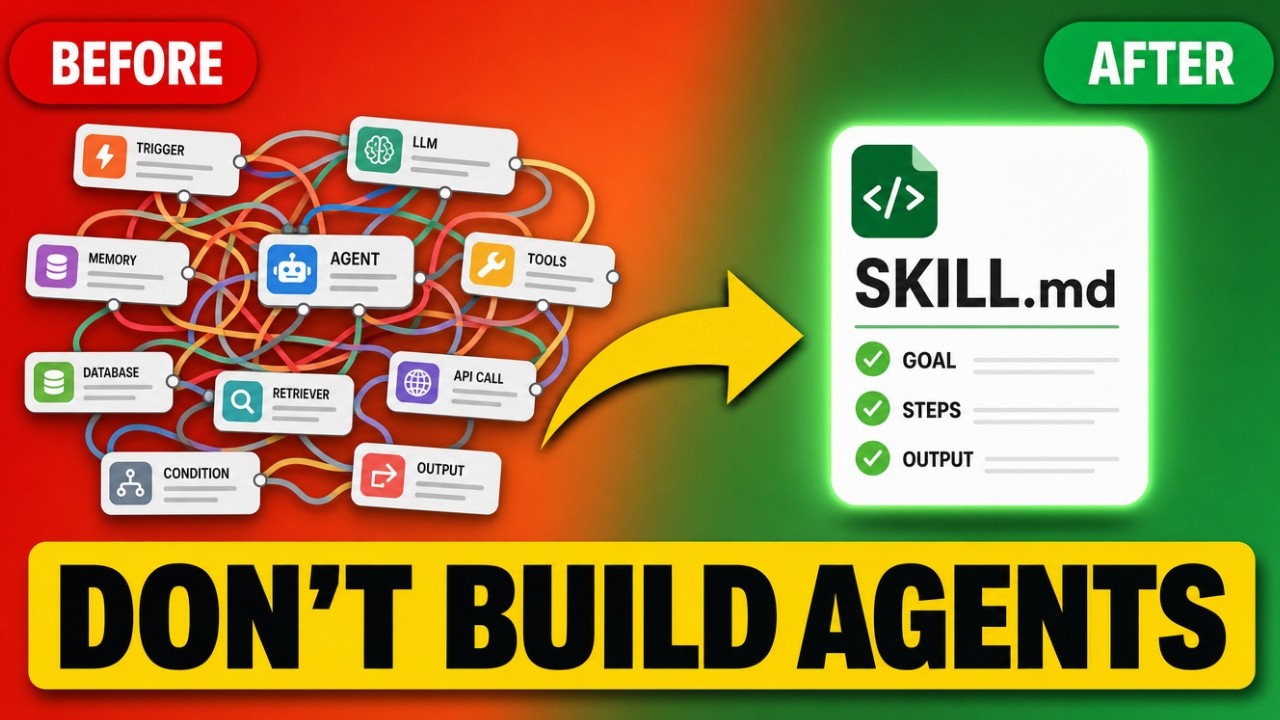
If you’re using Claude in 2026 and you’re still struggling to build an AI agent, this one is for you. Here’s the unlock that changes everything: an agent is just a skill. And there’s one plugin that builds them in about 10 minutes.
I’m Charles J Dove, founder of Charlie Automates. I’ve built over 40 skills now, and I’m going to pull back the curtain and show you exactly what I mean.
The old way was harder than it needed to be
For a long time, building an agent meant standing up an n8n workflow or writing custom code. Both are a lot more work than they look, and both break in ways that are annoying to debug.
Then Anthropic said the quiet part out loud: focus on building skills, not agents. That single shift is why the work got 10x easier.
Here’s the part most people miss. A Claude skill is nothing more than a named worker with access to its own tools and routing. It knows what it can touch and when to load what. And it’s packaged in plain Markdown, which is just a text file. Your skill, which is the same thing as your agent’s instructions, is readable by you. It’s not custom code you have to reverse-engineer six months later.
I use the words “agent” and “skill” interchangeably in this post, because at this point they’re pretty much the same thing.
A skill is just a folder with files inside
To your relief, there’s nothing scary under the hood. Open one of my skills and you’ll find the same five parts every single time:
- The entry point (
skill.md). This is the beginning of everything: the triggers, the persona, and the commands. It lives outside all the subfolders. - Context. Everything the skill needs to know to operate. For one of mine, that’s the details about my business it should load before it does anything.
- Frameworks. The playbooks. The methods and rules the skill follows.
- Tasks. The workflows. This is the file that tells Claude how to put the frameworks, the context, and the entry point together into one cohesive run.
- Templates. How the output should look when the skill is done running.
That’s it. Triggers and persona up top, context and frameworks to feed it, a task to choreograph the run, and a template to shape the output. Once you see the structure, the fear goes away.
The one plugin that builds them: SkillSmith
You came here for the tool, so here it is. The plugin I use to build my skills in minutes, with no trial and error, is called SkillSmith (built by Christopher Kahler at Chris AI Systems).
It installs with one command in a fresh terminal:
npx @chrisai/skillsmithThat drops the skill into ~/.claude/commands/skillsmith/ so it’s available in every workspace. Restart Claude Code, type /skillsmith, and you’re in.
There’s one command with four different routes:
/skillsmith discoverruns a guided interview that turns a rough idea into a clean skill spec./skillsmith scaffoldbuilds the compliant skill directory from that spec./skillsmith distilltakes a long-form YouTube video or an existing SOP and distills it into framework chunks you can turn into a skill./skillsmith auditreviews skills and frameworks you already have and improves them over time.
Under the hood, SkillSmith formalizes the anatomy above into seven file types, each with its own syntax spec: entry points, tasks, templates, frameworks, context, checklists, and rules. That consistency is what makes a skill portable. You build it once, someone else installs it, and they don’t get lost.
I built a skill live with it
To keep it fun, I built a skill I called “Creative Director,” a simpler version of my Viral Audit. Here’s the prompt I gave it: make a slash command that pulls my YouTube and Instagram data from the last 30 days, acts as a creative director, and drops a Markdown file with my videos ranked best to worst. Then interview me on what to do with the top performers, and close with a coaching brief telling me what I could be doing better.
SkillSmith generated the whole folder. A channels.md context file for which social handles to log into and what to look for. Frameworks for the performance signals to rank on versus the noise to ignore. A task for the ranking workflow. And a template for how the report should look.
Then it ran. It scraped both platforms, ranked my reels and carousels, walked my top 10 shorts and top 10 long-form pieces, then went through an interview to confirm the tags, and finally wrote a full coaching brief. Building it felt easy once the structure was right. That’s the whole point.
The data layer: Apify (totally optional)
To pull the social data, that Creative Director skill used Apify. Apify is a marketplace of “actors,” little programs that take actions on your behalf. In this case, an Instagram Post Scraper and a YouTube scraper.
Apify recently shipped its own MCP. If you’re new to the term, an MCP is just a bridge between Claude Code and another piece of software. The Apify MCP lets Claude Code walk into that marketplace, find the right actor for the workflow you described, and run it.
One thing I want to be clear about: you do not need API connectors or an MCP to start. Your skills can be simple at their core, and you layer bridges to other software on as you grow. Apify was just the data layer for this one example. If you want to try it, you can sign up for Apify here.
Key takeaways
- An agent is just a skill: a named worker with its own tools and routing, written in plain Markdown, not custom code.
- Every skill is one folder: an entry point (triggers, persona, commands), plus context, frameworks, tasks, and templates.
- SkillSmith builds them for you. Install with
npx @chrisai/skillsmith, then run/skillsmithand pick a route: discover, scaffold, distill, or audit. - Start simple. You don’t need MCPs or API connectors on day one. Add bridges like Apify only when the workflow actually needs data.
- Skills run on a manual slash command for now, which is totally fine. Autonomy comes later (Hermes on a VPS, Claude managed agents, or an n8n trigger).
Part 2: now make it run 24/7
Building the skill is half the story. In Part 2 I take this exact skill and turn it into a 24/7 AI employee that runs without you, on a schedule, reporting into Slack. Three paths (Hermes on a VPS, Claude managed agents, n8n) plus the full Hermes setup from your Claude chat.
Read the full walkthrough: Turn Your Claude Skill Into a 24/7 Agent With Hermes.
I posted the whole build on my YouTube channel at @charlieautomates, and this is the exact way I spin up new skills inside Charlie Automates. At my agency CC Strategic, it’s how we package repeatable processes into something a client can actually run instead of a doc nobody opens. You can grab the SkillSmith resource and the install command on the free toolkit at charlieautomates.com.
Not sure what to fix first?
Most people don’t need another AI tool. They need to know which thing is actually costing them the most.
The AI Bottleneck Finder asks you a handful of questions, then tells you the one constraint capping your revenue right now plus two builds you could ship this week. Five minutes, free, no call required.
Take the free AI Bottleneck Finder →
Want more builds like this without the trial and error? Join the CC Strategic AI community on Skool. New AI skills and workflows dropped weekly. SOPs, prompts, full builds.
FAQ
Q: What’s the difference between a Claude skill and an AI agent? Practically nothing. A skill is a named worker with its own tools and routing, packaged in plain Markdown. That’s what an agent is. Anthropic now tells builders to focus on skills, because they’re simpler to build, read, and share than the old n8n-or-custom-code approach.
Q: How do I install SkillSmith?
Open a fresh terminal and run npx @chrisai/skillsmith. It installs to ~/.claude/commands/skillsmith/ and is available in every workspace. Restart Claude Code and type /skillsmith to start. Use --local to install to the current project only.
Q: Do I need Apify or an MCP to build a skill? No. Apify was just the data source for the example skill in the video. Your skills can be simple at the core and pull in bridges like the Apify MCP only when the workflow needs outside data. Start without it.
Q: Can these skills run on their own without me typing a command? Not yet in this setup. Right now they run on a manual slash command, which is totally fine to start. Making them autonomous (on a schedule, or triggered from Telegram or Slack) is a separate step. Three paths I like: Hermes self-hosted on a VPS, Claude managed agents, and wiring an n8n MCP to run the workflow on its own.
SkillSmith is free in Free Resources. Every skill and playbook behind this build lives there, along with the rest of the stack I run.