Not sure what to fix first?
Most people don’t need another AI tool. They need to know which thing is actually costing them the most.
The AI Bottleneck Finder asks you a handful of questions, then tells you the one constraint capping your revenue right now plus two builds you could ship this week. Five minutes, free, no call required.
Take the free AI Bottleneck Finder →
Claude Code memory has one gap nobody talks about. Graphify solved half of it, and the half it left open is the half that decides how good your output is.
Every session you start begins blind. Claude pulls in your static CLAUDE.md file, reads the same block of text it read yesterday, and knows nothing about the four projects you have open, the decision you made last Tuesday, or where you stopped last night. Graphify fixed the data side of this by graphing your codebase. BASE fixes the behavior side by graphing your rules, your projects and your sessions, then injecting only the parts that match what you just typed.
I’m Charles J Dove, and I run Charlie Automates. I’ve been running Claude Code daily for over a year, and I switched my whole setup from Graphify to BASE. This post is the full breakdown of what BASE is, how the two compare honestly, and how to install it in a workspace you already have work in.
What Is Claude Code Memory, Really?
Claude Code memory is anything that survives the end of a session and shows up automatically at the start of the next one. That definition matters, because most things people call memory are really retrieval: a tool Claude can choose to call if it decides the moment calls for it.
BASE is memory in the first sense. It is a Rust binary that sits underneath Claude Code, holds one knowledge graph, and fires on 5 hook events. There is no tool call. Claude never decides to check its memory, because the injection happens before Claude sees your prompt at all. What you get at session start is your operator profile, your registered projects, your open handoffs, and the rules that match the words you used.
The distinction I keep coming back to: a skill has to be invoked, a hook just fires. That single difference is why BASE gets used in every conversation and a memory MCP gets used in about one in ten.
Why Your CLAUDE.md File Stops Working
A CLAUDE.md file breaks for two reasons, and both get worse the more successful you are with Claude Code.
The first is that it is static. You write a rule in March, your process changes in June, and the file keeps confidently telling Claude to do the March version. Nothing in the file knows it went stale.
The second is that it loads whole. Every rule in that document enters every conversation, whether you are debugging a Python service or writing an Instagram caption. A 300-line CLAUDE.md burns the same tokens on a one-line question as it does on a full architecture session, and it dilutes attention across rules that do not apply.
BASE inverts that. Rules live in the graph, grouped into domains with trigger keywords and file paths attached. When I type “fix the GoHighLevel workflow trigger”, the 12 rules in my GHL domain load and nothing else does. My content rules, my design rules and my SEO rules stay quiet. Injection is scoped and deduped, so a long session does not slowly refill with the same rules pasted 15 times over.
BASE vs Graphify: The Honest Comparison
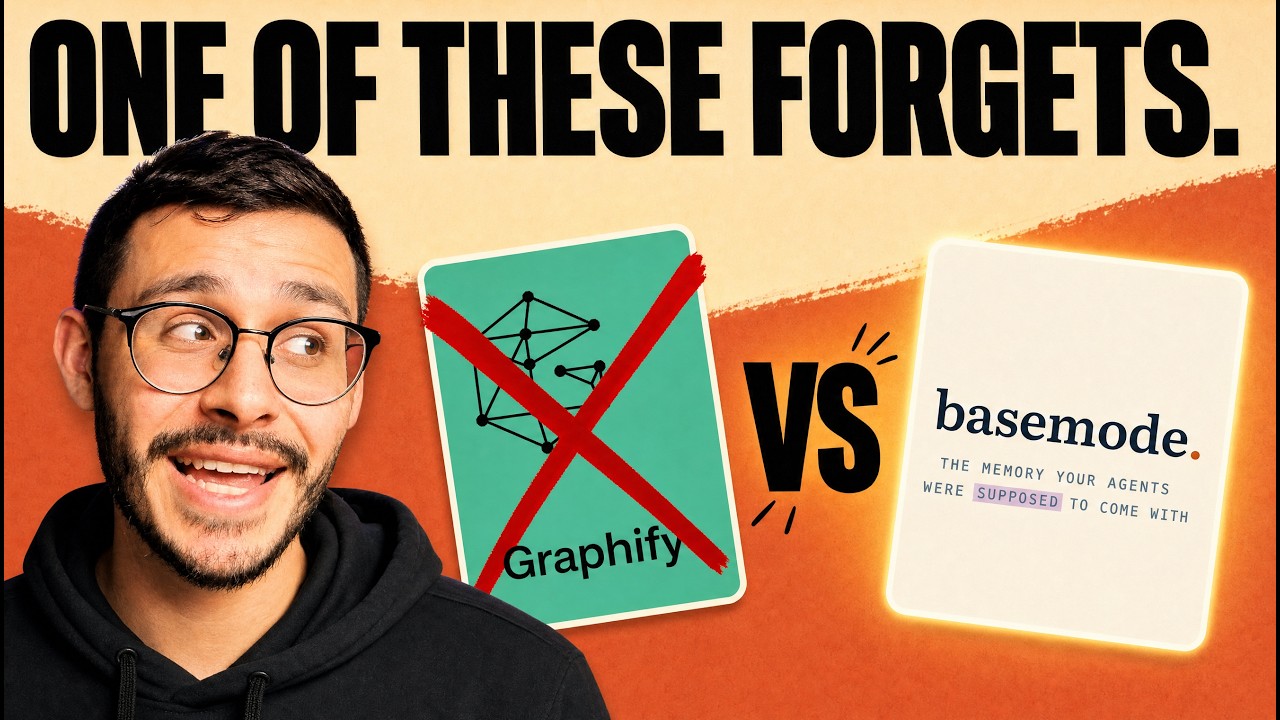
Both tools build a knowledge graph. Only one of them is always on. That is the whole difference in a sentence, and here it is in a table.
| Graphify | BASE | |
|---|---|---|
| What it graphs | A codebase or document corpus you point it at | Your rules, projects, decisions and sessions |
| How it runs | You run it on a folder, then open the report or query it | Runs itself on 5 hook events |
| When it arrives | After you ask | Before you type |
| Refresh | You rerun it | Auto-learns at the end of every session |
| Scope | The project you pointed it at | Your whole workspace, plus a per-app code map |
| Question it answers | What do I know? | How should Claude behave right now? |
My honest read: Graphify is still a good tool, and I wrote a whole post auditing the truth about Graphify’s 70x token savings claim. My problem with it was curation. You have to feed the graph, project by project, and it never holds an overall view of your workspace. BASE holds that view by default and keeps a per-app code map on top, so you still get base ast query style code navigation without giving up the session layer.
Graphify is memory for your data. BASE is memory for your behavior. If you only pick one, pick the one that fires on its own.
What Are the Three Moving Parts of BASE?
BASE ships as 3 components, and understanding which does what makes the rest of the setup obvious.
The hook pipeline is the push side. 5 hooks: session start pulls your operator profile, projects and handoffs. The user prompt hook reads your words and matches domain keywords. The pre-tool-use hook reads the file path you are about to touch and loads the map for it. Post-tool-use updates timestamps and injects section context. None of these ask permission.
The knowledge graph is the single store underneath all of it. Rules, decisions, projects, tasks, handoffs and forks are all entities with edges between them. One graph, not a folder of scattered markdown.
The BASE MCP is the pull side. Hooks push context in; the MCP lets Claude query the graph on demand and write results back at the end of a session. Hooks are pushes, MCPs are pulls, and BASE ships with both.
On top of that sit 2 tiers. The global tier follows you into every workspace. The workspace tier lives in the repo you are working in. That split is what lets me keep one set of always-on identity rules while a client repo carries its own rules that never leak anywhere else.
Knowledge Domains: Rules That Fire Only When They Match
A knowledge domain is a named group of rules with trigger keywords and file paths attached to it. That is the entire concept, and it is the piece that saves you the most context.
Two of my domains are marked always-on: GLOBAL and TRAITS. They load on every single prompt, the way a CLAUDE.md would. Everything else is conditional. DEV loads on dev words. CONTENT loads when I say script, hook, thumbnail or blog. GHL loads on 12 rules worth of CRM vocabulary. If none of the keywords hit, none of the rules load, and the tokens go to your actual work instead.
There are 2 ways to add rules. You can say “add this rule to the DEV domain” and BASE writes it. Or you run the *end star command at the end of a session and BASE reads back through the whole conversation, decides what it learned, and files the rules itself. I use the second one almost exclusively. That is the self-learning part, and it means the graph gets sharper every session without you maintaining anything.
The best migration prompt if you already have a bloated CLAUDE.md: ask Claude to read the whole file, keep the BASE configuration block, and convert everything else into knowledge domains in place. You get triggered rules instead of a wall of text, and you keep everything you already wrote.
Star Commands: The Five I Use Every Day
Star commands are tokens the prompt hook recognizes in normal writing. They are not slash commands and they are not skills, which is why you can drop one mid-sentence and it still fires.
There are 36 in my live setup. 15 are workflow modes like *dev and *plan. The other 21 are the mode pack, and that is the half most people never install. All 36 are in one downloadable markdown file on the BASE resource page, along with the repo link.
The 5 I actually run:
*endone-shots the close of a session. It writes the handoff, registers lingering tasks, captures forks and updates any rules or behaviors it learned. This is the single highest-value command in the system.*taskregisters a task straight into the graph and attaches it to a project, instead of it dying in a note app.*pinghands a task to another open terminal session. Not a subagent. A different Claude window, running a different model if you want.*forkturns a mid-build idea into a forward build spec. A handoff is where you stopped and there is one per project. A fork is a thing worth building, they are additive, and they surface at session start.*handoffon its own, which I rarely need because*endalready does it.
If you want a new one, base command add registers it. There is no config file to hand-edit.
The Relay: Terminals That Hand Work To Each Other
The relay is a message bus between open Claude Code sessions, and it is the feature that changed how I work more than any other.
Every session gets a codename in the status line. Mine have come up as Raven, Falcon, Badger, Dingo, Weasel and Mircat. If Raven is my main session, I can type *ping mircat with a task and Mircat picks it up with a full brief, reads the relevant PAUL project file, and works it without touching Raven’s context.
Here is the part that makes it safe: every session is reading and writing the same single graph. So a task handed from one terminal to another arrives with the project state attached, not as a naked instruction. In the walkthrough I sent a SkillSmith audit of a Meta Ads skill from one window to another, told it to ping back when done, and went on working in the first window.
That is the difference between running 4 Claude windows and running a team.
Devmode: Seeing What Got Injected
Devmode is a diagnostic block BASE appends to responses so you can see exactly what loaded. Turn it on and every response ends with 4 lines: the context bracket you are in, which domains loaded and why, which domains were available and did not fire, and which tools ran on that turn.
This sounds like a small thing. It is not. Before devmode you are guessing whether a rule fired. After devmode you can see that GLOBAL and TRAITS loaded, CONTENT loaded on a keyword, and DEV stayed quiet because you never used a dev word. When output goes sideways, the block tells you in one glance whether the rule was missing or the rule was wrong.
The BASE dashboard covers the same ground visually. Type “base dashboard” and it opens in your browser: domain rules you can add or edit by hand, the graph itself, and token usage by date. Mine showed roughly $1,300 of token value in a single day, which is a number I would never have found by reading a TOML file.
Why Doesn’t the Graph Bloat?
BASE archives cold projects automatically, which is the answer to the obvious objection that a graph holding everything eventually holds too much.
When a project folder goes untouched for a while, it stops taking room at session start. Nothing is deleted. The moment you touch that folder again, or use a keyword attached to it, the next reconcile flips it back to active on its own. One matching keyword or one file path touch is the whole reactivation.
That is what lets the graph keep growing while the session-start payload stays flat. Context is finite. An archive that manages itself is the only version of this that survives six months of real use.
How Do You Install BASE In a New Workspace?
Installing BASE takes one session and 5 steps, and you can do the whole thing in natural language instead of the CLI.
- Grab the repo. The GitHub link is on the BASE resource page. Paste it into Claude Code and tell it to install BASE globally and for this project. If it hits a license prompt, tell it to move forward.
- Run the scaffold. Say: set up BASE for this workspace, scaffold it out, set up an operator profile with me, and ask me about the projects to register. BASE interviews you rather than guessing.
- Build the operator profile. This is your north star, your values, and what you actually do. It is the piece that makes a fresh session know who it is working for. Feed it existing docs if you have them.
- Set up your domains. BASE walks these one at a time. Turn devmode on here so you can watch what loads. If you already have a CLAUDE.md, tell BASE to fold it into domains rather than duplicating it.
- Add the status line and relay. Ask for a status line with the session codename and the context percentage, and tell it to wire the ping relay on. Without the codename you cannot address other sessions.
Then import the star commands file from the resource page and run base scaffold once. If you have existing projects, drop their folders in and tell Claude to register each one, ideally with a PAUL folder attached.
Where PAUL Fits
PAUL is the execution layer that sits on top of BASE’s memory layer. BASE helps Claude remember; PAUL helps it execute.
PAUL stands for Plan, Apply, Unify, Loop. At session start BASE ingests the paul.json file for every registered project, so your phases, milestones, tasks and decisions all land in the same graph. That means the high-level state of every project you are running is available the second a session opens, without loading the full context of any of them.
If you want the execution side, the PAUL resource page has the repo and the workflow. The pairing is the point: memory without execution is trivia, and execution without memory restarts from zero every morning. That combination is the core of what I mean by an agentic OS.
Key Takeaways
- BASE graphs your rules, Graphify graphs your data. One is always on, the other waits to be asked.
- 5 hooks, 1 graph, 2 tiers. Global follows you everywhere, workspace stays in the repo.
- Domains are triggered, not loaded. 12 GHL rules fire on GoHighLevel words and stay silent otherwise.
*endis the command that matters. It writes the handoff, registers tasks and forks, and teaches the graph what it learned.- The relay makes multiple terminals into a team. Codenamed sessions hand work to each other against one shared graph.
- Devmode removes the guessing. You see which domains loaded, which stayed quiet, and which tools ran.
- Cold projects archive themselves and reactivate on a single keyword or file path touch.
- BASE is free, with an enterprise tier planned for teams sharing one company-level graph.
Where to Go From Here
Find the one bottleneck killing your revenue.
30-minute free call with Charles. We diagnose your highest-leverage AI bottleneck, install Charlie OS on your machine in one hour, and map the path forward on the same call.
Want the files instead? Everything from this build is free in the Charlie Automates Founder’s Toolkit on charlieautomates.com:
- BASE playbook, repo link and all 36 star commands
- PAUL, the execution layer that pairs with it
- Graphify, if you want the data-side graph too
If you get stuck on domains or the relay setup, that is the part people ask about most. Join CC Strategic AI on Skool and ask in the feed. There’s a full A to Z Claude Code course in there at no cost, and weekly calls on Premium where we work through setups live.
At my agency CC Strategic we install this exact stack for clients, and new builds drop every week on my YouTube channel @charlieautomates.
FAQ
What is BASE for Claude Code? BASE is a free Rust binary that gives Claude Code persistent memory for your rules, projects and sessions. It runs a hook pipeline, a knowledge graph and an MCP server. At session start it injects your operator profile, registered projects and open handoffs, and on each prompt it injects only the rule domains whose keywords or file paths match what you typed.
How is BASE different from Graphify? Graphify builds a knowledge graph of a codebase or document corpus you point it at, and you query it or open its report. BASE builds a graph of your rules, projects, decisions and sessions, and injects the relevant parts automatically on 5 hook events before you type. Graphify is memory for your data. BASE is memory for your behavior.
Does BASE replace my CLAUDE.md file? Mostly. Keep the BASE configuration block and anything that genuinely applies to every prompt. Move every behavior rule into knowledge domains so it loads only when its keywords or paths match. Ask Claude to read your existing CLAUDE.md and convert it in place; it will keep what belongs and file the rest as domains.
Does BASE save tokens? Yes, because injection is scoped and deduped. Unmatched domains never get sent, and a rule that already loaded in a session does not get pasted again on the next turn. The saving scales with how many rules you have: a 300-line CLAUDE.md that loaded whole on every prompt becomes a handful of matched rules per prompt.
What are star commands in BASE?
Star commands are tokens the user prompt hook recognizes inside normal writing, like *end, *task, *ping and *fork. They are not slash commands or skills. There are 36 in my live setup, 15 workflow modes and 21 in the mode pack, and the full list is free on the BASE resource page.
Can two Claude Code sessions talk to each other with BASE?
Yes. Every session gets a codename in its status line, and *ping <codename> hands a task to another open terminal with a full brief attached. Both sessions read and write the same knowledge graph, so the receiving session already has the project state. It is a relay between real sessions, not a subagent.
Is BASE free? BASE is free today. An enterprise tier is planned for companies where multiple teammates need access to the same graph at a company level.
Do I need PAUL to use BASE?
No, but they are designed to pair. BASE holds memory, PAUL handles execution through its Plan, Apply, Unify, Loop cycle. At session start BASE ingests each registered project’s paul.json, so phases and milestones live in the same graph as your rules and decisions.