Not sure what to fix first?
Most people don’t need another AI tool. They need to know which thing is actually costing them the most.
The AI Bottleneck Finder asks you a handful of questions, then tells you the one constraint capping your revenue right now plus two builds you could ship this week. Five minutes, free, no call required.
Take the free AI Bottleneck Finder →
AI image and video generation in Claude Code just got 100 times easier.
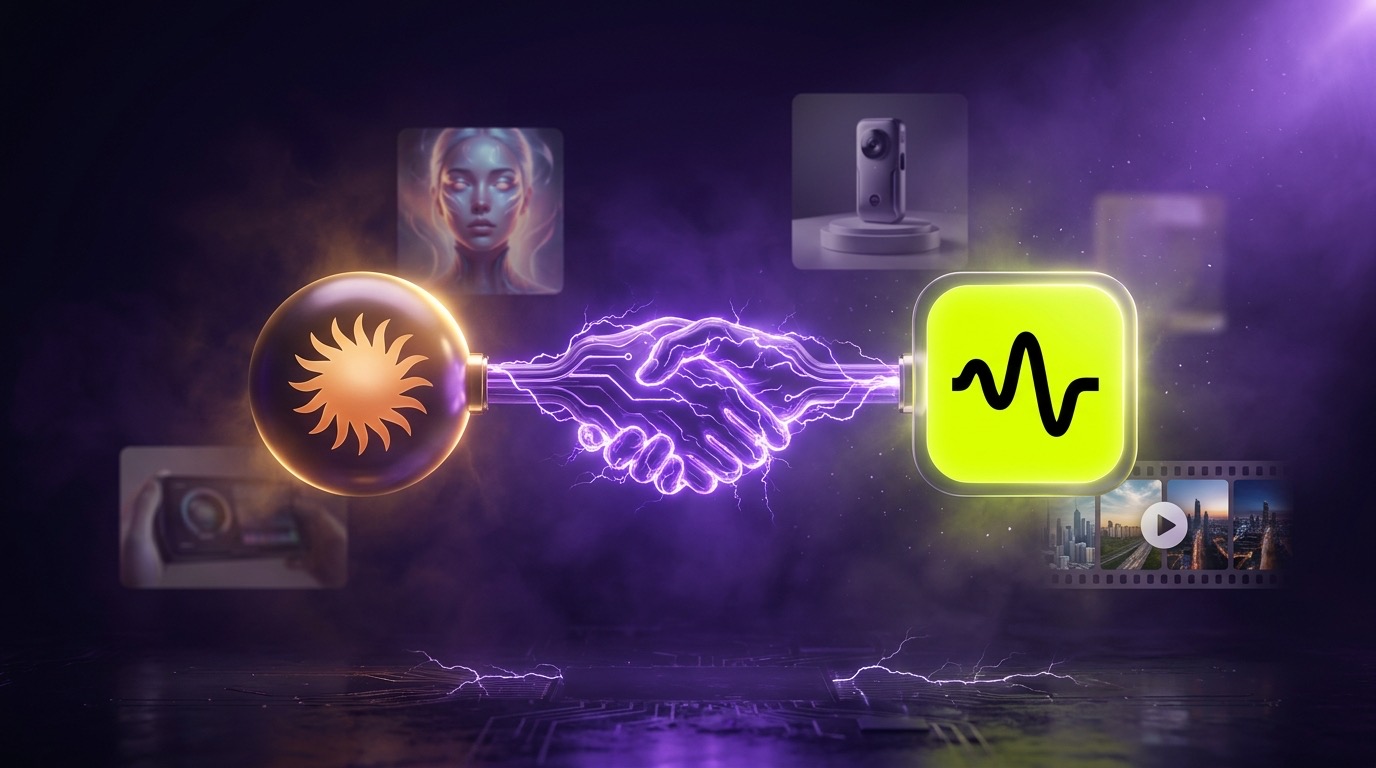
Higgsfield dropped an MCP server this week that plugs every major AI generation model directly into Claude Code. Nano Banana Pro, Seedream 4.5, Soul, Seedance, Kling. All running from your terminal, all on one credit pool. I’m Charles J Dove, and I run Charlie Automates. I burned 8,000 credits inside Higgsfield this month testing this stack, and the math broke me.
Get the Higgsfield MCP connected to Claude: grab access here (my affiliate link). One subscription, one credit pool, every AI image and video model in this post wired straight into Claude Code.
The Problem Most People Are Still Stuck On
You want AI images and videos for your content. Cool. So you sign up for five different platforms.
Midjourney for stylized stuff. Runway for video. Pika for shorts. ChatGPT for some thumbnails. A separate API key for whatever the model du jour is. Five subscriptions. Five logins. Five credit pools that you can never quite track. And the worst part: you’re context-switching between five different tabs every time you want to ship one piece of creative.
Or worse, you’re paying through the nose for Kie API or stacking standalone API keys for every model you love. Different billing accounts, different docs, different rate limits. You’re spending more time managing tools than making things.
This is exactly the stupid grind that holds most agency owners and business owners back from actually shipping AI creative for their brand or their clients.
What Higgsfield Just Did
Higgsfield is a single AI generation platform that already consolidates every major image and video model on the market. You sign up once. You get access to the entire stack. One credit pool, no per-tool billing.
The new MCP server takes it one level higher. Now Claude Code talks to Higgsfield directly through your terminal. You don’t open Higgsfield. You don’t manage prompts inside their UI. You just describe what you want, and Claude figures out the rest.
That’s the entire pitch. And the implications are huge if you’ve been wrestling with the multi-tool tax.
Why MCP Changes the Math
If you’re new to MCP, here’s the simplest analogy I can give you. MCP stands for Model Context Protocol. Think of it like a toolbox.
Every AI tool becomes a tool inside the toolbox. Nano Banana Pro is one tool. Seedream 4.5 is another. Seedance is another. The MCP toolbox holds all of them. Claude Code is the brain that figures out which tool fits the job.
You write 3 words. Claude picks the model, writes the engineered prompt, fires the gen. You get the output back without touching Higgsfield’s UI at all.
That’s leverage. You stop being the prompt engineer. You start being the orchestrator. The AI model does the heavy lifting on which tool to pull from the box, and you stay focused on the outcome.
How to Set It Up in 60 Seconds
The setup is genuinely faster than reading this section.
- Visit higgsfield.ai/mcp and grab the MCP install link. If you don’t have a Higgsfield account yet, get MCP access here (my affiliate link, free starter plan available).
- Open Claude Code, paste the link, and ask Claude to install the MCP for you.
- Run
/clearand then/mcpinside Claude Code. You’ll see Higgsfield in the MCP list. - Click the Higgsfield entry, hit Allow to authenticate.
That’s it. Claude is now connected to every model on Higgsfield. No API keys to manage on your end.
I set this up for the first time on camera while filming the video walkthrough. Took under a minute.
Use Case 1: AI Image Generation Without Tab-Switching
The first thing I tested was YouTube thumbnails. I’m sick of designing thumbnails by hand, and I’m even more sick of bouncing between Midjourney, Photoshop, and Figma to land one.
I gave Claude my brand context (the same brand kit I use for every visual asset across charlieautomates.com), then asked it to generate a thumbnail using my proprietary /thumbnail-packager skill. Claude pulled three concepts, recommended one, and rendered it through Nano Banana Pro and Seedream 4.5 in parallel.
Two thumbnails. Different models. Side-by-side comparison. All without ever opening Higgsfield.
This is the workflow I’m running for every video now. It’s the same approach I teach inside the CC Strategic AI community on Skool. Brand-context-first, prompt second, model third. Claude handles the orchestration.
You can do the exact same thing for Skool community covers, custom characters, brand mockups, custom logos, and any image asset your business needs. The proprietary thumbnail packager I use is what powers the cover art on most of my Charlie Automates videos now.
Use Case 2: AI Video Generation, Hero + Short in Parallel
Image gen is great. Video gen is where the leverage gets crazy.
I asked Claude to use my brand context and generate a Seedance video for my agency. Plan mode activated, Claude pulled a brand story concept, laid out the scenes and script, then asked if I wanted both a 16:9 hero cut and a 9:16 short rendered in parallel.
Yes, in parallel. From the same prompt. Two formats, one ask.
This is what businesses are paying $5K and up for from agencies. AI avatars for product ads. Hero cuts for brand stories. 9:16 shorts for TikTok and Reels. At my agency CC Strategic, we used to charge full retail for this kind of multi-format video work. Now I’m watching it render while I write this blog post.
The disclaimer holds up: AI video output is never going to be perfect on the first run. You still need post-production. You still need to splice clips. But the raw material now arrives at a speed and price point that didn’t exist 6 months ago.
Use Case 3: Brand-Context-Driven Generation
This is the use case nobody talks about, and it’s the most important one.
If you’ve scaffolded your Claude Code workspace properly, Claude already knows everything about your brand. Your color palette. Your tone. Your aesthetic. Your past work. Your audience. Your forbidden patterns.
Feed that context to Higgsfield through the MCP, and every output lands on-brand without you re-prompting from scratch every time.
Manually opening Higgsfield and writing prompts yourself leaves it all up to you. You repeat the brand brief in every prompt. You forget details. Outputs drift. Brand consistency suffers.
With the MCP, you offload the prompt engineering to the AI that already has all your context loaded. The output is dramatically more consistent because Claude is feeding the model your full brand state, not a one-line prompt you wrote in a hurry.
Why This Beats Kie API and Standalone APIs
I want to be specific about the cost angle, because this is where most people don’t run the math.
Stacking standalone APIs for every model you love means:
- Multiple billing accounts (5+ tools = 5+ invoices)
- Multiple API keys to rotate and secure
- Multiple SDKs and rate limits to track
- No unified credit pool, so you over-provision on every tool
- Constant friction switching between SDK docs
Kie API consolidates a few models, but you’re still paying middleware markup and you don’t get the full Higgsfield catalog.
Higgsfield consolidates the entire stack into one platform with one credit pool. The MCP layer means Claude Code becomes the front-end. You replace 5 subscriptions with 1, and you replace manual prompting with terminal-driven orchestration.
The cost math alone is a no-brainer once you compare your current stack to a single Higgsfield plan. The workflow improvement is the bigger win.
Key Takeaways
- The Higgsfield MCP server connects every AI image and video model on Higgsfield directly to Claude Code
- One platform, one credit pool, no tab-switching, no API key juggling
- Setup takes 60 seconds at higgsfield.ai/mcp, and you can get MCP access here (my affiliate link for the Higgsfield MCP)
- Use cases include YouTube thumbnails, Skool covers, AI avatars, product ads, brand-story videos, 9:16 shorts
- Brand-context-driven generation is the killer feature, feed Claude your brand once and every output stays on-brand
- Crushes Kie API and standalone API stacks on cost, speed, and workflow simplicity
- Pairs with the Higgsfield Seedance 2.0 skill pack for end-to-end automated video prompt engineering
Why This Matters for Your Business
If you’re an agency owner, business owner, or content creator and you’re still hand-rolling AI image and video creative across multiple tools, you’re leaving hours on the table every week.
This is the kind of leverage I build into every system at CC Strategic for our clients. Not theory. Not hype. Actual time pulled out of the production calendar so you can ship more, charge more, or delegate more.
The bigger lesson is the same one I keep teaching on my YouTube channel @charlieautomates. The AI model itself is not the bottleneck anymore. Your file system, your context, your toolbox configuration is the bottleneck. Most people are using Claude Code wrong because they never set up the input layer correctly. Get the input layer right, and the output compounds.
That’s what I cover in my free resources at charlieautomates.com/free-resources. And it’s what we go deeper on inside the CC Strategic AI community on Skool.
FAQ
What is the Higgsfield MCP server?
The Higgsfield MCP server is a Model Context Protocol integration that connects every AI image and video model on the Higgsfield platform directly to Claude Code. You install it once, authenticate with your Higgsfield account, and Claude can then generate images and videos through any Higgsfield model from your terminal.
Do I need a paid Higgsfield account to use the MCP?
No, Higgsfield offers a free starter plan. You can test the MCP with the starter tier and upgrade once you start hitting credit limits. I run mine on a paid plan because I generate at volume, but everything in the walkthrough works on the free tier.
How is this different from using the Nano Banana MCP directly?
The Nano Banana MCP only gives you Nano Banana. The Higgsfield MCP gives you Nano Banana Pro plus Seedream, Soul, Seedance, Kling, and every other model on Higgsfield’s platform. One install, every model, one credit pool. If you already have a Higgsfield plan, this is the better default.
Can Claude pick the right model for me?
Yes. Once the MCP is installed, you can ask Claude which model is best for a given task and Claude will pick from the available options. You can also specify a model explicitly if you have a preference. Most of the time I let Claude choose because it picks based on the prompt context.
Does this work with my brand context?
Yes, and this is the killer feature. If you have a CLAUDE.md, brand-context file, or skills folder set up in your Claude Code workspace, Claude reads all of that context and feeds it into the Higgsfield prompt automatically. Every output stays on-brand without you re-typing the brief.
What’s the catch?
There isn’t one big one, but heads up: AI video output still requires post-production. The MCP gets you the raw clips fast, but splicing them into a finished piece still falls on you or your editor. The image side is more polished out of the box.
Where can I get the Seedance skill pack you mentioned?
The 15-skill Seedance 2.0 pack is one of the most popular resources on charlieautomates.com/free-resources. Search “Higgsfield” inside the toolkit and you’ll find both the Seedance skill repo and this MCP entry side by side. Free.
Is there a video walkthrough?
Yes. Watch the full setup and use case demos on the YouTube channel @charlieautomates. The video embedded above walks through the MCP install, authentication, and three live generations.
Not sure what to fix first?
Most people don’t need another AI tool. They need to know which thing is actually costing them the most.
The AI Bottleneck Finder asks you a handful of questions, then tells you the one constraint capping your revenue right now plus two builds you could ship this week. Five minutes, free, no call required.