Not sure what to fix first?
Most people don’t need another AI tool. They need to know which thing is actually costing them the most.
The AI Bottleneck Finder asks you a handful of questions, then tells you the one constraint capping your revenue right now plus two builds you could ship this week. Five minutes, free, no call required.
Take the free AI Bottleneck Finder →
If you’ve been using AI coding tools like Claude Code to build websites and they still come out looking like a college project from 2014, welcome to the club.
I’m Charles Dove, and I’ve been there. The sites look templated. They look generic. They scream “a robot built this” so loud your clients can hear it.
Here’s the thing. It doesn’t matter what prompt or plugin you’re using. You’re stuck in an AI slop trap. And you’re blaming the wrong thing.
The prompt was never the actual problem. You could be using the best plugins and write the world’s best prompt. The site still ends up looking like garbage. Why? Because you’re giving Claude bad context.
Dumb questions get dumb answers. Smart questions get smart answers. Once you fix how you feed context to the AI, the difference is honestly embarrassing. You go from something ugly to something that looks like you dropped $10K with an agency.
I’m going to walk you through my four-step playbook on how to do this the right way. Zero design skills needed. Zero coding experience. We’re going to knock it out in under 30 minutes.
Let’s get into this thing.
The 4-Step Playbook
Here are the four steps:
- Find the proper inspiration
- Build it with the proper context
- Refine that baby
- Deploy it live
That’s it. Four steps. No fluff. Let me break each one down.
Step 1: Find the Proper Inspiration
This is where most people go wrong. They open Claude Code and type “build me a SaaS landing page.” Then they wonder why it looks like every other AI-generated site on the internet.
Stop doing that. Start with real inspiration from sites that are proven to convert.
I have three go-to resources:
- Dribbble (dribbble.com) for design inspiration
- Awwwards (awwwards.com) for award-winning web design
- Godly (godly.website) for curated landing page examples
All three are free to browse. All three are packed with premium designs that real agencies charge $10K or more for.
For this walkthrough, I stuck with Awwwards. I found a site I really liked. It had cool background graphics. It had animations that appeared and disappeared as you scrolled. It felt super premium.
That’s the vibe we’re going for. Not a template. A starting point that screams quality.
Step 2: Build It With the Proper Context
Here’s where the magic happens. And this is the step that separates the AI slop builders from the people creating sites that actually look professional.
Once you find your inspiration site, you need to give Claude Code actual context. Not just words. Real, visual, structural context.
How to Extract Context From Any Website
- Right-click the website and click “Inspect”
- Click on “Styles” in the developer tools
- Copy all the CSS/HTML you see there
- Take multiple screenshots of the landing page (scroll through the whole thing)
Now you have two powerful context sources: the visual screenshots and the actual HTML/CSS structure.
The Prompt That Works
Feed all of this into Claude Code with a simple prompt:
“I want to create a React/Vite project and copy this web page. Here are the screenshots. Here’s the URL. And below, I pasted the HTML.”
That’s it. No fancy prompt engineering. No 500-word system instructions. Screenshots plus HTML plus a clear ask.
Why This Works So Well
The hardest thing about using AI to build websites isn’t the coding. It’s translating what you see in your head into words the AI can understand. When you give it screenshots and the actual source code, you’re skipping that translation problem entirely.
At my agency CC Strategic, we do this for clients all the time. The screenshots give Claude the visual target. The HTML gives it the structural blueprint. Put them together and you’re 80% of the way there in one prompt.
The Claude in Chrome Extension Trick
One thing I do different than most people is using the Claude in Chrome extension. It doesn’t just look at the screenshots you feed it. It actually navigates to the inspiration site in another browser window and grabs even more context on its own.
More context equals better output. Every time.
Finding Premium Graphics
While Claude is building the base layout, you can source graphics to make it pop. Head to 21st.dev and find animated components that match your vision.
Found a cool animation? Just copy the prompt from 21st.dev and feed it into Claude Code. It’ll build that graphic with code and drop it right into your website. No Photoshop. No Figma. Pure code-based graphics.
Step 3: Refine That Baby
The first build is never going to be perfect. Don’t expect it to be. The goal is to get a solid base, not a one-to-one replica.
And that’s exactly what Claude gives you. A solid base. Now the fun starts.
The Refinement Process
Refinement is simple. It comes down to three things:
- Screenshot what you see in the browser
- Tell Claude what you like and what you don’t like
- Let it fix things and repeat
That’s the whole process. Screenshot. Feedback. Fix. Repeat.
What to Look For
Here’s what I focused on during my refinement rounds:
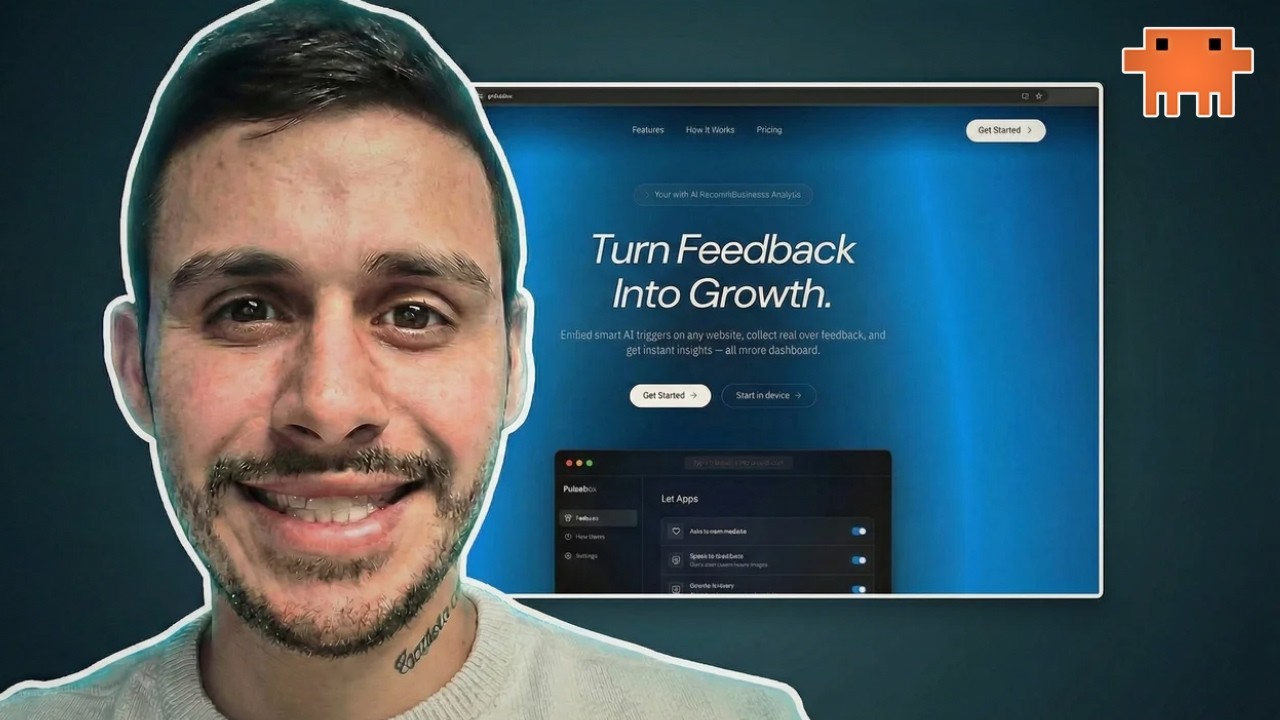
- The language: Does the copy match what this company actually does? I used a “verbal drop” technique. I opened voice input and just talked to Claude about the business. Told it the website was for a company called Pulsebox that focuses on AI feedback widgets. Claude updated all the copy to match.
- Spacing issues: Things looked squished. I screenshotted the problems and told Claude what needed more breathing room.
- Centering: Text boxes and elements that weren’t centered properly. Quick screenshot fix.
- Box sizes: Some elements were too big. I told Claude to make them smaller.
- Hover animations: I wanted interactive elements that responded when users hovered over them.
- Graphics swap: I found a better animation on 21st.dev and had Claude replace the original background graphic with one that fit the Pulsebox brand better.
The Verbal Drop Technique
This is a game-changer for getting the website copy right. Instead of typing out what the company does, just open voice input and talk naturally about the business.
“This website is for a company called Pulsebox. They focus on AI widgets. It’s a custom AI feedback widget that companies can plug into their website so they can get custom feedback from their users. The data feeds into their admin dashboard using AI.”
Done. Claude takes that verbal context and rewrites all the placeholder copy to match your actual business. Way faster than typing.
How Long Does Refinement Take?
For this build, I spent maybe 10-15 minutes refining. Could I have spent more time and made it even better? Of course. But the point is that even with minimal refinement, the result was a far cry from AI slop.
It had proper animations. The copy made sense. The layout was clean. The graphics were custom. It looked like something you’d pay a designer serious money for.
Step 4: Deploy It Live
You’ve got the design. You’ve refined it. Now let’s get it live on the internet in about 5 minutes.
Push to GitHub
If you don’t already have a GitHub account, sign up for one. It’s free.
- Click the plus button in GitHub
- Select New Repository
- Name it whatever you want
- Create the repository and grab the link
- Paste the link into Claude Code and ask it to push the project into this repository
Claude handles all the git commands for you. No terminal knowledge needed.
Deploy on Vercel
While the code pushes to GitHub, go sign up for Vercel (vercel.com). Use the same account you used for GitHub. Vercel is also free.
Once the code is in GitHub:
- Go to your Vercel dashboard
- Click “Add New” then “Project”
- Find your repo in the list
- Click Import
- Click Deploy
That’s it. Vercel builds your site and gives you a live URL. Your website is deployed and live. Custom domain and everything.
The whole deployment process takes less than 5 minutes. Zero command line. Zero DevOps knowledge.
The Full Timeline
Let me break down what just happened:
- Finding inspiration: 5 minutes browsing Awwwards
- Building the base: 10 minutes (Claude does the heavy lifting)
- Refining: 10-15 minutes of screenshot and feedback loops
- Deploying: 5 minutes on GitHub and Vercel
Total: About 30 minutes for a website that looks like a $10K agency build.
Why Most AI Websites Look Like Garbage
Let me strip away the hype for a second. The reason your AI-built sites look bad isn’t because the AI is bad. It’s because you’re not giving it enough context.
Think about it. If you hire a designer and say “build me a website,” they’re going to ask a hundred questions. What’s your brand? Who’s your audience? Show me examples of sites you like. What’s your color palette?
But when people use Claude Code, they skip all of that. They type one sentence and expect a masterpiece. That’s not how it works.
The four-step playbook fixes this by front-loading the context:
- Inspiration gives Claude a visual target
- HTML/CSS extraction gives it structural context
- Screenshots give it pixel-level detail
- Verbal drops give it business context
Stack all four of those together and Claude has everything it needs to build something premium.
Tools You Need (All Free)
Here’s every tool used in this walkthrough:
| Tool | What It Does | Cost |
|---|---|---|
| Claude Code | AI coding assistant that builds the site | Subscription |
| Awwwards | Design inspiration gallery | Free to browse |
| Dribbble | Design inspiration gallery | Free to browse |
| Godly | Curated landing pages | Free to browse |
| 21st.dev | Animated UI components | Free prompts |
| GitHub | Code storage and version control | Free |
| Vercel | Website hosting and deployment | Free tier |
What You Can Build With This Playbook
This playbook works for any type of website:
- SaaS landing pages (like the Pulsebox example)
- Agency websites for your own business
- Client websites you can charge $5K-$10K for
- Portfolio sites to showcase your work
- Product launch pages for new offers
The process is identical every time. Find inspiration. Feed context. Refine. Deploy.
Want to Take It Further?
If you want to build your own SaaS product, not just the landing page, I’ve put together a full system inside the CC Strategic AI Skool community. The playbook from this video is linked there too, along with all my Claude Code workflows and templates.
If you want hands-on help building your website or SaaS product with Claude Code, you can . I’ll walk you through the exact process and help you avoid the common mistakes.
Frequently Asked Questions
Do I need coding experience to follow this playbook?
No. Zero coding experience required. Claude Code handles all the code. You just give it context through screenshots, HTML, and plain English descriptions.
Can I use this with tools other than Claude Code?
Yes. The playbook works with any AI coding tool. The core principle is the same: give the AI better context and you get better results. Whether you’re using Claude Code, Cursor, or another tool, the four steps apply.
How much does it cost to get started?
The inspiration sites (Awwwards, Dribbble, Godly) are free to browse. GitHub is free. Vercel has a generous free tier. The main cost is your Claude Code subscription. You can get started for under $20/month.
Will this work for mobile-responsive designs?
Yes. When you give Claude Code proper context from a well-designed inspiration site, it builds responsive layouts by default. React and Vite projects come with responsive capabilities baked in. You can always refine the mobile view during Step 3.
How is this different from using a website builder like Wix or Squarespace?
Two big differences. First, the design quality. AI-built sites with proper context look like custom agency work, not drag-and-drop templates. Second, you own the code. You’re not locked into a platform. You can host it anywhere and customize anything.
Can I use this playbook to build websites for clients?
Absolutely. This is exactly what we do at Charlie Automates and CC Strategic for client projects. Find premium inspiration, build with proper context, refine, deploy. You can charge $5K-$10K for a site that takes you 30-60 minutes to build. That’s real leverage.
What if the first build doesn’t look good?
That’s expected. The first build is a base, not a finished product. Step 3 (refinement) is where the site goes from “okay” to “premium.” Just keep screenshotting, giving feedback, and letting Claude fix things. Each round gets you closer to what you want.
What’s the “verbal drop” technique?
Instead of typing out what your business does, you use voice input to talk naturally about it. Claude takes your verbal description and updates all the website copy to match. It’s faster than typing and usually more natural sounding.
Want more Claude Code tutorials like this? Subscribe to the Charlie Automates YouTube channel for weekly walkthroughs on building real things with AI. No theory. Just execution.
Join the CC Strategic AI community on Skool to get the full playbook, templates, and access to a group of builders who are doing this every day.
Build Sites With Google Stitch is free in Free Resources. Every skill and playbook behind this build lives there, along with the rest of the stack I run.
Not sure what to fix first?
Most people don’t need another AI tool. They need to know which thing is actually costing them the most.
The AI Bottleneck Finder asks you a handful of questions, then tells you the one constraint capping your revenue right now plus two builds you could ship this week. Five minutes, free, no call required.