Not sure what to fix first?
Most people don’t need another AI tool. They need to know which thing is actually costing them the most.
The AI Bottleneck Finder asks you a handful of questions, then tells you the one constraint capping your revenue right now plus two builds you could ship this week. Five minutes, free, no call required.
Take the free AI Bottleneck Finder →
If you’re using AI in your business right now, there’s a 90% chance you’re stuck at level one and you don’t even know it yet.
Most people are using ChatGPT for simple conversations. The memory fills up fast, and every chat starts from scratch. It doesn’t know who you are, your business, or your docs. That’s the trap. The real play is setting AI up so your agent evolves over time, specifically to your business and to you.
I’m Charles J Dove, founder of Charlie Automates. I’ve spent almost three years building this out. In this post I’ll lay out the five levels of using AI in your business, with real implementations at each one, so you can see exactly where you are and what the next jump looks like. You don’t need a technical background, and I promise your business is not niche enough for this to fail.
The five levels at a glance
- Level 1, the chatbot. A quicker Google. Ask, copy, paste somewhere else.
- Level 2, the organizer. You structure your files and frameworks so AI actually knows your business.
- Level 3, the builder. You create tangible things: automations, landing pages, client portals, even sellable software.
- Level 4, the orchestrator. You connect tools through MCP and CLI so one agent owns a workflow across software.
- Level 5, the architect. You stop automating for the sake of it and start triaging your whole business by ROI.
Levels one and two are mostly augmentation, using AI to speed up decisions and pull data. Levels three and up are where you cross into building and orchestrating real systems. Let’s walk each one.
Level 1: The chatbot (where 90% are stuck)
The lie that keeps people here is that AI is just a chatbot. At level one, every conversation starts from zero. You ask a question, get an answer, and move it by hand to wherever it needs to go.
It’s useful. It’s also the floor. The worst part is the amnesia. Your tool has no idea what your KPIs are, what your SOPs say, or where your business is heading. So every output is generic, because the input is generic.
Level 2: The organizer (the biggest leap you’ll make)
Going from level one to level two is the real difference between people getting results and people getting slop.
There are two parts: your file structure and your frameworks. Your file structure is how AI understands your business, you, and all the details. Your frameworks are how you get sharp output for whatever you’re building, whether that’s a PDF, an onboarding sequence, or a lead-intake flow.
Here’s what mine looks like. I keep a brand context kit with my fonts, my colors, my ideal client, and my offers, all readable by Claude Code. So when I ask for an asset, the model already knows the brand. I built my knowledge layer using a plugin called Graphify and view it in Obsidian as a connected graph, so my AI understands what every asset means in relation to the others. That structure is how I get consistent marketing output, email copy, daily task automation, and lead generation, instead of one-off answers.
If you’re brand new, I have a full beginners tutorial for non-coders on running Claude Code inside VS Code on my channel. Start there, then come back and organize.
Level 3: The builder
Beyond level two, you cross the line from augmenting your life to building tangible products. Landing pages, websites, client portals, sellable software, automations that run tasks for you.
This is where my custom frameworks come in, and they’re not developer-only magic. A custom skill is literally just a text file the AI reads. I use a few that stack together:
- PAUL is how I build applications and websites like a professional engineer without ever being one. It phases out the build and tracks the state of the project so the AI always knows where it is and where it’s going.
- BASE maintains the state of my workspace, my files, and the details about me.
- SEED packages my raw ideas into something structured, then hands them to PAUL to build.
- SkillSmith builds custom, keyword-activated workflows that tie into my external software.
- Aegis audits code for errors and security holes.
- Procedure Ops is my SOP engine, basically a COO in a box.
The way to think about building anything: find your top bottlenecks, the things costing you the most time and money. Pick the highest-leverage one. Build a low-stakes automation for it. Then watch it run a few times until the output is consistent and you trust it. That dry-run discipline is the cheat code. Turn your most repeated task into something that runs on its own.
Level 4: The orchestrator
This is where you connect all the dots. An orchestrator uses everything from levels one through three, then wires the tools together through MCP connectors or CLI tools.
An MCP is just a bridge between your AI and another piece of software. A CLI is a command line interface, and it sounds scarier than it is. Both are bridges. You probably already live in tools that can connect this way: Slack, Trello, your Skool community, your CRM.
I use the GoHighLevel MCP connector every single day. One command I built called Bottleneck Pipeline reads my CRM, finds my fresh leads, scores them high-ticket or low-ticket, and drafts the outbound based on the quiz each lead filled out. It calls the GoHighLevel MCP, pulls the contact details, gives me the full rundown, and waits for me to say what happens next. If you want the deep dive on that exact build, I broke it down in the GoHighLevel MCP guide.
Here’s the cheat code for level four: map out your departments, wire your highest-ROI tool to your AI first through an MCP or CLI, and let one agent own a cross-tool workflow. Could be your CRM, your email tool, your analytics. Start with the one that leaks the most time.
I also run autonomous cloud-based agents (Claude managed agents) that handle real operations every day without me touching them. My departments run on rails. That’s easily six figures of systems work, and it runs from a MacBook.
Level 5: The architect (the master skill)
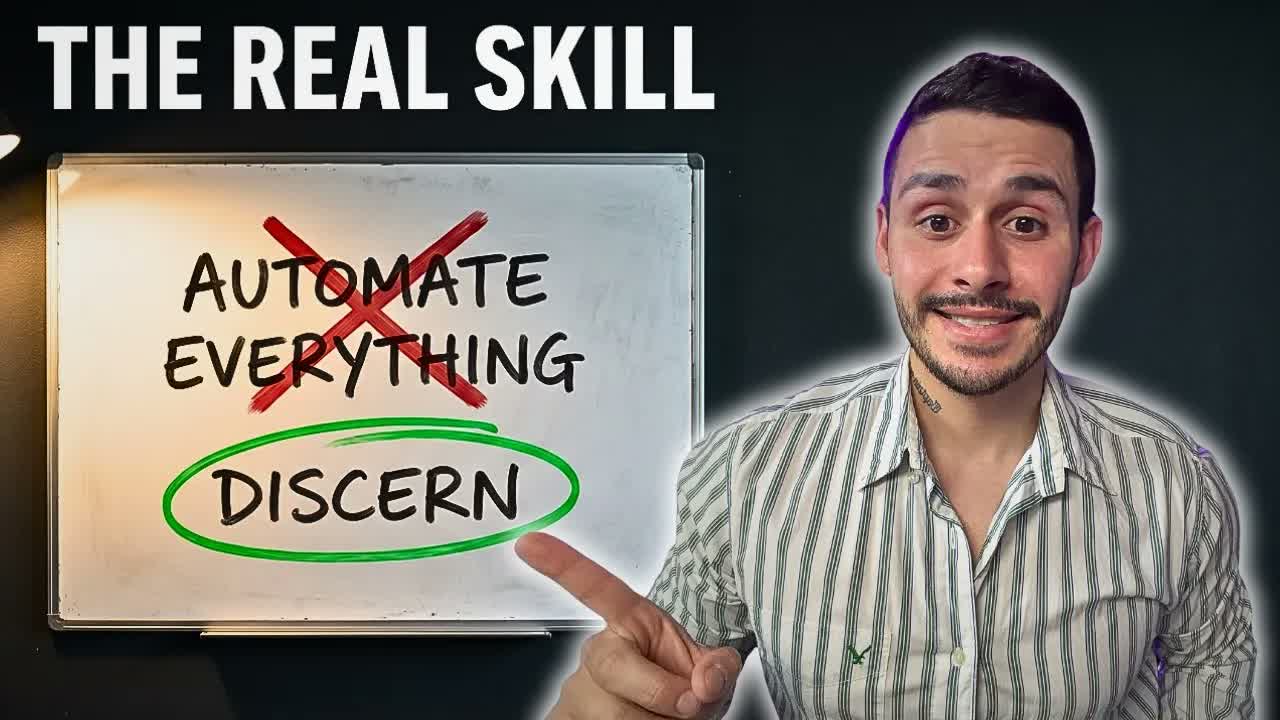
File structure plus frameworks plus, drumroll, discernment. That’s the architect.
This is where you stop trying to automate everything just because it seems like a good idea or you saw a video about it. You get above the dance floor, look at where time and money are leaking, and decide where AI actually belongs. Everything in your business sorts into four buckets:
- Deterministic (no AI). Specific rules, high volume, needs to be consistent. A form that hits your CRM and fires a templated email. Most of your automation opportunities actually live here, and they’re the most fruitful. Tools like Zapier, n8n, or cloud agents cover it.
- AI automation. Repeatable, judgment-light, removable from you. Lead triage, weekly competitor briefs, outreach drafts.
- AI augmentation. Your taste and judgment stay in the loop. Strategy, creative direction, high-stakes copy. Feed in past winners or competitor data, get a strong base, save hours.
- Human only. Trust and accountability. High-ticket sales calls, hiring decisions, partnerships. That’s you. Always you.
The biggest trap I see business owners fall into is thinking everything belongs in the AI automation bucket. It doesn’t. Most of it is deterministic. And plenty of what people grind on manually should have been deterministic or AI-automated a long time ago. Knowing the difference is the whole skill.
A real example of all four buckets
Inside my business this plays out cleanly:
- Deterministic: someone books a call, so they get confirmations, reminders, and the assets to review before we talk. No AI, just touchpoints I wrote once.
- AI automation: the Bottleneck Pipeline triages my leads and drafts emails.
- AI augmentation: a thumbnail-packager skill takes a full video transcript plus a competitor report and gives me titling and thumbnail directions, then sends the image job to Higgsfield through its MCP.
- Human only: the actual sales call, and the final say on who I hire. AI can augment the data. The decision is mine.
I’ve productized this entire stack into something called Charlie OS. At my agency CC Strategic, it’s the same operating system we install for clients so their departments run on the right bucket instead of brute force.
Key takeaways
- 90% of businesses are stuck at level one, using AI as a chatbot with no memory of their business
- The biggest jump is level one to level two: build a real file structure and frameworks so AI knows you
- Level three is building, level four is orchestrating tools through MCP and CLI, level five is triaging by ROI
- Sort every task into four buckets: deterministic, AI automation, AI augmentation, human only
- Most automation belongs in the deterministic bucket, not the AI one. Discernment is the master skill
Watch the full breakdown
I put out one or two videos like this every week on my YouTube channel @charlieautomates, unbiased takes on AI automation and augmentation, most of it built on Claude Code. Everything I covered here is the foundation we build on at Charlie Automates and charlieautomates.com.
Not sure what to fix first?
Most people don’t need another AI tool. They need to know which thing is actually costing them the most.
The AI Bottleneck Finder asks you a handful of questions, then tells you the one constraint capping your revenue right now plus two builds you could ship this week. Five minutes, free, no call required.
Take the free AI Bottleneck Finder →
Want the frameworks I named in this post? Join the CC Strategic AI community on Skool. New AI builds dropped weekly. SOPs, prompts, full workflows.
FAQ
Q: Do I need to know how to code to get past level one? No. The whole point of level two is organizing your files and frameworks so the AI does the heavy lifting. Custom skills are just text files. If you can write a document, you can build one.
Q: What’s the single most important level to focus on? Level two, the organizer. Going from a memoryless chatbot to a structured file system and frameworks is the jump that separates real results from slop. Everything above it depends on it.
Q: What’s the difference between AI automation and AI augmentation? Automation runs without you on repeatable, judgment-light work like lead triage. Augmentation keeps your taste in the loop for high-stakes work like strategy and copy. You review and approve augmented output before it ships.
Q: Isn’t most of this just for big companies? No. This runs from a MacBook. Solo founders and small teams get the most out of it because one person can suddenly run several departments. Your business is not too small or too niche for it to work.