Not sure what to fix first?
Most people don’t need another AI tool. They need to know which thing is actually costing them the most.
The AI Bottleneck Finder asks you a handful of questions, then tells you the one constraint capping your revenue right now plus two builds you could ship this week. Five minutes, free, no call required.
Take the free AI Bottleneck Finder →
If you’re using Claude Code, forget GSD, BMAD, and Superpowers. The best workflow is two free plugins that nobody’s talking about yet. Think of it like this. GSD, BMAD, and Superpowers all had a love child. Only the favorable traits were passed on.
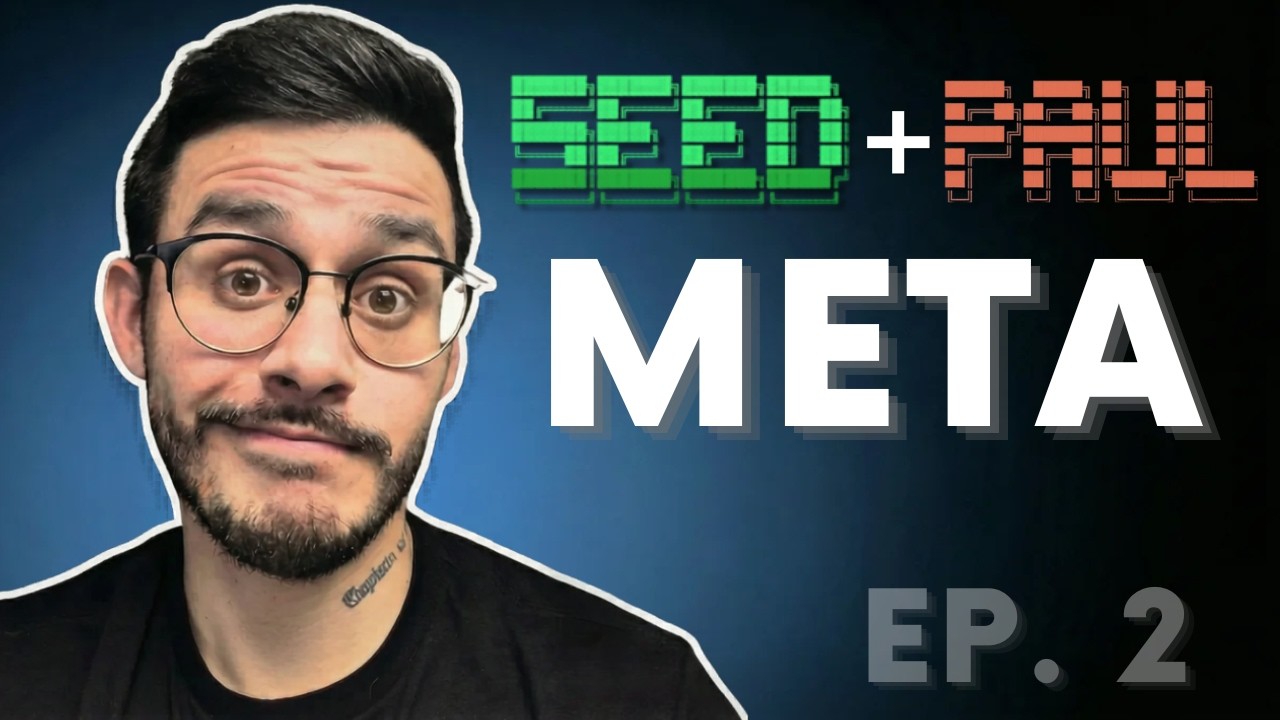
It’s the SEED and PAUL combo. And the author of both is my business partner Chris Kahler.
I’m Charles Dove. I run Charlie Automates and co-own CC Strategic with Chris. Every project we’ve shipped over the past few months used this exact stack. Meanwhile, people are still searching for the right combo and wondering why something feels off.
Don’t worry. We were there too. Until Chris built something better.
Why Existing Plugins Fall Short
Let’s be honest about the current landscape. The popular Claude Code plugins all try to solve the same problem. But most of them are either too rigid or too loose.
BMAD gives you a framework, but it’s opinionated in ways that don’t fit every project. It forces you into its worldview regardless of what you’re building.
GSD is great for simple stuff, but falls apart on complex builds. It’s fast, sure. But speed without structure is just chaos with a timer.
Superpowers adds features but doesn’t help the way you plan or how you think about your project. It bolts on capability without changing the foundation.
What’s missing is a system that does both. First, it forces you to think before you build. Not just list features, but actually work through architecture, constraints, and decisions. Second, it hands that context over to a building system without losing a single detail.
That is the SEED + PAUL stack.
What Is PAUL? The Three-Phase Build Loop
Before we dive into SEED, let me explain PAUL. It’s the builder. The workhorse.
The main problem PAUL solves is simple. You have a plan. You hand it to Claude. It builds something. But did it build what you asked for? Did it stay within scope? Did it touch files it shouldn’t have?
Most people don’t know the answer until something breaks.
PAUL fixes this with a three-phase loop: Plan, Apply, and Unify.
- Plan - You write a plan with acceptance criteria. These are testable conditions. They’re not just vibes. Claude can’t start building until you’ve explicitly approved.
- Apply - Claude builds according to the plan. No freelancing. No going rogue.
- Unify - A reconciliation step that compares what was planned versus what was actually built. Every deviation, every decision gets documented.
Here’s the line that matters: Nothing gets built without an approved plan. Nothing shifts without reconciliation. That’s why our stuff doesn’t fall apart once you hit that 70% mark.
What Is SEED? The Thinking Phase Before Building
PAUL is designed to build upon a great idea. But not every great idea is the same as a great plan. That’s where SEED comes in.
SEED stands for Structured Evaluation and Engineering Design. It’s the step that comes before PAUL. It’s guided ideation.
You tell SEED what type of project you’re building. That could be an app, a workflow, a campaign, a client project, or a utility. And it shapes the entire conversation around that type.
An app gets architecture questions. A workflow gets integration mapping. A campaign gets audience and channel strategy. It doesn’t ask you generic questions. It asks the questions that matter for your specific project type.
When you’re done, SEED produces a planning.md document that’s structured enough to hand directly to PAUL without re-asking a single question.
The Five Project Types (And Custom Templates)
SEED ships with five templates out of the box. Plus the ability to create any custom type you need.
| Template | Best For |
|---|---|
| Application | Frontend, backend, full architecture builds |
| Workflow | Claude Code frameworks, automation pipelines, integrations |
| Campaign | Marketing, content launches, no-code projects that need structure |
| Client | Deliverables, timelines, managing specific client projects |
| Utility | Small tools, scripts, lighter touch, faster ideation |
Every conversation you have with SEED will be different depending on the type. The conversation for an application is completely different than one for a campaign. That’s intentional.
And if none of these fit what you’re building? You can engineer more templates. SEED is extensible by design.
How SEED Works: The Live Demo
Chris walked through a live demo building a real project called Hip Shot Media, a content production pipeline that turns scripts into fully finished faceless videos.
Here’s what the process looked like in real time.
Step 1: Boot Up the /seed Command
You type /seed in Claude Code. If you know the project type upfront, you can include it in the initial command. But the whole thing is designed to guide you either way.
SEED first asks what type of project this is. That shapes the entire conversation downstream. For Hip Shot Media, it identified this as a workflow project. Chris confirmed, and the guided conversation began.
Step 2: Describe Your Idea
Chris dropped a preparation document he’d been thinking through for the past couple days. It described a content pipeline that would take scripts from the Go Viral plugin, run them through text-to-speech with a voice clone, and generate complete faceless videos using Remotion.
The existing pieces were scattered across his workspace. Random scripts, a voice box API, Remotion templates. None of it was wired together. SEED’s job was to consolidate all of that into a structured plan.
Step 3: SEED Asks the Right Questions
SEED doesn’t dump a generic questionnaire on you. It asks high-level, type-specific questions to make sure it understands your intention.
For a workflow, that means: What components already exist? What slash commands are needed? What skills are part of this? Are there hooks? What scripts are being used? How should error handling work?
Chris answered each question. Not getting too deep into the details, because that’s PAUL’s job. SEED handles ideation. PAUL handles the nitty-gritty.
Step 4: Scope Definition and Component Map
SEED synthesized everything into a component map. For Hip Shot Media, it looked like this:
- Slash command entry point - The trigger to start the pipeline
- Dialect rewrite skill - A Claude Code skill that rewrites the script in the right voice
- Voice generation script - A shell script that calls the voice box API for text-to-speech
- Transcription script - Another shell script that timestamps the audio
- Visual director - Produces a JSON scene plan from the timestamped transcript
- Remotion renderer - Generates the final video from the scene plan
All of this, mapped out before a single line of code was written.
Step 5: Integration Map and Flow
SEED built out the integration map showing how each component connects. Where data flows in. Where it flows out. What approval gates exist.
Chris emphasized something important here. He personally likes having approval gates in his workflows. Especially when there’s an element of creativity involved. AI tends to struggle with creative deliverables. Having a human in the loop at key checkpoints keeps quality high.
The result? A complete planning document ready to hand off to PAUL.
Step 6: Launch Into PAUL
With the plan locked, SEED creates a planning.md file and the project graduates into PAUL. From there, PAUL runs the plan-apply-unify loop for each phase of the build. Every milestone gets verified. Every deviation gets documented.
Why This Stack Beats Vibe Coding
Here’s the reality check I gave during the video. A vibe coder would have had something “built” 20 minutes into this process. And that’s exactly why their stuff doesn’t ship.
Chris’s stuff ships. Every time.
The SEED + PAUL approach trades upfront speed for downstream reliability. You spend time thinking before building. You create a real plan, not a wish list. You verify what was built matches what was planned.
It’s not the fastest way to start. It’s the fastest way to finish.
The Full Ecosystem: SEED, PAUL, and Beyond
Chris mentioned two other tools in the ecosystem: Skillsmith and CARL. Skillsmith is what Chris uses to create all of his Claude Code frameworks. Even SEED itself was built with Skillsmith. CARL handles domain rules and behavioral configuration.
The full flow looks like this:
- SEED - Ideate and incubate the project
- PAUL - Orchestrate the full build with plan-apply-unify loops
- Skillsmith - Tactical execution vehicle for building quality skills and commands
- CARL - Domain-level behavioral rules
Each tool has a specific job. No overlap. No bloat. They work together as a single pipeline.
How to Get Started
Both SEED and PAUL are free and available on GitHub. You can start using them today.
- Clone both repos (links in the YouTube video description)
- Run the
/seedcommand in Claude Code - Follow the guided conversation for your project type
- Let SEED produce your planning document
- Launch into PAUL and start building
The best way to learn is to just run the seed command. Try building a workflow. Watch how it asks you questions. Cross reference the templates if you want to understand the structure.
Pro Tips From the Video
If you don’t have clear context for SEED: Ask Claude to help you gain that context first. Put it in plan mode. Discuss with it. Get an idea of some general context. Then boot up the /seed command and feed that context in.
Keep original files clean: During the demo, Chris emphasized that the dialect rewrite should create a new file, not modify the original script. Always keep your source material intact.
Approval gates matter: Don’t fully automate creative workflows end-to-end. AI is great at execution but struggles with creative judgment. Build in human checkpoints where quality matters.
Your output is only as good as your input: Chris said it best. Without real thinking upfront, it’s not a plan. It’s a wish list. And Claude will happily build a wish list for you. It just won’t be what you actually wanted.
Frequently Asked Questions
What does SEED stand for?
SEED stands for Structured Evaluation and Engineering Design. It helps you evaluate your idea in a structured way and engineers the exact design spec that PAUL needs to build your project.
Do I need SEED to use PAUL?
No. PAUL can work with any well-structured planning document. But SEED is specifically designed to produce plans that PAUL can consume directly without re-asking questions. They’re built to work together.
Is SEED only for applications?
Not at all. SEED ships with five project types: Application, Workflow, Campaign, Client, and Utility. You can also create custom types if none of the defaults fit your use case.
What’s the difference between SEED and just prompting Claude with a plan?
SEED is a guided system. It asks type-specific questions based on what you’re building. A workflow gets different questions than an application. This ensures no critical context gets missed. Raw prompting leaves gaps.
How does this compare to GSD, BMAD, or Superpowers?
GSD is great for simple tasks but breaks down on complex builds. BMAD is too opinionated for every project. Superpowers adds features but doesn’t improve your planning process. SEED + PAUL handles both the thinking and the building in one connected pipeline.
Is this free?
Yes. Both SEED and PAUL are free on GitHub. If you want deeper breakdowns, templates, and guided walkthroughs, you can join CC Strategic AI on Skool.
Can I use SEED for n8n workflows?
Yes. The workflow template type is designed for exactly this kind of project. It focuses on integration mapping, component architecture, and how pieces connect together.
What is Skillsmith?
Skillsmith is the tool Chris uses to build Claude Code frameworks. Even SEED was created with it. It works within PAUL as a tactical execution vehicle. Think of it as the quality control layer for building skills and commands.
Ready to Stop Vibe Coding and Start Shipping?
If you’re tired of projects that get 70% done and then fall apart, the SEED + PAUL stack is the fix. Think before you build. Plan before you code. Verify before you ship.
Want hands-on help getting started? and I’ll walk you through setting up the full stack for your specific use case.
Want to learn alongside other builders? Join CC Strategic AI on Skool where we’re going from zero to dangerous. We’ve got over 1,700 members and growing 50 to 100 a day.
Subscribe to @charlieautomates on YouTube for the next video in this series where we cover CARL and BASE.
Grab SEED free in Free Resources, together with every other Claude Code skill, plugin, and playbook I use day to day.
Not sure what to fix first?
Most people don’t need another AI tool. They need to know which thing is actually costing them the most.
The AI Bottleneck Finder asks you a handful of questions, then tells you the one constraint capping your revenue right now plus two builds you could ship this week. Five minutes, free, no call required.